Activepieces Review: The Best Open-Source AI Automation Tool
Overview & Purpose
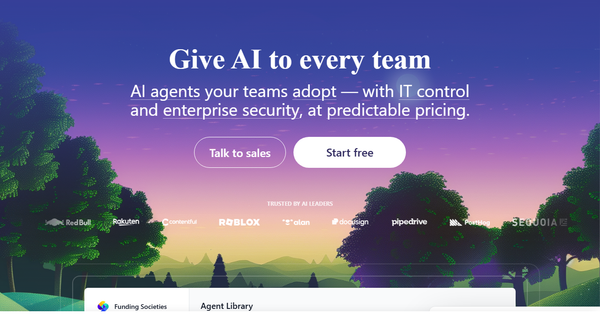
Activepieces is an open-source, AI-first workflow automation platform that lets users build sophisticated automations by connecting apps through a no-code, visual drag-and-drop interface. It enables teams to create intelligent agents that handle tasks like lead qualification, content generation, email responses, meeting summaries, and data processing by integrating seamlessly with AI services such as ChatGPT/OpenAI. Primary use cases include streamlining sales (e.g., lead scoring), marketing (e.g., content automation), support (e.g., inbox zero bots), and operations (e.g., daily reports or deadline tracking), while supporting complex logic like conditions, loops, and multi-step workflows.
The platform targets a broad audience: non-technical users (marketers, sales teams, operations staff) who benefit from its approachable builder, as well as developers and IT teams who appreciate the open-source nature for custom extensions and self-hosting. It serves industries ranging from fintech and e-commerce to health tech and media, with built-in governance for enterprise control. Unlike traditional tools, it emphasizes "AI adoption at scale" with analytics to track hours saved and adoption rates, making it ideal for organizations migrating from costly platforms like Zapier or Make.

Key Features & Capabilities
Core functionality revolves around a visual flow builder where users select triggers (schedule, webhook, or app events), add actions via 642+ pre-built integrations ("pieces"), and incorporate AI agents for intelligent decision-making. Standout features include:
- AI agent builder for autonomous workflows (e.g., GPT-powered responses or smart email agents).
- Human-in-the-loop oversight via approval steps (aligning with To-Do-style pauses for review).
- Impact analytics, gamification (leaderboards/badges), and unlimited runs at predictable cost.
- Advanced logic (conditions, loops, branching) and custom code pieces for developers.
- Deployment flexibility: fully managed cloud or self-hosted Community Edition (MIT license).
What differentiates Activepieces is its blend of no-code simplicity with enterprise-grade control, open-source transparency, and flat-rate pricing focused on "active flows" rather than per-task billing—making high-volume AI automations affordable. It also offers MCP servers and tables for data handling.
Limitations include fewer niche or ultra-specialized integrations/templates compared to Zapier (though 642+ covers most popular apps), a smaller community than n8n, and the self-hosted edition requiring technical setup for full features. Advanced enterprise governance (SSO, RBAC, audit logs) is cloud/enterprise-only. No major missing core capabilities were noted, but it is still maturing relative to incumbents.

User Experience
Activepieces earns high marks for ease of use, with users describing the interface as "clean, intuitive, and approachable for beginners" yet powerful for advanced logic. The learning curve is quick—most non-technical users can build basic flows in minutes, thanks to drag-and-drop steps, pre-built connections, and visual testing. Documentation is clear and well-organized, supplemented by community tutorials and YouTube guides. Support includes community forums (responsive maintainers noted positively) plus paid options for enterprise.
Interface quality stands out for its modern design and mobile-friendly flow viewing. Overall, it balances simplicity with depth better than many competitors, though some users note occasional confusion with newer pieces during rapid updates.

Performance & Reliability
Flows execute reliably with unlimited runs across plans, and users report fast performance for most automations (including AI calls). Speed is efficient due to dedicated workers in cloud plans and low-latency self-hosting options. No widespread outages or major reliability complaints surfaced in 2025–2026 reviews; common feedback highlights "solid multi-step automations" and smooth webhooks.
Known issues are minor: occasional integration hiccups with less-common apps, and some users mentioned plan-related frustrations from past lifetime deals (now resolved into standard tiers). The platform's rapid iteration (frequent updates praised) keeps it stable, with strong SOC 2/GDPR compliance for enterprise trust. Overall, it performs well for SMBs and mid-market teams.
Pricing & Value
Activepieces offers transparent, usage-based cloud pricing with a generous free tier:
- Free/Standard: 10 active flows free, then $5 per additional active flow per month; unlimited runs, AI agents, MCP servers, tables, and community support.
- Unlimited/Enterprise: Custom annual contracts with advanced governance, SSO, RBAC, audit logs, and dedicated support—contact sales for tailoring.
- Self-Hosted Community Edition: Completely free (MIT license) with core features; requires your own infrastructure and technical setup.
Value is exceptional compared to Zapier or Make: predictable costs (no per-task surprises), open-source control, and AI capabilities at a fraction of the price—users frequently cite "amazing pricing" and "thousands in monthly savings." Self-hosting eliminates vendor lock-in entirely. It shines for high-volume or privacy-focused teams, though very large enterprises may need custom quotes for full compliance features.
Practical Tutorial
Official documentation provides excellent guidance at https://www.activepieces.com/docs/flows/building-flows, with additional beginner videos and community examples available. Here is a step-by-step walkthrough I created for a common AI-enhanced task (as of March 2026): Automate AI lead qualification from a Google Sheet and notify Slack (with human approval).
- Sign up/Log in: Go to cloud.activepieces.com (or self-host) and create a new flow.
- Add Trigger: Search for "Google Sheets" piece → Select "New Row" trigger. Connect your Google account and choose the spreadsheet/sheet.
- Add AI Action: Drag "OpenAI" piece → "Ask ChatGPT" action. Connect your OpenAI key. In the prompt, reference previous step data (e.g., "Score this lead from {{trigger.data}} on a 1-10 scale and explain why").
- Add Condition/Logic: Insert "Condition" step: If AI score > 7, proceed; else end.
- Add Human Oversight (To-Do/Approval): Use "To-Do" or approval piece (or custom webhook) to pause and send approval request via email/Slack.
- Add Notification: Drag "Slack" piece → "Send Message" action. Include AI summary and sheet link. Connect Slack workspace.
- Test & Publish: Click "Test flow" (use sample data), review execution, then publish. Monitor in the dashboard.
This takes ~10–15 minutes and leverages AI + human control. For video guidance, see community tutorials like "ActivePieces Tutorial For COMPLETE Beginners" on YouTube. Extend with loops for batch processing or more pieces as needed.
Final Verdict
Overall rating: 4.7/5 (based on G2's 4.8/5 from 142+ reviews, balanced against minor community and integration gaps).
Teams that should use it: SMBs, growing startups, and enterprises seeking affordable, AI-powered automation with full data control, open-source flexibility, and predictable pricing—especially those frustrated by Zapier costs or needing human oversight in workflows.
Who should avoid it: Organizations requiring hundreds of hyper-niche integrations, zero-setup enterprise support out-of-the-box, or maximum community resources (consider n8n instead).
One-sentence recommendation: Activepieces delivers enterprise-grade AI automation with no-code simplicity and unbeatable value—start here if you want control, intelligence, and cost savings without the bloat of legacy tools.