Ad Suite AI Review: Automate Your Google and Meta Ads Easily
Overview & Purpose

Ad Suite AI is an AI-powered marketing platform that automates the creation, launch, and management of Google Ads and Meta Ads (Facebook and Instagram) campaigns. It uses a guided AI interview to gather business details, automatically generates campaign briefs, proposals, ad copy, and creatives, then configures and optimizes everything in a centralized dashboard. The core purpose is to deliver a done-for-you (DFY) workflow that eliminates the steep learning curve of ad platforms and avoids expensive agency retainers, allowing users to move quickly from idea to live campaigns while paying primarily on media spend.
Primary use cases include lead generation, online sales, website traffic, brand awareness, product consideration, and app promotion for small-scale budgets. It targets small businesses and marketing agencies that lack in-house ad expertise or want to scale efficiently without hiring full-time specialists. The platform positions itself as an accessible alternative for non-marketers, blending AI automation with optional human oversight for approvals.
Key Features & Capabilities
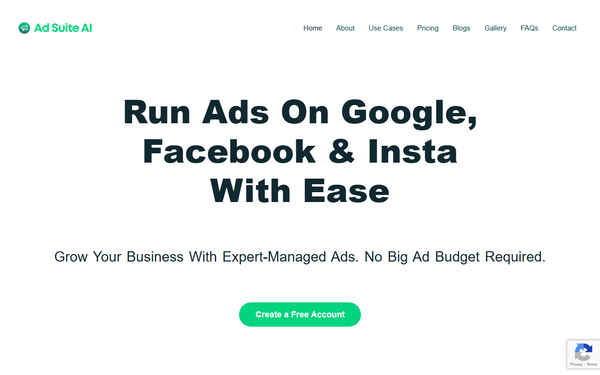
Core functionality revolves around four streamlined steps: an interactive AI chat interview (with website scanning), auto-generated editable campaign proposals and briefs (including keywords and competitor research), AI-driven creative generation using 80+ templates for copy, images, headlines, and videos, and a unified dashboard for live monitoring, reporting, and real-time optimization. Additional free services include Google Ads/Meta account setup, Google Tag Manager implementation, and conversion tracking.
Standout features include transparent optimization reasoning (audit trails showing signals like time of day or geography), persona-driven dynamic campaigns that segment audiences by intent or psychographics, a “coach mode” for users to tweak rules, and cross-platform management from one dashboard. Billing is uniquely performance-tied at 10% of media spend (no subscriptions or setup fees), with tiered inclusions: Starter (up to $1,000 monthly media) offers 4 static creatives and 2 campaigns; Growth ($1,000–$3,000) doubles creatives and adds organic posts; Scale (above $3,000) includes video reels, 3 campaigns, and bi-weekly reviews. All plans provide monthly performance reviews, smart budget allocation, and rich analytics.
Limitations include support for only Google and Meta Ads (no TikTok, LinkedIn, or others yet), caps on creatives/campaigns in lower tiers, and mandatory user review/approval steps that prevent fully hands-off operation. Advanced features like video reels are Scale-only, and the platform lacks native A/B testing depth or third-party integrations beyond basic tracking.

User Experience
The interface earns high marks for zero onboarding friction: users begin with a simple text-based AI chat that scans their website automatically, making it accessible even for complete beginners. The dashboard is described as intuitive and beginner-friendly, with live previews, easy editing of briefs/creatives, and real-time performance views. Campaigns can reportedly launch in under 15 minutes after approval.
Documentation is limited to a basic FAQs section covering workflow, pricing, and editing; responsive support is available via team assistance during reviews, though no extensive video library or knowledge base exists. Learning curve is minimal due to the guided DFY process and full user control (approve or edit everything before launch). Overall, the experience prioritizes simplicity over advanced customization.
Performance & Reliability
Launch and optimization are positioned as fast and efficient, with AI handling real-time tweaks and transparent explanations for changes. The centralized dashboard provides actionable reports, and free setup services (tracking, Tag Manager) ensure quick reliability. No widespread outages or major technical complaints appear in public sources as of March 2026; the platform claims proven strategies used successfully by small businesses.
Known issues are minimal in available data, but the scarcity of independent user reviews makes long-term reliability hard to gauge. Some promotional Reddit mentions exist, but no aggregated complaints or scam reports surfaced. The only notable concern is mismatched testimonials on the homepage (referencing an unrelated “Urban Workshops” business), which could signal quality-control gaps.

Pricing & Value
Ad Suite AI uses a transparent, no-subscription model: free account creation and setup, then 10% of monthly media spend (minimum $50) billed only after campaign approval and launch. Three budget-tiered plans scale inclusions without changing the core fee percentage:
- Starter (up to $1,000 media/month): 4 static creatives, 2 campaigns, 4 organic posts, monthly review.
- Growth ($1,000–$3,000): 8 creatives, 2 campaigns, 8 organic posts, monthly review.
- Scale (above $3,000): 10 creatives + 2 video reels, 3 campaigns, 12 organic posts, bi-weekly reviews.
All include AI builder, dashboard, optimization, and free account setup/tracking. No hidden costs.
Value is strong versus traditional agencies (often 15–20% retainers plus setup fees) or subscription creative tools (e.g., AdCreative.ai at $29+/month). It shines for small budgets by charging only on actual spend while delivering agency-quality output. Compared to native platform AI tools, it removes the learning curve and consolidates reporting. Drawback: lower-tier plans limit volume, and users still pay media spend directly to Google/Meta.
Practical Tutorial
No official video tutorials or in-depth guides beyond the FAQs exist on the site. Below is a practical, step-by-step walkthrough for the most common task—launching a lead-generation campaign—based directly on the platform’s documented 4-step workflow (as of March 2026). This example assumes a local plumbing business targeting “emergency plumbing services.”
-
Create a free account and start the AI interview — Go to https://app.adsuiteai.com/ and sign up (no credit card required). Click “Build Your Campaign.” Enter your website URL; the AI scans it automatically. Then chat interactively: “My business is emergency plumbing in Chicago. Goal: generate 20 qualified leads per month on a $800 budget. Target homeowners aged 30–55.” Answer follow-ups on services, offers, and brand voice. (Takes ~5–10 minutes.)
-
Review and edit the campaign proposal — Receive an auto-generated brief with keywords (“emergency plumber Chicago”), competitor analysis, audience segments, and full proposal. Edit any section (e.g., adjust budget or add exclusions). Approve once satisfied.
-
Review and refine the AI-generated ads — AI creates variations using 80+ templates: headlines (“24/7 Emergency Plumber – 30-Min Response”), copy, static images (or upload your own), and calls-to-action. Preview live, request variations, or edit text/images. For Starter plan, you get up to 4 creatives. Approve the final set.
-
Launch, monitor, and optimize — Final review screen shows placements on Google and Meta. Approve to launch; pay the 10% fee ($80 in this example) only then. Monitor real-time performance in the dashboard. AI suggests optimizations (e.g., “Pause underperforming ad at 2 a.m.”) with explanations; review and approve changes. Check monthly performance report for ROI insights.
For troubleshooting, consult https://adsuiteai.com/faqs/ or contact team support during any review step. Test with a small budget first to validate results.
Final Verdict
Overall rating: 3.8/5 — A solid, affordable entry point for AI-driven ad management, but held back by limited independent validation and minor presentation issues.
Small businesses and agencies new to paid ads, operating on modest budgets, and seeking a low-risk DFY solution should use this tool: the 10% fee-only model, quick launch, and consolidated Google/Meta dashboard deliver real value without subscriptions or steep learning curves.
Avoid it if you need support for platforms beyond Google/Meta, fully automated hands-off campaigns without approvals, or proven case studies with verifiable large-scale results—established agency tools or native platform AI may suit better until more user data emerges.
One-sentence recommendation: Ad Suite AI is worth testing for budget-conscious small businesses ready to skip the ad-platform hassle, provided you review everything carefully before launch.