AgentHub Review: The Ultimate No-Code AI Automation Platform
Overview & Purpose
AgentHub is a no-code platform for building, testing, and hosting AI-powered automations and workflows. It enables users to create complex, intelligent processes using a visual drag-and-drop builder, pre-built templates, and native AI capabilities that go beyond simple if-this-then-that logic. Primary use cases include automating sales/CRM tasks (e.g., lead scoring and enrichment), software development pipelines, media and news monitoring, HR and hiring workflows, financial analysis and forecasting, job searching, education administration, personal legal document handling, automated sales emails, customer satisfaction survey analysis, customer social media sentiment analysis, and sales lead generation.
The target audience spans non-technical business users—marketers, sales teams, operations, HR, support, and finance professionals—as well as developers and small teams looking to consolidate tools without coding. It is particularly suited for YC-backed startups and growing companies (e.g., users at Instacart and Webflow) that want to democratize AI automation. Originally launched as AgentHub (YC W24), the platform is now primarily branded as Gumloop while retaining full functionality at agenthub.dev. Research conducted as of March 2026.
Key Features & Capabilities
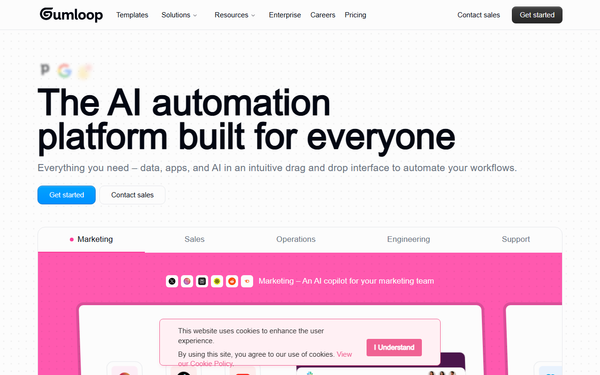
Core functionality revolves around a visual canvas where users connect 130+ native nodes (integrations with apps like Salesforce, Apollo, Gmail, Slack, Stripe, Airtable, Zendesk, and more) via drag-and-drop. Workflows can incorporate AI routers for dynamic decision-making, prompt-based creation via the built-in Gummie AI assistant, agents (AI-powered assistants that use tools/workflows), triggers (schedules, webhooks, app events), background execution, and nesting/subflows for complex logic. Users test in a sandbox environment before deploying hosted automations.
Standout features differentiating it from competitors like Zapier, Make, or n8n include native AI-first design (seamless LLM integration without extra per-model fees, bring-your-own-key support), prompt-to-workflow generation, powerful compute with auto-scaling and parallel execution, and enterprise-grade security (SOC2 Type 2, GDPR, VPC deployments, audit logs, RBAC). Pre-built templates directly address the listed categories, and one subscription covers everything—no add-ons for data or models.
Limitations include a credit-based usage model (primarily consumed by AI steps, with non-AI nodes often free), which can feel opaque for heavy LLM use; fewer total integrations than Zapier (130+ is solid but not exhaustive); and potential for AI hallucinations in complex flows requiring human oversight. No native code sandbox for advanced Python beyond basic nodes in some plans.

User Experience
AgentHub offers an exceptionally intuitive interface with a clean, Figma-like visual builder that makes building workflows feel like assembling Lego blocks. The learning curve is low for basics—many users report creating functional automations in minutes via Gummie prompts or templates—and scales well for advanced nesting. Non-technical users praise how it puts powerful AI in their hands without engineering help.
Interface quality is modern and responsive, with clear node libraries, live testing previews, and collaborative elements in higher plans. Documentation is comprehensive at docs.gumloop.com, featuring getting-started guides, video intros, core concepts (agents vs. workflows), courses, and keyboard shortcuts. Support includes a community forum (free), email (Solo+), dedicated Slack (Team+), and embedded experts (Enterprise). Reviews highlight “super easy to use” and “much better than Make or n8n” for non-technical teams, though some note occasional UI changes during rapid growth and limited instant live chat.

Performance & Reliability
Workflows run efficiently with auto-scaling compute and parallelized execution, delivering fast results for typical tasks like sentiment analysis or lead enrichment (often completing in seconds to minutes). Sandbox testing ensures reliability before production deployment, and background triggers support 24/7 operation. Enterprise users report consistent performance at scale.
Known issues are minimal based on public feedback: credit consumption can vary unpredictably with LLM-heavy flows, and debugging deeply nested workflows occasionally requires iteration. No widespread outages or major complaints appear in 2025–2026 reviews on Product Hunt (5.0/5), G2 (high 4.x ratings), or Reddit; users describe it as “reliable” and “production-ready.” Occasional platform updates introduce minor bugs, typical for a growing YC startup, but the team responds quickly via support channels.

Pricing & Value
AgentHub uses a credit-based model with generous free usage to lower barriers:
- Free: 2k credits/month, 1 seat, 1 active trigger, 2 concurrent runs, forum support, unlimited nodes/flows.
- Solo: $37/month (10k+ credits), unlimited triggers, 4 concurrent runs, webhooks, email support, bring-your-own API keys.
- Team: $244/month (60k+ credits), 10 seats, 5 concurrent runs, unlimited teams, dedicated Slack support, usage analytics, 14-day trial.
- Enterprise: Custom (unlimited seats, RBAC, SCIM/SAML, VPC, audit logs, AI model controls, premium support).
Overages and higher credit tiers (up to 1.5M+) are available; non-AI steps consume little or no credits.
Value is strong compared to alternatives: one flat subscription includes premium AI models (no extra OpenAI/Anthropic fees), making it more predictable and affordable than Zapier for AI-heavy automations. Free tier enables meaningful testing, and credits stretch far for most teams. Drawback: heavy users may face unpredictable costs if not monitoring usage or leveraging BYO keys. Overall, excellent ROI for businesses automating repetitive AI tasks without hiring developers.
Practical Tutorial
Official tutorials and docs are excellent resources (see docs.gumloop.com/getting-started/introduction and YouTube videos under “Gumloop” or legacy “AgentHub Tutorial”). Here is a self-contained step-by-step walkthrough for a common task: Customer Social Media Sentiment Analysis (directly matching a listed use case). This can be built in under 15 minutes using the visual builder or Gummie AI assistant.
-
Sign up and start: Go to agenthub.dev (or gumloop.com), create a free account, and navigate to the Hub. Click “New Workflow” (or ask Gummie: “Build a social media sentiment analysis workflow”).
-
Add a trigger: Drag a Schedule node (daily) or Webhook/App Event node (e.g., new Instagram/TikTok comments via integration). This starts the automation automatically.
-
Fetch data: Connect a Social Media or Scraper node (native support for LinkedIn, Instagram, Twitter/X via templates or Apollo-like nodes). Configure to pull recent posts/comments (use credentials for your accounts).
-
Analyze with AI: Add an “Ask AI” or Categorizer node. Set instructions: “Analyze each comment for sentiment (positive, negative, neutral) and key themes. Score 1–10 and extract quotes.” Use the AI Router if branching logic is needed (e.g., flag negative sentiment > threshold).
-
Generate report and act: Connect an AI Text node for a summary report (“Compile overall sentiment trends and recommendations”). Then add output nodes: Email/Slack notification, Google Sheets export, or CRM update (e.g., Salesforce).
-
Test in sandbox: Click “Run” manually. Review results on-canvas (live previews show sample data). Debug any connections via the inspector.
-
Deploy and monitor: Save, activate the trigger, and view execution logs/analytics. For teams, share the workflow or turn it into an Agent for on-demand use.
Example outcome: Daily report emailed showing “85% positive sentiment on X posts about our product, with 3 complaints about pricing—recommend follow-up.” Real template inspiration available at gumloop.com/templates. For video walkthrough of similar flows (e.g., outbound sales automation), see official YouTube tutorials. Extend with agents for more autonomous behavior (add instructions like “Escalate negative sentiment to Slack”).
Final Verdict
Overall rating: 4.5/5 (Excellent accessibility and AI power, docked slightly for credit predictability and integration breadth).
Who should use this tool: Marketing, sales, operations, HR, and support teams at startups or mid-sized companies seeking to automate sophisticated AI-driven workflows without developers—especially if you value speed, templates, and enterprise security.
Who should avoid this tool: Pure developers needing open-source code control or full custom scripting; teams running thousands of simple low-AI zaps (where Zapier may be cheaper); or those requiring ultra-predictable flat pricing without usage monitoring.
One-sentence recommendation: If you want a powerful, intuitive no-code platform to turn repetitive business tasks into intelligent AI automations with minimal effort and strong enterprise features, AgentHub (Gumloop) is an outstanding choice—start with the free tier today.