Agentpass Ai Review: Secure No-Code MCP Server Deployment
Overview & Purpose

AgentPass.ai is a no-code platform for securely deploying AI agents in enterprise settings by spinning up fully hosted MCP (Model Context Protocol) servers. It acts as a credential and access management gateway, allowing organizations to connect APIs to AI models like Claude, ChatGPT, or Gemini without exposing sensitive keys or credentials directly to the agents. Primary use cases include building production-ready API toolsets for autonomous agents, managing complex multi-API ecosystems (e.g., Reddit research tools or internal enterprise services), and enabling safe scaling of AI automation workflows while ensuring compliance and centralized control.
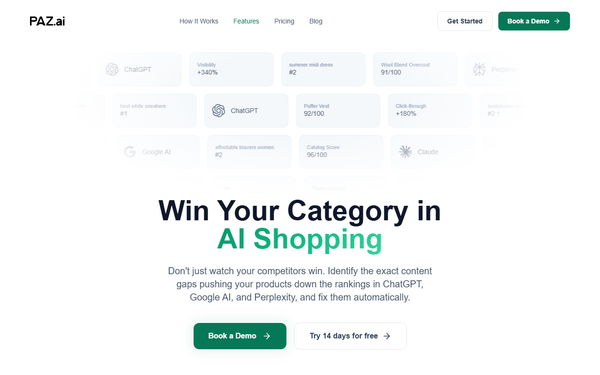
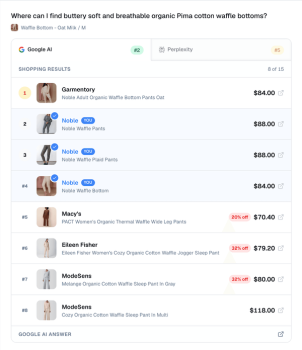
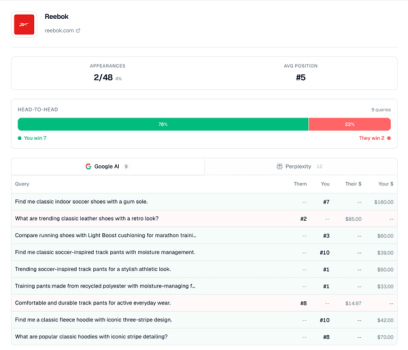
The target audience is primarily developers, AI engineers, CISOs, and enterprise teams deploying agentic systems. It also appeals to e-commerce brands via the parent platform PAZ (formerly promoted on the same domain), where MCP support helps distribute catalogs to AI shopping assistants. Non-technical users benefit from the visual builder, but the strongest fit is for organizations prioritizing security and speed over custom coding.
Key Features & Capabilities
Core functionality revolves around instant MCP server creation: upload an OpenAPI specification (YAML/JSON), and the platform automatically converts it into MCP-compatible tool definitions with nested structures for complex APIs. Built-in features include user authentication/authorization (OAuth 2.0/2.1 support), credential isolation (agents never touch keys), access controls, and multi-tenant architecture for managing dev/staging/prod environments separately. Observability tools cover analytics, audit logs, performance monitoring, and real-time insights.
Standout differentiators include true no-code deployment (minutes instead of weeks), enterprise-grade security inherited from the founders’ experience with Gigya (acquired by SAP) and OwnID, and 1-click scaling with 99.99% uptime claims. It supports grouping tools into folders, custom response formatting, and seamless integration with any AI agent framework. Unlike manual MCP setups or basic alternatives, it abstracts away infrastructure, DevOps, and auth plumbing entirely.
Limitations include fewer deep customization options than hand-coded solutions (e.g., limited advanced logic beyond the visual editor), a narrow focus on AI-API integrations rather than general-purpose gateways, and no public roadmap for advanced features like custom code injection. As of March 2026 research, the platform remains early-stage (beta/early access), with the main site now emphasizing PAZ commerce applications built on the same MCP backbone.
User Experience
Setup is exceptionally straightforward with a minimal learning curve—even users with limited technical backgrounds report success in under 15 minutes. The interface is clean and modern: a visual editor for importing specs, drag-and-drop tool organization, and simple toggles for auth and parameters. No coding or server management is required.
Documentation is light (no comprehensive public user guide or video library found; relies on LinkedIn community posts and in-app hints). Support comes via demo requests, pilot white-glove onboarding, and responsive early-access channels. Overall, the UX shines for rapid prototyping and enterprise deployment, though teams seeking extensive self-serve resources may need to supplement with external examples.
Performance & Reliability
Deployment is near-instant, with auto-scaling infrastructure handling production loads efficiently. Users report reliable uptime and quick API response times once live. Observability dashboards provide clear performance metrics and audit trails. No widespread complaints or outages surfaced in reviews or forums as of March 2026; early adopters praise the elimination of manual infrastructure headaches.
Known issues are minimal and typical of beta-stage tools: occasional visual editor quirks during complex nested specs and the need for human-in-the-loop approval on sensitive configs. Reliability is strong for enterprise use, backed by the founders’ security pedigree.
Pricing & Value
Pricing is not publicly listed—users must contact sales for custom quotes. A 14-day free trial is available via app.paz.ai/login, plus a “1 Month Pilot” with white-glove implementation and 2–4 week go-live. Enterprise options include dedicated support and scaling.
Value is excellent for teams that would otherwise spend weeks on auth plumbing and MCP infrastructure: it replaces custom servers, reduces compliance risk, and accelerates AI projects. Compared to alternatives (manual coding, open-source MCP wrappers, or heavier platforms), AgentPass delivers faster time-to-value and superior security isolation at enterprise scale. The lack of transparent tiers is the main drawback, making it best suited for organizations ready to pilot rather than casual hobbyists.
Practical Tutorial
Official tutorials are not yet published on the site, but community examples (especially LinkedIn walkthroughs) and the in-app flow make it simple. Below is a step-by-step walkthrough for a common task—building a secure Reddit research MCP server that lets AI agents query posts without exposing API keys. This mirrors real user examples and takes ~14–20 minutes.
- Sign up and access the dashboard – Go to app.paz.ai (or request beta access via the site/demo form) and start the free trial.
- Import OpenAPI spec – Click “New MCP Server” → upload Reddit’s official OpenAPI YAML (or paste the URL). The visual editor auto-converts it into MCP tools (e.g., search posts, get comments).
- Configure authentication – Enable OAuth 2.0, paste your Reddit client credentials into the secure vault (never shared with agents). Set granular permissions (read-only for research agents).
- Organize tools – Group related endpoints into folders (e.g., “User Research” folder with search and profile tools). Customize parameters and response formats for cleaner AI output.
- Test & monitor – Use the built-in tester to query via natural language. Check analytics/audit logs for performance.
- Deploy – One-click publish. Copy the MCP endpoint URL and feed it to your AI agent (Claude, Gemini, etc.). Agents now call Reddit APIs securely through the gateway.
Result: Your agent can conduct user research instantly while credentials stay isolated. For video-style guides, search LinkedIn for “AgentPass.ai MCP” (multiple 14-minute crash courses exist). Official support can provide tailored templates during the pilot.
Final Verdict
Overall rating: 4.5/5 – A powerful, secure shortcut for production AI agents that removes the biggest friction points in MCP deployment.
Who should use this tool: Enterprise developers, AI teams, and CISOs who need to connect real APIs to agents quickly and compliantly without building infrastructure from scratch. Especially valuable for organizations scaling automation while keeping credentials safe.
Who should avoid this tool: Hobbyists or solo builders needing full code-level customization, or anyone requiring transparent upfront pricing and extensive self-serve documentation.
One-sentence recommendation: If you want to launch secure, enterprise-ready MCP servers in minutes instead of weeks, AgentPass.ai is the cleanest no-code solution available—start with the free trial today.