Ai Face Swapper Review: High-Quality AI Photo Face Swapping
Overview & Purpose
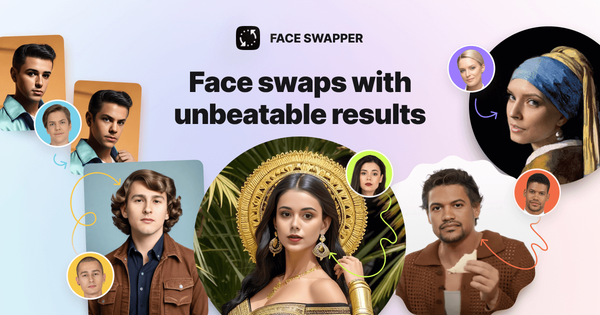
AI Face Swapper by Icons8 is an online AI-powered tool that automatically detects faces in uploaded photographs and replaces them with faces from other images selected by the user, delivering production-quality results that preserve the original photo's lighting, pose, and overall composition. It emphasizes responsible use for both fun (memes, personal edits) and serious applications (marketing visuals, design mockups, headshots, anonymizing subjects in content, or creating inclusive representations). Primary use cases include quick creation of custom portraits, group photo edits, promotional assets, and stylized content without manual Photoshop work. The tool targets designers, marketers, content creators, educators, and corporate teams who need fast, realistic face manipulation for professional workflows, rather than purely casual mobile apps. It positions itself as a bridge between novelty deepfake tools and labor-intensive editing software.
Key Features & Capabilities
Core functionality revolves around AI-driven face detection and seamless replacement, supporting input images up to 5 MB in JPG, PNG, or WEBP formats with individual faces up to 1024x1024 pixels; outputs match the source image's size and quality exactly. Standout features include multiswap capability (allowing users to replace multiple faces in a single group photo one by one), support for challenging cases like varied head poses (including side profiles), accessories (glasses, hats), facial hair, or partial obstructions (hair), and a skin beautifier trick where swapping a photo with itself smooths imperfections. A built-in gallery provides options from stock photos, AI-generated faces, memes, and celebrities. Users can also swap bodies or poses in addition to faces. The tool differentiates itself with market-leading 1024px resolution for face swaps, higher fidelity than many competitors, and integration within the broader Icons8 ecosystem (including a separate Smart Upscaler for post-swap resolution enhancement and background tools).
Limitations include dependency on high-quality source images (best results with frontal or near-frontal faces; extreme angles, heavy filters, or poor lighting can reduce realism), no native video support in the core web tool, a 5 MB file size cap, and lack of advanced customization like manual fine-tuning or batch processing for dozens of images. It is strictly online with no offline mode.

User Experience
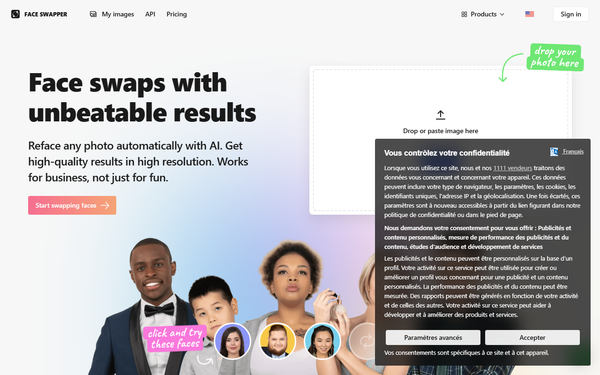
The interface is exceptionally intuitive with a minimal learning curve—described as "as easy as one-two-three" via drag-and-drop uploads and a clean web dashboard. No advanced technical skills are required; users simply upload a photo, select a replacement face (from upload or gallery), and receive results in moments. The design feels professional yet accessible, with clear prompts for multiswap in group shots and preview options. Documentation is solid through an official help center with step-by-step articles, FAQs on best practices, privacy, and troubleshooting. Support includes email for paid subscribers, a contact form, and responsive team responses noted in user feedback. Overall, the experience prioritizes speed and simplicity without sacrificing output quality.

Performance & Reliability
Processing is fast, typically completing in a few seconds to under a minute per swap, even for multiswap scenarios, making it efficient for iterative workflows. Reliability is high for standard use cases, with reviews consistently praising realistic blending of skin tones, lighting, and expressions that "withstand careful examination." It excels in challenging conditions compared to competitors, such as handling hair or accessories without pixelation. Common user feedback highlights consistent high-quality outputs suitable for professional assets.
Known issues are primarily input-dependent: results degrade with low-resolution, heavily filtered, or obstructed faces, occasionally producing minor artifacts like mismatched teeth alignment or hair blending in extreme tests. No widespread reliability complaints appear in recent reviews; occasional app-specific bugs (e.g., cache or multi-face selection in mobile versions) have been addressed by the developer. Privacy is handled securely with optional history clearing and 30-day storage on paid plans.

Pricing & Value
Face Swapper operates on a subscription model integrated with Icons8's ecosystem. A 3-day unlimited free trial is available when selecting the annual plan (easy cancellation). Paid plans offer unlimited swaps: approximately $19/month for monthly billing or $8.25/month ($99/year) for annual, including priority processing, email support, and 30-day image storage. Some plans use a shared AI credit system (20 credits per face swap), with extra credits available for $2 per 1,000. No standalone free unlimited tier exists for ongoing use, though personal/fun experimentation benefits from the trial.
Value is strong for regular users: unlimited access at a modest price outperforms pay-per-swap competitors for high-volume needs, and the professional-grade quality justifies the cost over free or low-end apps. It provides better ROI for marketers and designers than manual editing or enterprise software, though casual one-off users may find the subscription model less appealing compared to limited free alternatives.
Practical Tutorial
A common task is performing a multiswap on a group photo to replace several faces at once (e.g., creating team headshots with consistent branding). Here's a step-by-step walkthrough based on the official process (as of April 2026):
-
Visit https://icons8.com/swapper and sign in (or start the free trial). Drag and drop your group photo (under 5 MB, clear faces recommended) or click to browse and upload it.
-
Once uploaded, the AI detects all faces. For multiswap, click the "Change Face" button on the right panel for each detected face individually (the tool prompts you per face).
-
For each face, upload your replacement photo or select from the gallery (stock, AI-generated, memes, or celebrities). Preview the alignment, which automatically adapts to pose, lighting, and angle.
-
Repeat for every face you want to swap. Optionally, use the skin beautifier by uploading the original photo as the source for any face to refine skin texture.
-
Click to process the full image. Wait a few moments for the AI to generate and display the result. Download the high-quality output or save to your Icons8 history.
For body/pose swaps, select the "Change Body" option instead after uploading. Official detailed tutorial with screenshots: https://intercom.help/icons8-7fb7577e8170/en/articles/6382943-how-to-use-face-swapper. Real example: Users have reported excellent results swapping team members in corporate photos or creating meme variants from group shots, with output ready for immediate social media or design use.
Final Verdict
Overall rating: 4.5/5. This tool shines for its balance of simplicity, speed, and exceptional output quality, making it ideal for designers, marketers, and creators who need reliable, high-resolution face swaps without complex software. It excels in professional and creative scenarios where realism and multiswap matter. Avoid it if you require offline access, video swapping, heavy batch processing, or extreme customization beyond AI automation, as input quality heavily influences results and the subscription may not suit very occasional users. Icons8 AI Face Swapper is a standout choice for anyone seeking high-quality, effortless face swapping in photos.