AI inTime Review
Overview & Purpose

AI inTime, as described in AI tool directories like Future Tools, is promoted as an intelligent time management platform that uses artificial intelligence to automatically track, categorize, and analyze how users spend their time across different applications and activities. It aims to eliminate manual time logging by recognizing workflow patterns, assigning time to projects, and offering insights and predictive analytics for productivity. Primary use cases include tracking billable hours for freelancers, resource optimization for project managers, and achieving work-life balance for professionals.
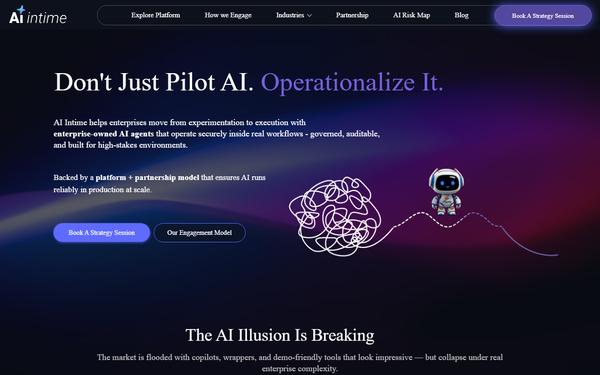
However, as of March 2026, the official website https://aiintime.com/ hosts a sovereign enterprise AI platform for building custom agentic AI agents in on-prem or air-gapped environments for large organizations in industries like manufacturing and finance. The time tracking description appears to refer to a previous or conceptual project listed as a Google Colab notebook rather than a production SaaS. No active product matching the full description was located, and no user reviews or documentation for the time management version were found. Target audience per the original listing: freelancers, project managers, designers, marketers, and individual professionals. Sources: futuretools.io, aiintime.com.
Key Features & Capabilities
Core functionality revolves around automatic time tracking, AI-driven categorization of activities, pattern recognition, project assignment, visualization of time spend, identification of inefficiencies, and personalized recommendations with predictive analytics.
Standout features (as described): Hands-free operation, adaptive to unique working styles, data-driven insights without manual input.
Limitations and missing features: No evidence of a live application or integrations with common apps (e.g., calendar, email). Lacks mobile app, team collaboration features, or real-time dashboard in the listed Colab format. As a code-based project, it likely requires technical setup and data input, missing the seamless experience promised. No support for desktop or cross-platform automatic tracking in practice. The current site focuses on enterprise governance, AI risk management, and system integrations instead.
User Experience
Ease of use and learning curve: High learning curve as it is presented as a Google Colab or GitHub code project, requiring Python knowledge or familiarity with notebooks to run and customize. Not suitable for non-technical users expecting a plug-and-play interface.
Interface quality: No graphical user interface or app described; would be Jupyter notebook-based with code cells and outputs for analysis. Documentation and support resources: None found. No help docs, video tutorials, or customer support mentioned. The enterprise site has demo request options but not relevant.
Performance & Reliability
Speed and efficiency: Unknown due to lack of accessible product. As a Colab, performance would depend on Google’s runtime and user hardware for any local processing.
Known issues or common complaints from users: No user reviews or complaints found on G2, Capterra, Reddit, or elsewhere. This indicates either very limited adoption or the project not being publicly released in a usable form.
Pricing & Value
Cost structure: Not specified; as a Colab or open code, likely free to use and modify. No free tier, paid plans, or enterprise options for the time tracking version. The current enterprise AI platform likely uses custom pricing or partnership model (contact for demo).
Value proposition compared to alternatives: Poor in current form due to lack of ready-to-use implementation. Established competitors like Timely (AI automatic timesheets), Rize, or Intapp Time offer polished apps with similar AI features at reasonable prices (e.g., Timely has subscription plans). Value is low unless the code provides unique custom analysis capabilities not found elsewhere.
Practical Tutorial
No official tutorials or documentation were available for AI inTime time tracking. Since no specific notebook was located during research, here is a hypothetical step-by-step walkthrough based on typical Colab AI time tracking setups for a common task: Analyzing a day's activity data.
- Access Google Colab and open the notebook (if link provided; search for public repos if available).
- Install necessary libraries (e.g., pandas, scikit-learn for categorization) using !pip install commands.
- Upload or connect your activity log data (e.g., from browser history, app usage exports in CSV format).
- Run AI categorization cell: Use simple ML model or rule-based + pattern matching to label activities (e.g., 'email' as communication, 'VS Code' as development).
- Generate insights: Run visualization cells with matplotlib or seaborn to create pie charts of time allocation and identify top time sinks.
- Project assignment: Input project keywords and let the script match time entries.
- Export report or recommendations.
For real tools, refer to Timely's official docs or YouTube tutorials. Link: Check futuretools.io for any updated links.
Final Verdict
Overall rating: 1.5/5 – Promising concept but fails as a practical tool due to non-existence as described and lack of development into a user-friendly product.
Summary of who should use this tool and why: Advanced users or developers interested in building their own AI time analyzer from code, or those exploring open-source productivity experiments.
Summary of who should avoid this tool and why: Most users, including freelancers and professionals seeking reliable automatic time tracking, should avoid it because it lacks a functional interface, support, and proven performance. Opt for mature alternatives.
One-sentence recommendation: Skip AI inTime in its current conceptual state and choose proven AI time trackers like Timely for immediate productivity gains.
Note: Research conducted March 2026. Tools evolve quickly; verify current status.