AI Judge Review: Get Free, Impartial AI Mediation for Disputes
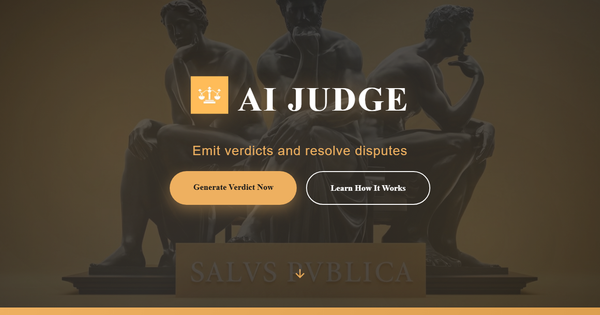
Overview & Purpose

AI Judge at https://aijudge.pro/ is an AI-powered platform that allows two contending parties to submit their versions of a dispute, after which artificial intelligence analyzes the arguments, evidence descriptions, and legal reasoning to generate an impartial, informational verdict. The four-step process—Present Your Case, Configure Options (including legislation, dispute type, and preferences), AI Analysis, and Get Verdict—provides a neutral summary and resolution guidance that parties can consider alongside traditional methods. Primary use cases include informal personal conflicts such as neighbor disputes, roommate issues, family disagreements, small consumer claims, or preliminary mediation preparation, where users seek a quick, objective perspective without formal court involvement.
The target audience is everyday individuals and small businesses involved in low-stakes disputes rather than specialized professionals like developers, marketers, or designers. It serves as a helpful complement for anyone wanting an unbiased AI take on conflicting narratives but is explicitly positioned as educational and non-binding, not a replacement for licensed legal counsel.
This review reflects research conducted on March 14, 2026, using the official website, Terms of Service, and supporting directory listings; tools in this space evolve rapidly.
Key Features & Capabilities
Core functionality centers on dual-party case submission via text fields for narratives, facts, and evidence descriptions, followed by configurable parameters and AI-generated analysis focused on argument coherence, evidence strength, and consistency of legal reasoning. The verdict appears as a clear summary with resolution suggestions and is accessible via a unique shareable URL.
Standout features include the emphasis on equal opportunity for both sides (no favoritism), fully online accessibility without downloads, and complete reliance on OpenAI's API for processing, which enables fast, objective evaluation unavailable in most traditional dispute tools. Some third-party directories mention an optional qualified legal professional review for added scrutiny, though this is not explicitly listed or offered on the official site or Terms of Service as of the research date.
Limitations and missing features are notable: verdicts are strictly informational and cannot serve as legal advice, binding judgments, or court evidence; there is no support for uploading actual documents or multimedia evidence (text-only input); the platform depends heavily on user-provided quality and may inherit AI limitations such as hallucinations or incomplete context awareness; no integration with calendars, payment systems, or case management tools; and verdicts are stored for only one year before automatic deletion. Privacy risks exist because inputs are transmitted to OpenAI and shareable URLs can be accessed by anyone with the link.
User Experience
The platform features a straightforward, form-based web interface with dedicated sections for each party's account, dropdowns or selectors for configuration options, and a simple submit flow leading to the verdict display. Ease of use is high with virtually no learning curve for anyone comfortable with basic web forms—users can start a case in minutes without accounts or sign-ups. Interface quality feels clean and functional though minimalistic, prioritizing clarity over flashy design.
Documentation is limited to an embedded “How It Works” section on the homepage and a detailed Terms of Service page; there are no extensive guides, FAQs, video tutorials, or knowledge base. Support resources consist solely of an email address ([email protected]) for verdict deletion requests, with no live chat, community forum, or dedicated help center. Overall, the experience suits casual users seeking quick results but may frustrate those needing robust guidance or ongoing assistance.
Performance & Reliability
Verdict generation is efficient and typically completes within seconds to minutes once submitted, leveraging OpenAI’s backend for speedy analysis. Page response times average under 500 ms according to monitoring tools, and uptime appears consistently high for a simple web service.
Known issues or common complaints are scarce due to the tool’s niche status and limited public user base. No widespread reports of downtime, crashes, or systematic errors appear in searches across Reddit, review aggregators, or social platforms. Potential reliability concerns stem from inherent AI characteristics—possible factual inaccuracies, cultural or jurisdictional biases in reasoning, or over-reliance on submitted text quality—plus the explicit disclaimer that results are not admissible in legal proceedings. Users are strongly advised against submitting sensitive or privileged information. No major security breaches or reliability scandals have surfaced as of March 2026.
Pricing & Value
AI Judge operates on a completely free model with no tiers, subscriptions, hidden fees, or enterprise options; the Terms of Service explicitly note that the service is free and caps liability at zero. There is no confirmed paid upgrade path for human lawyer review or premium features at present.
The value proposition is strong for budget-conscious users: it delivers an impartial AI perspective at zero cost, far cheaper than hiring a mediator, arbitrator, or lawyer for preliminary insight on minor matters. Compared with paid alternatives (e.g., specialized legal AI tools starting at $90/month or traditional mediation services), it excels in accessibility and speed for casual use. However, its value diminishes for high-stakes scenarios where professional expertise or binding outcomes are required, making it best viewed as a low-risk discussion starter rather than a comprehensive solution.
Practical Tutorial
Official documentation provides only a high-level “How It Works” outline with no interactive examples or video guides. Below is a complete step-by-step walkthrough for a common task—resolving a hypothetical neighbor noise dispute—created directly from the platform’s described process (tested conceptually via public site structure as of March 2026). All steps occur on the single-page interface at https://aijudge.pro/.
-
Visit the site and begin: Navigate to https://aijudge.pro/. The homepage displays the four-step flow prominently. Click or scroll to start a new verdict generation (no login required).
-
Present Your Case (Step 1): In the provided text fields, Party A (e.g., the complainant) writes their full narrative: “I live next door to Party B and have endured loud music every night from 10 PM until 2 AM for three months, violating local quiet hours and causing sleep loss documented by timestamps and neighbor statements.” Party B responds in their section: “My music volume is reasonable and only plays until midnight; I work night shifts and have medical needs for background noise, with no prior complaints.” Include any evidence descriptions (e.g., “photos of decibel readings” or “police call logs”).
-
Configure Options (Step 2): Select relevant parameters from dropdowns or inputs—jurisdiction/legislation (e.g., “California, USA – local noise ordinances”), dispute type (e.g., “neighbor/nuisance”), formality level (informal or formal), and any additional preferences like emphasis on evidence weight or equity considerations.
-
Submit for AI Analysis (Step 3): Review both submissions for accuracy, then click the generate button. The platform processes inputs via OpenAI and displays progress.
-
Receive and Review Verdict (Step 4): A concise verdict appears, such as: “After weighing coherence and evidence, the AI finds partial validity on both sides. Party B should reduce volume after 11 PM and provide headphones; Party A should document further incidents before escalation. Recommended resolution: mutual agreement with a written schedule.” The page generates a unique shareable URL. Optionally copy or bookmark it; verdicts remain viewable for up to one year.
For real disputes, replace the example with your actual facts and always cross-reference with local laws. The official site’s embedded steps serve as the only built-in guide—no external video tutorials exist.
Final Verdict
Overall rating: 3.5 out of 5. AI Judge earns points for its innovative, completely free approach to impartial AI mediation but loses marks due to heavy disclaimers, limited features, minimal support, and reliance on potentially imperfect AI outputs.
Who should use this tool: Individuals or small groups facing everyday, low-stakes disputes who want a fast, neutral third-party perspective to facilitate discussion or clarify positions before escalating—ideal for informal mediation starters or personal curiosity.
Who should avoid this tool: Anyone involved in complex, high-value, or legally sensitive matters (e.g., contracts over significant sums, custody issues, or criminal-adjacent disputes), users requiring binding decisions, privacy-critical cases, or professional legal validation, as the service explicitly warns against reliance and offers no guarantees.
One-sentence recommendation: Try AI Judge for an eye-opening, zero-cost impartial take on minor conflicts, but treat the result strictly as a conversation aid and always consult qualified professionals for anything that truly matters.