AI Magicx Review
Overview & Purpose

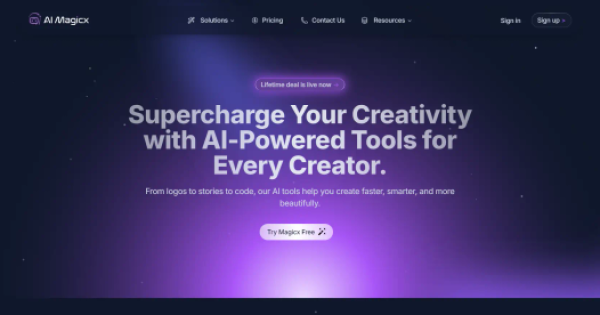
AI Magicx is an all-in-one AI-powered platform that enables users to generate logos, images, stories, articles, ads, video scripts, social media posts, code, chatbots, research reports, and more through simple text prompts. Its primary use cases include rapid branding for startups, content creation for marketers and bloggers, custom chatbot development for customer support, and professional research or coding assistance without hiring specialists. The platform targets entrepreneurs, small business owners, content creators, freelancers, and designers who lack advanced technical or design skills but need efficient, professional-quality outputs to save time and costs.
This review is based on official website content, documentation, pricing pages, user reviews from Trustpilot and other sites, and reputable tech publications as of March 10, 2026.
Key Features & Capabilities
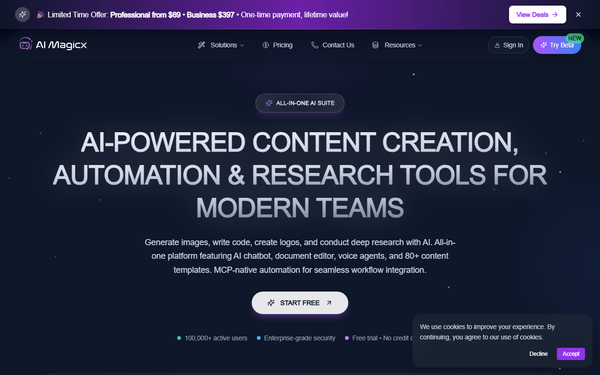
Core functionality revolves around prompt-based generation across categories: visual tools (AI Logo Designer and Magicx Art Image Generator), writing tools (AI Story Generator, Article Generator, Ads Maker, LinkedIn Post Generator, Blog-to-Tweet Converter), productivity tools (AI Summarizer, Video Script Generator), development (AI Magicx Coder with real-time preview and multi-language support), and advanced AI assistants (MagicxBot chatbot builder and MCP Chat for database/API integrations; Deep Researcher powered by Claude 4 Sonnet, OpenAI o3, and Gemini 2.5 Pro with multi-source verification and citations).
Standout features include access to multiple top-tier AI models in one dashboard, lifetime subscription options, collaborative project sharing, template library, commercial licensing on paid plans, and integrations like GitHub in MCP Chat. These differentiate it from single-purpose tools (e.g., Midjourney for images or Jasper for writing) by offering a unified, cost-effective suite with over 75 tools. Limitations include monthly usage caps (e.g., image generations, messages per hour), dependency on stable internet, occasional need for output refinement due to AI variability, and disabled premium features (e.g., video generation, Deep Research) on lower tiers. Recent beta updates have introduced widespread functionality gaps.
User Experience
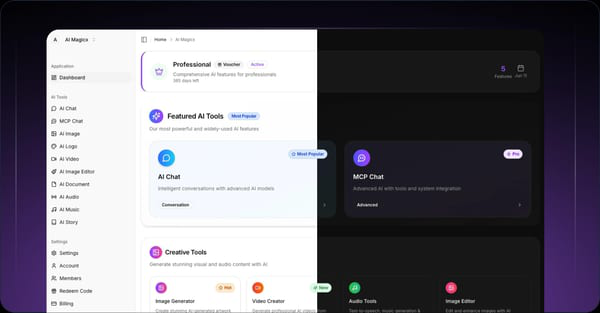
The platform boasts an intuitive interface with clear tool categorization, no steep learning curve, and fast navigation, making it accessible for beginners. Users can quickly sign up, access the dashboard, select tools, adjust settings (tone, creativity level, style), and generate content. Documentation at aimagicx.com/docs/ provides basic getting-started guidance, and support is advertised as dedicated via email.
However, recent user feedback highlights strong UI praise but criticizes post-beta unreliability, with features frequently timing out or crashing. Official testimonials note smoothness and clarity, yet broader reviews indicate frustration with inconsistent performance despite the clean design. Learning resources are limited to general docs and YouTube videos, with no in-depth video courses or community forum.
Performance & Reliability
Official claims emphasize fast generation speeds and professional-grade results, with tools like image and logo creation delivering outputs in seconds and Deep Researcher providing verified reports. Early reviews and testimonials highlighted efficiency superior to some competitors.
Known issues dominate current feedback: frequent server/streaming errors, failed generations that still consume credits, crashes wiping progress, unresponsive chat/models, and prolonged "processing" states—especially after the beta migration. Support responses are minimal or nonexistent, and some users report billing problems or unauthorized charges. These reliability concerns have led to descriptions of the platform as "unusable" in numerous accounts, though isolated positive experiences note workable code/image features on good days.
Pricing & Value
AI Magicx offers flexible options with heavy emphasis on one-time payments. A free/Starter tier provides limited access (25 messages/hour, 250 images/month). Paid plans include:
- Professional: $69/year (or ~$200 lifetime) — 100 messages/hour, 1,000 images/month, pro models.
- Business: $397/year (5 seats) — higher limits (500 messages/hour/seat, 2,500 images/month), unlimited docs, team features.
Semi-annual and yearly discounts apply (up to 28–86% off), with a 30-day money-back guarantee. Lifetime deals (often promoted via partners like StackSocial at ~$60) promise "unlimited" access in marketing but enforce monthly resets on credits.
Value is strong for budget users seeking an all-in-one alternative to multiple subscriptions (e.g., ChatGPT Plus + Midjourney), potentially replacing dozens of tools. However, caps, beta instability, and lack of refunds in practice reduce perceived value compared to more reliable competitors like Canva Magic Studio or Claude.ai.
Practical Tutorial
Official documentation and tool pages provide guidance; below is a step-by-step walkthrough for a common task—creating a custom logo using the AI Logo Designer (available at aimagicx.com/ai-logo-designer or via dashboard). This mirrors the site's intuitive flow and works with any plan offering image/logo credits.
- Visit https://beta.aimagicx.com/ (or aimagicx.com) and sign up/log in with your email (free account required; verify email).
- From the dashboard or AI Library, navigate to AI Logo Designer.
- Enter a detailed description of your brand (example: "Modern minimalist logo for an eco-friendly coffee shop named GreenBean, featuring a coffee cup with green leaves, clean lines, and earth tones").
- Customize options: Select style (e.g., Minimalist, Modern, Geometric), color palette, and industry/target audience if prompted.
- Click Generate — the AI produces multiple variants in seconds.
- Review results, regenerate variations if needed, or refine with follow-up prompts (e.g., "Make it more abstract").
- View mockups on business cards, websites, or packaging.
- Download high-quality files (PNG, SVG, vector formats) for print/digital use.
For official tutorials, see the Getting Started guide at aimagicx.com/docs/getting-started/ or YouTube channel videos on specific tools like image prompts. Test on the free tier first to check current availability.
Final Verdict
Overall rating: 2.5/10. AI Magicx excels conceptually as a versatile, affordable all-in-one suite ideal for bootstrapped entrepreneurs, small business owners, and hobbyist creators seeking quick branding, content, and coding without multiple subscriptions—especially if reliability improves. Users needing polished, consistent output on a budget may still find value in the lifetime deals for experimentation.
Avoid it if you require dependable performance, responsive support, or enterprise-grade reliability, as current beta issues and complaints make it frustrating and risky for professional workflows. One-sentence recommendation: Skip AI Magicx until major stability fixes are confirmed, as its promising feature set is currently undermined by widespread functionality problems.