Voice.ai Review: Is This Real-Time AI Voice Changer Worth It?

Overview & Purpose

Voice.ai is a real-time AI voice changer and voice cloning platform designed to transform users' voices instantly for entertainment, communication, and creative applications. It uses advanced AI models (including RVC technology) to clone voices from short audio samples or apply pre-existing ones, enabling natural-sounding speech-to-speech conversion rather than simple pitch shifting. Primary use cases include live streaming, gaming voice chats, virtual meetings, calls, and content creation, where users can sound like celebrities, characters, or custom personas. It integrates seamlessly with popular platforms such as Discord, Zoom, Skype, Google Meet, WhatsApp, and games like Among Us, World of Warcraft, Minecraft, CS:GO, League of Legends, Fortnite, and Valorant. Additional capabilities include text-to-speech (TTS), AI voice agents for automation, noise removal, and an SDK for developers to build custom integrations. The platform also features a "Voice Universe" library of thousands of community-shared voices available for free.
The target audience primarily includes gamers, streamers, VTubers, content creators, and casual users seeking fun or anonymity in online interactions. It also appeals to professionals using it for meetings or calls and developers via the SDK for building voice-enabled apps. As of April 2026 research, it positions itself as an accessible tool for both entertainment and professional audio needs, with free entry points but scaling options for heavier use.
Key Features & Capabilities
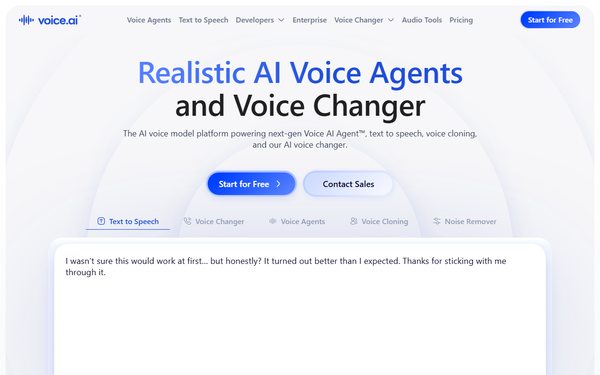
Core functionality revolves around real-time voice transformation: users speak into a microphone, and the AI instantly outputs the altered voice through a virtual audio driver that works system-wide. Standout features include effortless voice cloning (requiring as little as 10 seconds of clear audio), the expansive Voice Universe for free public voices, noise removal for cleaner output, and recording mode for post-processing audio files (e.g., for WhatsApp or messengers). The upcoming Soundboard feature will allow custom AI-generated sound clips. The SDK supports Python and TypeScript for low-latency integrations, making it suitable for custom apps or enterprise voice agents. An online web-based voice changer is also available for quick file uploads and transformations without installation.
Differentiators from competitors include hyper-realistic cloning and broad, no-extra-setup compatibility with virtually any PC/Mac app or game, plus community-driven voice sharing that expands options rapidly. It claims studio-quality results with low latency when hardware supports it. Limitations include dependency on high-quality microphones and powerful hardware (GPU/CPU demands can cause lag or fan noise on lower-end systems), potential credit-based restrictions in the free tier for advanced cloning or extended sessions, and no native mobile app (desktop-focused). Soundboard remains "coming soon" without a confirmed release, and some users report inconsistent realism across accents or noisy environments.

User Experience
Installation is straightforward: download the installer from voice.ai, run it with admin permissions to set up the virtual audio driver, accept the TOS, and log in with a free account. The interface features a clean dashboard for browsing the Voice Universe, cloning voices, adjusting settings (pitch, filters), and selecting output devices—intuitive for beginners with minimal learning curve once installed. Real-time switching between voices happens via a simple selector, and it auto-routes to apps set to use the Voice.ai virtual mic.
Documentation includes guides on the official hub and site for setup, cloning, and integrations, with video tutorials available on YouTube. Support resources are basic (email/tickets), but community forums and Reddit discussions fill gaps. However, user feedback highlights frustrations: the app can feel clunky with navigation issues, and some encounter immediate paywalls limiting free testing despite "start for free" claims. Overall UX shines for casual fun but falters under real-world use due to reported instability.

Performance & Reliability
Voice.ai delivers fast real-time processing with claimed low latency, making conversations feel natural in supported apps. Efficiency varies: high-end PCs achieve near-instant transformation and high-quality output, while mid-range systems may experience delays, audio artifacts, static, or background noise amplification. Voice cloning produces lifelike results with good input audio, outperforming traditional changers in preserving tone and emotion.
Common complaints from users (as of April 2026) include lag during live use, crashes, high resource consumption (leading to FPS drops in games or overheating), and occasional failure to integrate smoothly with certain apps. Reliability dips in noisy environments or with poor microphones. Trustpilot reviews frequently mention these as deal-breakers, though some long-term users praise realism when hardware is adequate. No major security issues were widely reported beyond general caution with any voice software.

Pricing & Value
Voice.ai operates on a freemium model. The free tier offers basic access, including 5,000 credits per month (roughly 5 minutes of TTS or limited real-time use), thousands of Voice Universe voices, and core voice changing—enough for occasional casual testing. Paid plans start at around $5/month (Starter) for more credits and features like extended cloning, scaling to $24 (Launch), $99 (Core), and higher business tiers (e.g., $330/month Scale for 4M credits). Enterprise options are custom with SLAs, higher concurrency, and API focus. Payments are processed via Xsolla, and yearly billing offers discounts (2 months free).
Value is strong for light users enjoying free voices and fun transformations, especially compared to hardware-based alternatives. However, heavy users or those needing reliable cloning may find credits deplete quickly, and paid tiers feel pricey relative to performance issues. It undercuts some premium competitors on entry but lags in polish versus tools like ElevenLabs for pure TTS. Overall, solid free entry but mixed value for subscribers due to execution gaps.
Practical Tutorial
A common task is cloning your voice and using it in real-time on Discord. Here's a step-by-step walkthrough based on official processes (as of April 2026; always verify on voice.ai for updates):
- Visit voice.ai and click "Start for Free" or go to the app download page to get the PC/Mac installer.
- Run the installer, accept the Terms of Service, and grant admin permissions—it installs a virtual audio driver automatically.
- Launch Voice.ai, create or log in to a free account.
- Navigate to the Voice Universe or "Create Voice" section. For cloning: Upload a clear 10-30 second audio sample of your (or any) voice, wait for processing (usually quick).
- Select the cloned/custom voice, adjust any filters/pitch if desired, and ensure your real microphone is set as input.
- In Discord (or any app): Go to Voice & Video settings, set Input Device to "Voice.ai Virtual Microphone" (or equivalent).
- Test in a private call or voice channel—speak normally and hear the transformed output live. Switch voices instantly via the Voice.ai dashboard.
- For recording (e.g., WhatsApp): Use the app's recording mode to process files offline.
Official setup videos and guides are linked on voice.ai/hub. For best results, use a good USB mic in a quiet room.
Final Verdict
Overall rating: 6/10. Voice.ai excels as an innovative, accessible real-time voice tool with impressive cloning and community features that deliver fun, realistic transformations for gaming and streaming when conditions are ideal. It suits casual gamers, streamers, and hobbyists who value free entry, broad compatibility, and creative voice options. Avoid it if you need rock-solid reliability, low-resource performance, or hassle-free billing—frustrations with lag, bugs, and support make it unsuitable for professional or high-stakes use. One-sentence recommendation: Voice.ai is a promising AI voice playground worth trying for free if you're tolerant of occasional glitches, but temper expectations on polish compared to more mature competitors.