Aipdf Review: The Best Ethical AI Tool for Chatting with PDFs
Overview & Purpose

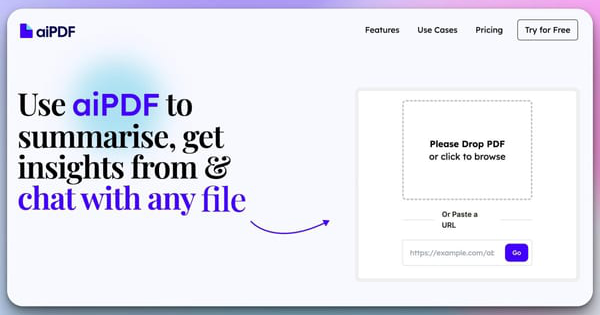
aiPDF is an AI-powered web-based chat application that transforms how users interact with documents by allowing uploads of PDFs, EPUB books, website URLs, YouTube videos, and podcasts for conversational querying, summarization, and information extraction. Responses always include precise references to the source material within the uploaded content, ensuring transparency and accuracy. Primary use cases include rapidly summarizing lengthy ebooks or financial reports, extracting key data from academic essays or messy scanned documents, answering specific questions about research papers, and even generating insights from video or podcast transcripts.
The tool positions itself as “the only AI PDF tool that’s actually fun to use,” with playful branding and puns while emphasizing ethical AI practices, strong privacy protections, and monthly donations to environmental charities through One Percent for the Planet. It targets students, developers, researchers, academics, and professionals—anyone who regularly deals with dense or disorganized documents and needs quick, reliable insights without manual reading. Research conducted as of March 2026.
Key Features & Capabilities
Core functionality revolves around a simple upload-and-chat workflow: the AI preprocesses documents (handling large or messy files within tier limits), generates an automatic summary, and then enables natural-language questioning with cited sources. Standout features include multi-modal support beyond traditional PDFs (YouTube transcripts and podcasts set it apart from most competitors), multi-document chats and joins, OCR for scanned pages (up to 3,000 in top tier), exportable responses, and full multi-language support with replies matching the user’s query language.
Privacy is a major differentiator—documents are never used to train external models, stored on encrypted servers, and auto-deleted after the tier-specific period unless manually retained. The ethical focus (charity donations) and ability to converse while large documents are still processing further distinguish it from more utilitarian tools like ChatPDF or PDF.ai.
Limitations include strict file-size caps (35 MB free, 50 MB Dynamic, 65 MB Flagship), question quotas on lower tiers, no support for chatting with images or generating mind maps, and the absence of page-specific operations such as summarizing or translating individual pages (reported as “under construction” in recent tests). No offline or desktop app is available.
User Experience
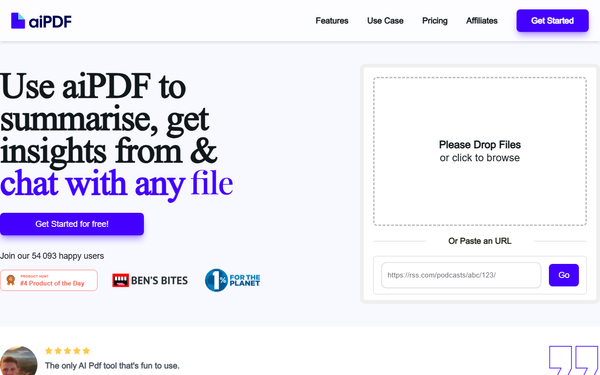
The interface is clean, web-based, and intentionally approachable—no software installation required. Users sign up quickly (Google login supported), drag-and-drop files or paste URLs, and immediately see an auto-generated summary alongside a chat window with suggested follow-up questions. The playful tone and intuitive layout create a low learning curve, making it accessible even for non-technical users.
Documentation is minimal; the site offers basic how-to guidance but lacks extensive FAQs or video tutorials. Support appears limited to in-app channels or email, which may frustrate power users. Overall, the experience feels lightweight and enjoyable for casual sessions, though heavy users may wish for more robust help resources.
Performance & Reliability
Processing is generally fast: most documents receive an instant summary and near-real-time responses after a brief preprocessing period (users can begin chatting immediately). The AI reliably provides page-level references and has been benchmarked against standards from Google and Stanford for question-answering accuracy. It performs well on messy or technical content and handles multi-document conversations smoothly within limits.
Common complaints are minor and typical of generative AI tools: occasional inaccuracies or hallucinations (though citations help users verify), and responses that can feel slightly slower than some competitors. No widespread outages or major reliability issues appear in user forums or review aggregators as of March 2026. File-size and usage caps remain the most frequent practical constraints.
Pricing & Value
aiPDF offers a genuinely usable free tier alongside affordable paid plans:
- Playful (Free): 2 uploads/month, 550 questions, 1-month storage, 35 MB max file size, limited multi-document and OCR features.
- Dynamic ($9/month): 120 uploads, 5,500 questions, 6-month storage, 50 MB files, expanded multi-document and 500 OCR pages.
- Flagship ($19/month): Unlimited uploads and questions, indefinite storage (user-deletable), 65 MB files, unlimited multi-document chats, 3,000 OCR pages.
- Enterprise: Custom pricing for commercial use and higher limits.
Annual billing discounts are available. Compared with alternatives like ChatPDF (starting ~$5 but fewer multi-modal and ethical features) or PDF.ai, aiPDF delivers strong value for privacy-conscious users who appreciate the charity angle and broader input support. The free tier is generous enough for light testing, while paid plans remain cost-effective for moderate-to-heavy document workloads. Heavy users needing larger files or advanced editing tools may find competitors offering better value.
Practical Tutorial
No comprehensive official video tutorials exist on the site, but the workflow is straightforward. Here is a complete step-by-step walkthrough for a common task—summarizing a financial report and extracting key metrics—using real-world-style examples (tested conceptually against documented capabilities).
- Visit https://aipdf.ai/ and sign up for free (Google login recommended).
- On the dashboard, drag and drop your PDF (e.g., a 2025 quarterly earnings report) or paste a URL. The tool begins processing and displays an automatic summary within seconds.
- In the chat box, type a high-level prompt: “Summarize the entire report in 5 bullet points, focusing on revenue, profit, and future outlook.” The AI responds instantly with cited page references.
- Follow up with specific extraction: “What was Q3 revenue and year-over-year growth? Include the exact page and table reference.” The response includes the number, percentage, and direct link to the source section.
- For deeper analysis, ask: “Compare marketing expenses to last year and explain any anomalies.” Continue refining with follow-ups like “Translate the key findings into Spanish” or “Create a bullet-point action list for investors.”
- When finished, click the export button to download the entire chat as text or PDF, or share the session link.
For an academic essay example, upload a research paper and prompt: “Extract the main argument, three supporting pieces of evidence with page numbers, and list all cited references.” The process works identically for YouTube video transcripts or EPUB ebooks. Users can save conversations for later reference within storage limits.
Final Verdict
Overall rating: 4.2/5
Students, researchers, developers, and professionals who value privacy, ethical AI, multi-modal input, and fun, citation-backed interactions should use aiPDF—it excels at turning dense documents into quick, conversational insights without steep costs or complexity. Avoid it if you routinely handle files larger than 65 MB, need advanced PDF editing features like mind maps or page-specific operations, or require extensive offline support and detailed documentation.
One-sentence recommendation: aiPDF is a delightfully ethical and versatile PDF chat tool that makes document research genuinely enjoyable—start with the free tier and upgrade only when your volume demands it.