AirOps Review: Scale Content and AI Search Visibility Effortlessly

Overview & Purpose

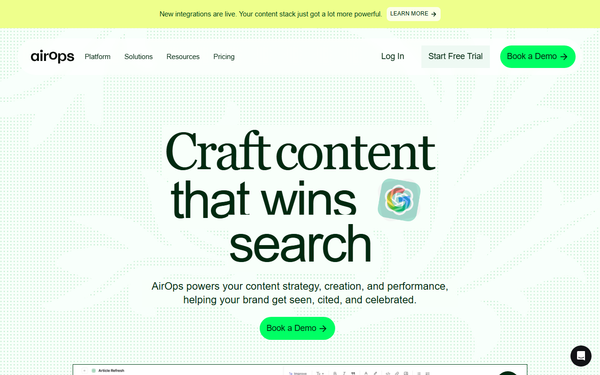
AirOps is a content engineering platform that unifies SEO, AI search visibility, and analytics data to help brands create, optimize, and scale content that performs across traditional search and AI engines such as ChatGPT, Perplexity, and Google AI Overviews. It identifies opportunities, automates agentic workflows, and ensures brand-consistent output that drives citations, traffic, and conversions. Primary use cases include content audits, opportunity surfacing (onsite/offsite/Reddit), automated drafting and refreshing, localization, social engagement, and performance tracking. The target audience consists of marketing leaders, SEO specialists, content teams, and growth marketers at mid-to-large brands and agencies (examples: Webflow, Chime, Carta, Graphite). Researched as of March 2026, AirOps has evolved into an end-to-end solution for AI-era content operations while retaining powerful workflow-building capabilities.
Key Features & Capabilities
Core functionality centers on three integrated layers: Insights (AI visibility tracking, opportunity reports, Page360 analytics), Actions (visual workflow studio and Power Agents for multi-step automation), and Context (Brand Kits, Knowledge Bases, and integrations). Users build workflows combining data providers, web research, 30+ LLMs, human review loops, CMS publishing, and external APIs. Standout differentiating features include real-time AI search citation tracking, forkable Power Agents for repetitive tasks, collaborative Grids for team-scale management, and built-in brand governance to maintain voice and quality at volume. The platform supports experimentation with prompts/models, versioning via publish cycles, evaluations/testing, logs, and knowledge stores for persistent context. It also includes logic/code steps for custom Python or JavaScript alongside no-code options. Limitations include its primary focus on content and marketing workflows (less suited for arbitrary general AI apps or chatbots), task-based quotas that may trigger overages at high volume, and occasional reliance on human oversight for final quality—features like full arbitrary app deployment or advanced memory stores are not emphasized as in pure developer platforms.

User Experience
AirOps delivers a modern, visual interface with an intuitive workflow studio and collaborative Grids that feel powerful once familiar. The learning curve is medium-to-steep for complex agentic setups but is well-supported by templates, an academy with live cohorts, and comprehensive documentation. Interface quality is clean and professional, enabling seamless team collaboration and one-click CMS publishing. Documentation is excellent, with step-by-step guides, video resources, and a dedicated builders Slack community; support ranges from community/live chat (free) to priority, private Slack, and dedicated managers (paid tiers). Users on G2 consistently praise ease for scaling content once onboarded.

Performance & Reliability
Workflows execute quickly and reliably, delivering dramatic efficiency gains—users report reducing audits from 4–5 hours to 1 hour, achieving 10× content output, and refreshing 25+ pages monthly without added headcount. Real-world results include +40 % traffic, 75 % higher citation rates, and tripled AI citations in weeks. Reliability is strong with minimal downtime noted; common complaints are limited to occasional interface latency at extreme scale or the need for iteration on complex prompts. Overall user sentiment on established platforms remains highly positive with few systemic issues.

Pricing & Value
AirOps uses a tiered structure starting with a free Insights plan ($0/month: 1 user, basic templates, limited knowledge bases, community support, and 1,000+ tasks). Solo and Pro plans add tracked prompts/pages (100–250), multi-engine insights, weekly reports, higher task limits (20,000–75,000/month for content production), full integrations, unlimited seats (Pro), and live training—pricing begins around $199/month for Solo and scales higher for Pro per third-party analyses. Pages and Enterprise tiers are custom (talk to sales) with unlimited users, brand kits, custom agents, dedicated support, and free testing credits. Overages apply for excess tasks. Value is excellent for scaling teams thanks to proven ROI (e.g., 10× outputs, headcount-free growth) versus hiring agencies or stitching multiple generic AI tools; it shines for mid-market and enterprise content operations but may feel premium for very small or low-volume users.
Practical Tutorial
Official documentation provides excellent guided examples. A common starting task is building a “Keyword SERP Researcher” workflow that analyzes top Google results to extract themes, best practices, and content recommendations—ideal for briefing or drafting. Here is a complete step-by-step walkthrough (based on the official guide; full details and prompt at https://docs.airops.com/getting-started/readme/building-your-first-workflow):
- Log in to app.airops.com and from the Home screen click “Create” > “Workflow” to open the Studio.
- Configure inputs: Click the top “Set Inputs” node, add a “Short Text” field labeled “keyword” (auto-variable name “keyword”), mark it required, and save.
- Add the first step: Click “+” below inputs, select Web Research > Google Search. In the query field use the variable picker to insert
{{ keyword }}; leave other parameters default and save (this becomes step_1). - Add the analysis step: Click “+” again, select Prompt LLM (choose GPT-4o or preferred model). Paste the analysis prompt referencing the keyword and previous output (full example prompt in docs analyzes themes, structure, media, tone, and generates # Analysis, ## Themes, ## Best Practices, ## Recommendations sections).
- Test: Click the “Test Workflow” button (top right), enter a sample keyword such as “content marketing tips,” run the full workflow, and inspect step outputs.
- Publish: Once verified, click Publish, add a descriptive name and description (e.g., “Keyword SERP Researcher”), and confirm. The published workflow can now be run manually, scheduled, or chained into larger content pipelines.
This basic workflow demonstrates variable referencing, data fetching, LLM orchestration, and testing; it can be extended with human review, CMS publish, or additional logic/code steps. AirOps Academy videos and further docs cover advanced variations.
Final Verdict
Overall rating: 4.6 out of 5.
AirOps is the right choice for SEO, content, and growth marketing teams at brands ready to scale high-quality output while dominating AI search visibility and traditional rankings. Avoid it if you are a solo developer needing a purely general-purpose AI app or chatbot builder, or if your volume is too low to justify task-based costs and the initial learning investment. AirOps turns AI experimentation into reliable, measurable content operations that deliver real business impact—highly recommended for marketing professionals navigating the AI search era.