AppFlowy Review: The Ultimate Private and Open-Source Notion Alternative
Overview & Purpose
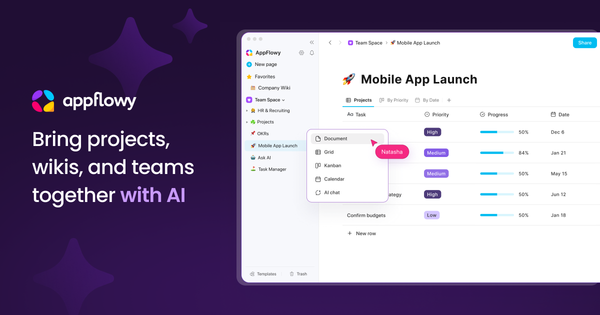
AppFlowy is an open-source, AI-powered collaborative workspace that combines note-taking, project management, wikis, and team collaboration into a single platform. It functions as a highly customizable alternative to tools like Notion, allowing users to organize information through rich-text pages, relational databases, kanban boards, calendars, and galleries while integrating AI for writing assistance, summarization, brainstorming, and data insights. Primary use cases include personal knowledge management (PKM), team project tracking, documentation wikis, CRM-style databases, and custom workflows for tasks or content creation. It shines for users who need seamless offline access, real-time collaboration, and full data ownership without relying on proprietary cloud services.
The target audience spans privacy-conscious individuals, developers, small-to-medium teams, freelancers, and knowledge workers such as marketers, designers, and product managers who want flexibility and extensibility. It particularly appeals to those frustrated by vendor lock-in in tools like Notion or Evernote, as well as open-source enthusiasts and self-hosters who prioritize control over their data. Larger enterprises may find it suitable via self-hosting or cloud plans, though it is still maturing for massive-scale deployments.
Key Features & Capabilities
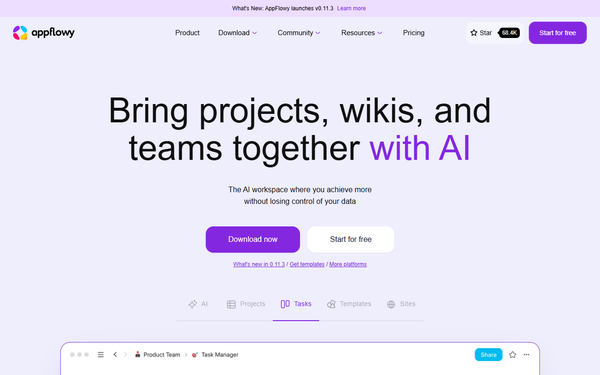
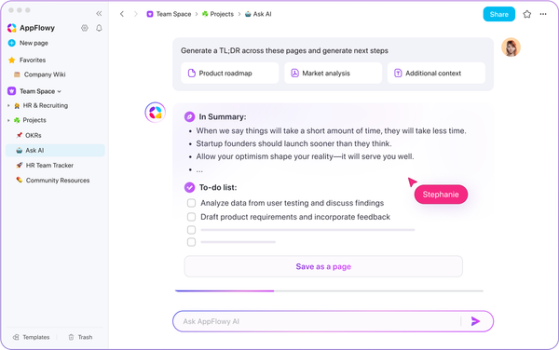
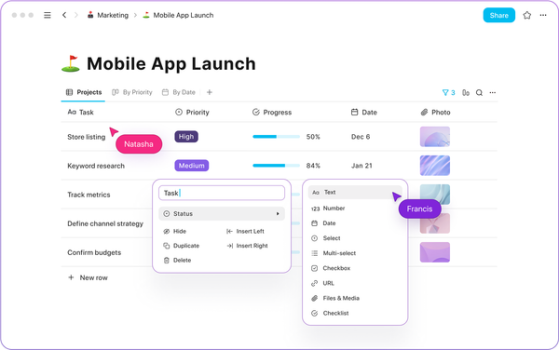
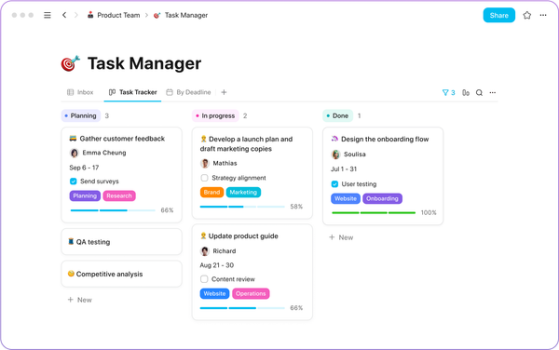
Core functionality revolves around a block-based editor supporting nested pages, linked databases, and multiple views (table, board, calendar, gallery, list). Databases support custom properties, formulas, rollups, and filters—ideal for task management or content pipelines. Real-time collaboration has been significantly enhanced with a new Rust-based syncing engine introduced in 2025, enabling reliable multi-user editing across devices. AI integration stands out: users can run local models (e.g., Mistral 7B, Llama 3) completely offline for privacy or connect to cloud providers like OpenAI, Anthropic, or Google for advanced capabilities such as auto-summarization, content generation, column auto-fill, and Q&A over workspaces.
Standout differentiators include 100% offline-first operation with local-first architecture, self-hosting options for complete data control and end-to-end encryption, no vendor lock-in, and a community-driven ecosystem of plugins, templates, and themes built on an open toolbox. Unlike Notion, AppFlowy offers native desktop and mobile apps (built with Flutter and Rust for performance), on-device AI execution, and the ability to choose or run your own AI providers. Extensibility allows non-coders to build custom apps via plugins without coding.
Limitations include a smaller plugin ecosystem compared to Notion’s mature marketplace, occasional formatting inconsistencies when importing Notion exports, and self-hosting requiring technical setup (Docker or manual deployment) for full multi-user features. Advanced enterprise needs like SAML SSO or audit logs are available only in higher-tier or custom plans. Some users note that while core features are robust, edge-case automations (e.g., complex Zapier integrations) may require paid self-hosted add-ons.
User Experience
AppFlowy offers an intuitive, Notion-like interface with a clean sidebar for workspaces and pages, drag-and-drop blocks, and responsive design across platforms. The learning curve is low for anyone familiar with Notion—most users are productive within minutes—but newcomers to block-based editors may need 30–60 minutes to master databases and views. The native apps feel snappy and well-integrated with OS features (e.g., quick search, notifications).
Interface quality is excellent: modern, customizable themes, smooth animations, and mobile parity with desktop. Dark/light modes and accessibility options are well-supported. Documentation is comprehensive via the official docs site and getting-started guide, with video tutorials on YouTube covering installation, databases, and AI usage. Community support is strong through Discord, forum, and GitHub, supplemented by responsive paid support in higher plans. Minor UX quirks (e.g., occasional menu lag in very large workspaces) exist but are rare post-2025 updates.
Performance & Reliability
Performance is a strength: the Rust-backed sync engine (rewritten in 2025) delivers fast real-time collaboration, quick page loads, and efficient handling of large workspaces even offline. Native apps are lightweight and stable compared to web-only competitors, with seamless device switching and local-first syncing. Offline mode works flawlessly, with changes propagating instantly upon reconnection.
Known issues are minimal in 2026. Early versions had sync delays and import glitches, but infrastructure improvements have largely resolved them. Common user complaints center on self-hosting complexity (setup time, resource usage on low-end servers) rather than core reliability. Occasional reports of minor bugs in edge-case database formulas or mobile collab exist, but the active community and frequent updates (current version 0.11.4) keep reliability high. No widespread outages reported on cloud or self-hosted setups.
Pricing & Value
AppFlowy offers flexible, transparent pricing with a generous free tier and fully free open-source self-hosting for the core software.
- Cloud Free: 1 workspace, up to 2 members, 5 GB storage, 10 AI responses/month.
- Cloud Pro: $12.50 per member/month (or $120/year) per Pro workspace—unlimited storage, AI responses (with AI MAX add-on at $8/user/month for advanced models and unlimited uploads), up to 50 members + free guests, custom namespace.
- Vault (Local AI): $6/user/month (annual) for private offline AI.
- Self-Hosted: Core software free and open-source. Paid tiers (Seed $1/month annual, One $6/month annual, Team $10/seat/month annual) add managed support, Zapier integration, and enhanced features. Enterprise: custom pricing with SSO, provisioning, and dedicated support.
Value is exceptional for privacy-focused users: self-hosting eliminates recurring costs while matching or exceeding Notion’s capabilities for many teams. Cloud plans are competitive but can feel pricier than Notion for multi-workspace setups. The combination of free core + local AI makes it one of the best value propositions in the space for individuals and small teams.
Practical Tutorial
A common task is setting up a project management board with AI-powered insights. Here is a step-by-step walkthrough (tested conceptually on v0.11.4; official videos provide visuals).
- Download & Install: Visit https://appflowy.com/download, select your platform (macOS, Windows, Linux, iOS/Android), and install the native app. Launch and choose “Local” or sign in to AppFlowy Cloud.
- Create a Workspace: Click the workspace dropdown in the sidebar > “Create new workspace.” Name it (e.g., “Q2 Marketing Campaign”).
- Add a Database Page: In the sidebar, click “+ New page” > select “Database” > choose “Board” view. Name it “Tasks.”
- Customize Properties: Click “+ New property” to add: Status (Select: To Do, In Progress, Done), Assignee (Person), Due Date (Date), Priority (Select), and Notes (Text). Drag properties to reorder.
- Populate Data: Add cards by typing in the board columns. Example: Card 1 – “Design landing page” (Status: In Progress, Assignee: your name, Due: March 20).
- Enable Collaboration (optional): Click Share > invite teammates via email (cloud) or ensure your self-hosted instance is accessible.
- Add AI Assistance: Select any card or page text > type “/AI” or click the AI icon. Prompt: “Summarize this project status and suggest next steps.” Or use AI on the database: select multiple cards > “Auto-fill priority based on due dates.” For workspace insights: open AI chat sidebar and ask “What are the overdue tasks this week?”
- Polish & Visualize: Switch views (Table/Calendar), apply filters (e.g., “Due this week”), and add a linked page for meeting notes.
Save automatically—everything works offline. For full visuals and variations, follow the official guide at https://appflowy.com/guide/getting-started-with-appflowy or watch recent YouTube tutorials (search “AppFlowy tutorial 2026”).
Final Verdict
Overall rating: 4.5/5. AppFlowy excels for privacy-conscious individuals, developers, and small teams seeking a powerful, extensible, offline-capable workspace without vendor lock-in. It is ideal for anyone migrating from Notion who wants data ownership, local AI, and community-driven innovation. Avoid it if you need a fully polished enterprise ecosystem with extensive third-party integrations or have zero tolerance for occasional self-host setup effort. One-sentence recommendation: AppFlowy delivers Notion-level productivity with superior privacy and flexibility—download it today if data control matters to you.