Astron Agent Review: The Ultimate Open-Source RPA AI Platform
Overview & Purpose
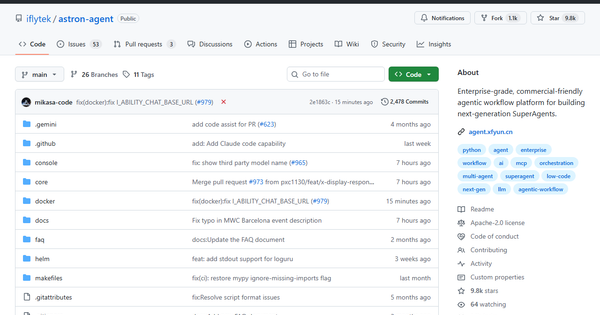
Astron Agent is an open-source, enterprise-grade agentic workflow platform designed for building production-ready “SuperAgents.” It orchestrates multi-step AI workflows, manages model lifecycles, integrates LLMs and MCP-compatible tools, connects to RPA systems for real-world actions, and supports team collaboration in a high-availability environment. Primary use cases include automating complex cross-system business processes (e.g., data extraction to approval workflows), creating multi-agent collaboration pipelines, deploying on-premises model services, and turning AI decisions into executable RPA actions at scale.
The target audience is primarily developers, AI engineers, and enterprise IT/automation teams in large organizations. It is less suited for individual hobbyists or pure no-code marketers, though its visual workflow builder lowers the barrier for technically minded business users who need production reliability and commercial licensing freedom.
Key Features & Capabilities
Core functionality revolves around a modular workflow engine that supports prompt-based agents, visual node-based orchestration (LLM nodes, code nodes, decision nodes, tools), model-as-a-service deployment, and seamless RPA integration for “decision-to-action” loops. Standout differentiating features include native compatibility with the iFLYTEK Open Platform’s 100+ AI plugins, one-click on-premises MaaS deployment, full Apache 2.0 commercial licensing with no restrictions, and enterprise-grade high-availability architecture (Docker Compose or upcoming Helm). The platform also offers team workspaces, permission controls, and performance monitoring out of the box.
It stands apart from lighter frameworks (LangGraph, CrewAI) or general automation tools (n8n) through its deep RPA integration and production hardening—agents can directly trigger desktop or legacy-system actions rather than stopping at API calls. Limitations include Helm charts still under development (Kubernetes production use requires manual workarounds), documentation that is heavily Chinese-oriented beyond basic English README, and no built-in vector database or advanced RAG features (users must integrate externally). The open-source edition also lacks some cloud-only extras such as native voice/avatar agents and hardware synergy.
User Experience
Deployment via Docker Compose is genuinely one-command simple after copying and editing the .env file, making initial setup fast for anyone comfortable with containers. The web-based console uses a clean drag-and-drop canvas with left-side node palette, auto-layout tools, and inline debugging—offering a low-code experience once running. Learning curve is moderate: developers familiar with workflow tools will be productive in hours; complete beginners may need a day to understand node connections and publishing.
Interface quality is professional and enterprise-focused—functional rather than flashy—with clear visual feedback during debugging and publishing. Documentation consists of an English README plus detailed (mostly Chinese) guides on the iFLYTEK site covering deployment, configuration, and best practices; GitHub Discussions and Issues provide community support, while several 2026 English YouTube reviews and live demos fill the language gap nicely. Official enterprise support is available through iFLYTEK for paid cloud or custom deployments.
Performance & Reliability
The platform is built for high availability with one-click Docker deployment and claims enterprise-grade stability derived from iFLYTEK’s internal production systems. Orchestration speed is efficient for multi-step workflows; users report smooth operation once containers are stable. No official benchmarks are published, but community videos demonstrate responsive debugging and scalable execution for real business tasks.
Known issues are minor and actively addressed: occasional Docker crash-loop problems on macOS Apple Silicon (Elasticsearch/Redis connectivity) have been reported and are being mitigated via updates. Open issues remain low relative to 9.7k stars and frequent commits (latest within the past day as of March 2026). Overall user sentiment on GitHub and YouTube is strongly positive with few widespread complaints.
Pricing & Value
Astron Agent is completely free under Apache 2.0 for self-hosting, modification, and commercial deployment—no tiers, no usage limits, no hidden costs. The optional Astron Cloud hosted version at agent.xfyun.cn provides managed infrastructure and extra plugins but does not publish public pricing on its landing page (enterprise inquiries required). Value is exceptional: organizations avoid vendor lock-in and licensing fees common in proprietary agent platforms while gaining production-ready features that would otherwise require significant custom engineering. Compared with paid alternatives (e.g., commercial RPA + LLM orchestrators), the open-source edition delivers superior cost-to-capability ratio for teams willing to self-manage infrastructure.
Practical Tutorial
A common task is deploying the platform locally and building a simple workflow agent that uses an LLM to generate content and triggers an RPA action. Official quick-start and deployment guides are available here:
- Deployment: https://github.com/iflytek/astron-agent/blob/main/docs/DEPLOYMENT_GUIDE.md
- Cloud quick-start (UI identical): https://www.xfyun.cn/doc/spark/Agent02-快速开始.html (English summary below).
Step-by-step self-hosted walkthrough (tested via Docker Compose as of March 2026):
-
Clone the repository:
git clone https://github.com/iflytek/astron-agent.git cd astron-agent/docker/astronAgent -
Copy and configure environment variables:
cp .env.example .envEdit
.envwith your LLM API keys (iFLYTEK Spark or compatible OpenAI-style endpoint) and authentication settings. -
Start the stack (includes Casdoor auth and all services):
docker compose -f docker-compose-with-auth.yaml up -dWait 2–3 minutes for services to stabilize.
-
Access the console: Open http://localhost (nginx proxy) or http://localhost:8000 for Casdoor admin (default: admin / 123). Log in to the Astron Agent UI.
-
Create a new workflow agent:
- Click “Create” → “Workflow Creation” → “Custom”.
- Name it (e.g., “Daily Report Generator”) and add basic description.
- Drag an LLM node from the left palette, connect it to the default Start node.
- Configure the LLM node prompt: “Generate a concise daily sales summary from the following data: {input}”.
- Add an RPA or tool node (if astron-rpa is integrated) to email the result or write to a system.
- Connect nodes, click “Optimize Layout,” then “Debug” to test with sample input.
-
Publish: Once debug succeeds, click “Publish” to expose via API, MCP Server, or internal channels.
-
Monitor: Use the console dashboard to view execution logs, performance metrics, and scale nodes as needed.
For ready-made examples, explore the community repository https://github.com/FenjuFu/Awesome-Astron-Workflow. Full video walkthroughs are available on YouTube (search “Astron Agent live demo 2026”).
Final Verdict
Overall rating: 8.5/10.
Enterprise teams and developers who need scalable, RPA-enabled agent workflows in production should use Astron Agent for its rock-solid open-source foundation, visual builder, and zero licensing cost. Solo hobbyists or users requiring fully English-first SaaS with zero infrastructure management should avoid it in favor of simpler cloud-only tools.
Highly recommended for any organization serious about turning AI decisions into automated business actions without vendor lock-in.