Athina AI Review: The Ultimate LLM Observability & IDE Platform
Overview & Purpose

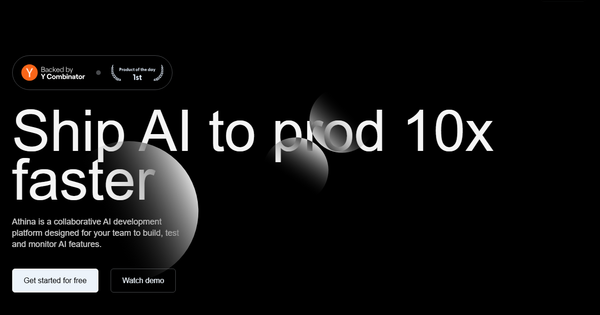
Athina AI is a collaborative IDE and full-stack observability platform built specifically for teams developing and deploying LLM-powered applications. It enables end-to-end management of prompts, datasets, evaluations, and production monitoring to detect and mitigate issues such as hallucinations, misinformation, and quality degradation in LLM outputs. Primary use cases include rapid prototyping of prompts and complex flows, large-scale dataset experimentation and regeneration, continuous online evaluations on live traffic, A/B testing of models or prompts, collaborative annotation, and granular analytics to optimize performance, cost, and user experience.
The platform targets AI engineers, data scientists, product managers, QA teams, and mixed technical/non-technical stakeholders at organizations building production-grade LLM features (e.g., RAG agents, customer-support bots, or generative tools). It accelerates reliable AI deployment by bridging prototyping and monitoring in a single workspace. This review is based on research conducted as of March 2026 using the official website, documentation, third-party comparisons, and available user feedback.

Key Features & Capabilities
Core functionality centers on three pillars: building (prompt playground with versioning, Flows for chaining prompts/APIs/retrievals/code), testing (datasets with spreadsheet-style editing, SQL queries, side-by-side comparisons, and dynamic regeneration by swapping models/prompts/retrievers), and monitoring (LLM traces for full replay, continuous online evaluations on incoming logs, segmented analytics by prompt/model/topic/customer ID, cost/latency tracking, and data exports). Over 50 preset evaluators cover common metrics (e.g., faithfulness, context relevance, answer relevancy) with support for custom evaluators, Ragas integration, and execution via UI, Python SDK, or CI/CD pipelines. Additional tools include human annotation workflows, topic classification, and API access for observability data.
Standout differentiators include its intuitive spreadsheet-like collaborative IDE that empowers non-technical users alongside engineers, self-hosted deployment options in your VPC with SOC-2 Type 2 compliance and fine-grained access controls, zero added latency for production logging, and seamless support for custom or enterprise models (Azure OpenAI, AWS Bedrock, etc.). These features make it particularly strong for mixed-team environments and privacy-sensitive organizations compared to alternatives like LangSmith (stronger on debugging) or Helicone (lighter observability focus).
Limitations include a capped free tier that may constrain high-volume testing, pricing opacity for paid plans (requiring quotes), and a still-emerging ecosystem with fewer pre-built integrations or community plugins than more mature competitors. Advanced debugging of complex LangChain-style chains can feel secondary to its evaluation and collaboration strengths.
User Experience
Athina AI offers an exceptionally approachable learning curve thanks to its Google Sheets-inspired collaborative IDE, allowing teams to prototype, evaluate, and annotate without deep coding for many tasks. Setup is quick—often under 15 minutes for basic logging and evals—while advanced features like custom evaluators or automations require moderate familiarity with the SDK or UI. The interface quality is modern and clean, with real-time dashboards, trace replay, playgrounds, and shared workspaces that support simultaneous editing and comments.
Documentation is comprehensive and well-structured, featuring quickstart guides, cookbooks, video demos, and detailed sections on datasets, evals, and monitoring. Support resources include email, scheduled demos, white-glove onboarding for enterprise customers, and responsive founder engagement noted in testimonials. Overall feedback highlights time savings in dataset curation and annotation, though some users may initially need guidance on configuring continuous online evaluations.
Performance & Reliability
The platform delivers efficient real-time tracing and continuous evaluations with no perceptible latency impact on production inference. Segmented analytics and automated evals provide fast insights into performance shifts, while trace replay enables quick debugging of issues like hallucinations. No widespread performance complaints appear in available reviews or comparisons as of March 2026; instead, users consistently praise reliable observability and smooth integration (e.g., via LiteLLM callbacks).
Known issues are minimal; occasional setup friction for very custom pipelines or high-volume datasets is the primary note, but overall reliability is high, backed by SOC-2 compliance and self-hosting for mission-critical use.
Pricing & Value
Athina AI uses a tiered structure with a generous free Starter plan (10k logs/month, advanced analytics, unlimited prompts, model/prompt comparisons, and core metrics tracking). Paid Pro plans (unlimited logs, evals, datasets, team seats, white-glove support, and GraphQL API) and Enterprise options (self-hosting, RBAC, custom models) require contacting sales for quotes, making exact costs usage- or scale-dependent.
Value is strong for teams that leverage the free tier to validate workflows before scaling, delivering high ROI through prevented production errors, faster iteration, and collaborative efficiency. Compared to alternatives, it offers better accessibility for mixed teams and robust evaluation depth at a competitive entry point, though enterprises should factor in quote-based scaling.
Practical Tutorial
Athina provides official quickstarts for a common task: running offline evaluations on a dataset to detect hallucinations or quality issues (e.g., using the Faithfulness evaluator on RAG responses). Here is a practical step-by-step walkthrough using the Python SDK (ideal for developers; a pure-UI alternative exists in the IDE).
-
Sign up at https://app.athina.ai/ and obtain your ATHINA_API_KEY from the dashboard (also set your OPENAI_API_KEY or equivalent model provider key).
-
Install the SDK:
pip install athina -
Initialize keys (or run
athina initin CLI):from athina.keys import AthinaApiKey, OpenAiApiKey import os OpenAiApiKey.set_key(os.getenv('OPENAI_API_KEY')) AthinaApiKey.set_key(os.getenv('ATHINA_API_KEY')) -
Load a dataset (example: RAG JSON with queries, contexts, and responses; supports Hugging Face or custom dicts):
from athina.loaders import RagLoader dataset = RagLoader().load_json("your_rag_dataset.json") -
Run batch evaluation (using a preset like Faithfulness to check if the response is grounded in context and avoid hallucinations):
from athina.evals import Faithfulness
results = Faithfulness().run_batch(data=dataset)
print(results)
Results (scores, explanations, pass/fail) appear in the console and are automatically synced to your Athina dashboard for visualization, annotation, and further experiments.
-
View and iterate: Head to the platform dashboard or IDE to analyze metrics, regenerate failing responses by changing prompts/models, or set up continuous online evals for production logs.
For UI-only version: Upload/create a dataset in the spreadsheet IDE, add a dynamic prompt column if needed, select preset evals via the “Evaluate” button, and review results with side-by-side comparisons. Full details and variations (including online evals or CI/CD) are in the official quickstart: https://docs.athina.ai/evals/quickstart. This workflow typically takes under 10 minutes and directly addresses the prompt’s goal of correcting misinformation in LLM outputs.
Final Verdict
Overall rating: 4.5 out of 5.
Teams building or scaling LLM applications—especially those with mixed technical/non-technical members needing strong evaluation, collaboration, and production monitoring—should use Athina AI for its intuitive IDE, comprehensive eval library, and privacy-focused features that accelerate reliable deployment while reducing hallucinations and costs. Avoid it if you require fully transparent per-seat pricing, deeply specialized debugging for a single framework like LangChain, or a purely open-source solution with massive community plugins.
Athina AI delivers an accessible, powerful all-in-one platform that stands out for collaborative LLM reliability—highly recommended for most production AI teams.