Auphonic Review: The Best AI Tool for Professional Audio Editing
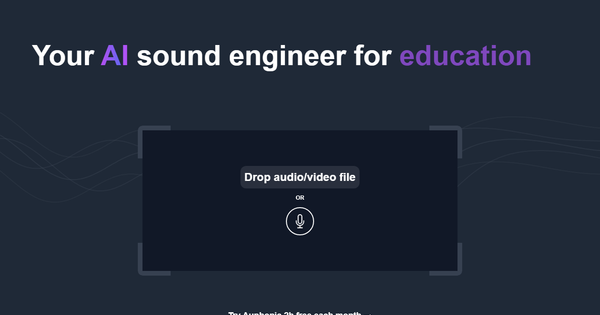
Overview & Purpose
Auphonic is an AI-powered audio post-production web service that acts as an automated sound engineer, processing raw recordings to deliver professional-quality audio output. It handles complex tasks like leveling, noise reduction, and loudness normalization without requiring users to master audio engineering techniques. Primary use cases include polishing podcasts, educational videos, audiobooks, radio broadcasts, screencasts, and other spoken-word content to ensure consistent volume, clarity, and broadcast compliance.
The target audience consists primarily of podcasters, independent content creators, educators, and small production teams who produce spoken audio or video but lack dedicated audio engineers or time for manual editing. It also appeals to developers and platform builders through its robust API and white-label options for workflow automation. While not aimed at high-end film or music mastering studios needing granular manual control, it serves anyone seeking "set it and forget it" professional results.
Research for this review was conducted as of April 2026.
Key Features & Capabilities
Core functionality revolves around a suite of AI algorithms that analyze and enhance audio files or multitrack recordings. Standout features include:
- Intelligent Leveler and Loudness Normalization: Automatically balances dialogue, music, and effects while normalizing to standards like EBU R128, ATSC A/85, or Apple Podcasts specs for consistent playback across platforms.
- Audio Restoration Tools: Noise and reverb reduction, AutoEQ with frequency restoration (Bandwidth Extension), De-Esser, De-Plosive, and adaptive filtering to clean up room tone, hums, or plosives.
- Content-Aware Editing: Automatic detection and removal of filler words (e.g., "uh," "um" in multiple languages), coughs, silence, and pauses; multitrack mixing with ducking and bleed removal.
- Speech Recognition and Transcript Editor: AI-powered transcription (powered by models like Whisper), automatic shownotes and chapters, with an editable, shareable transcript interface.
- Output and Workflow Enhancements: Optimal encoding for various formats, metadata embedding, chapter marks, video support with audiograms (waveform visuals), and automatic deployment to hosts like YouTube, Libsyn, SoundCloud, or PodBean via watch folders, Zapier, API, or CLI.
Differentiators from competitors (such as Descript, Adobe Podcast, or Audacity) include its comprehensive multitrack support, strict loudness compliance for broadcast/radio, seamless end-to-end automation (including publishing), and white-label API for custom integrations—making it ideal for scalable workflows rather than just basic enhancement.
Limitations include a lack of full real-time or offline DAW-style editing (users typically pre-edit cuts in tools like Audacity or Adobe Audition before processing), occasional AI artifacts in complex or music-heavy content, and no built-in recording capabilities. Free-tier productions add a short jingle, and advanced batch/watch-folder features require paid plans. It is cloud-based, so upload/download times depend on internet speed.
User Experience
Auphonic features a clean, web-based interface that emphasizes simplicity: users sign up with just an email, select or create presets, upload files (audio or video), tweak algorithm settings if desired, and start processing. The learning curve is minimal—even beginners can achieve pro results in minutes via intuitive dropdowns and presets. The transcript editor is particularly user-friendly for quick corrections and chaptering.
Interface quality is functional and no-frills, with clear progress indicators and downloadable results including waveforms. Documentation is comprehensive via the dedicated help site (auphonic.com/help/), covering productions, algorithms, API details, and integrations, supplemented by blog articles, videos, and community resources. Customer support receives mixed feedback: praised for reliability in testimonials but scored lower (around 2.0/5 in some aggregated reviews) for response times.
Overall, the "fire and forget" design earns high marks from podcasters for saving hours of manual work.
Performance & Reliability
Processing is generally fast (seconds to minutes per hour of audio, depending on file size and server load), with efficient handling of multitrack files charged only by output duration. Users consistently report excellent results in noise removal (e.g., eliminating HVAC sounds or background hum) and leveling, often describing outputs as "mind-blowing" or studio-quality.
Reliability is strong for consistent loudness and compliance, with minimal downtime noted in recent reviews. Known minor issues include occasional over-aggressive noise suppression removing intentional sounds (like audience laughter or sound effects), rare artifacts in dynamic content, or slight inconsistencies with very quiet passages. Some older complaints mention platform stability during uploads, but 2025–2026 feedback highlights improvements. No major outages or widespread reliability problems appear in current user discussions.
Pricing & Value
Auphonic offers a generous free tier of 2 hours of processed audio per month (with jingle), requiring no credit card. Paid options use credits billed per minute of output audio (minimum 3 minutes per production; multitrack charged by final duration):
- Recurring monthly credits (reset monthly; yearly billing saves 20%): Plans start at Auphonic S (9 hours/month), scaling to M (21h), L (45h), and XL (100h). Pricing begins around $11–13/month for the smallest plan.
- One-time credits: Available in 5h increments and up, valid indefinitely (e.g., 5h for $12).
- Business/enterprise: Custom contracts, manual invoicing, team accounts, priority support, and early feature access for higher tiers.
Value is excellent for regular users—automation replaces hours of manual editing or expensive human engineers, with the free tier sufficient for light or testing use. Compared to alternatives like Descript (subscription-heavy with editing focus) or pro services, it delivers strong ROI through time savings and consistent results, though heavy users may prefer one-time credits to avoid recurring costs.
Practical Tutorial
A common task is processing a single-track podcast episode for leveling, noise reduction, and loudness normalization. Here is a step-by-step walkthrough (based on official workflows and verified guides as of 2026):
- Sign up and log in: Go to auphonic.com, create a free account with your email (no credit card needed).
- Start a new production: Click "New Production" on the dashboard.
- Upload your file: Under "Select Upload Method," choose "File" and upload your edited audio or video (e.g., an MP3 or MP4 podcast episode). Supported formats are broad.
- Configure settings: Select or create a preset (e.g., "Voice Cleaner" or a custom one). Enable key algorithms: Adaptive Leveler, Noise & Reverb Reduction, AutoEQ, Filler Word Removal, and set Loudness Target (e.g., -16 LUFS for podcasts). Optionally enable Speech2Text for transcripts/chapters and add metadata.
- Review options: For multitrack, upload separate files and enable mixing. Add external services for auto-publishing if desired.
- Start production: Click "Start Production" at the bottom. Processing typically completes quickly; monitor progress on the dashboard.
- Download or deploy: Retrieve the enhanced file (with embedded chapters/metadata if selected). Results include processed audio, optional transcript, and audiogram. Free productions include a jingle.
For visual guidance, official YouTube tutorials and the Buzzsprout guide provide screen recordings. Full details and presets are in the Auphonic help documentation.
Final Verdict
Overall rating: 4.7/5. Auphonic excels for podcasters, educators, and content creators who want reliable, professional audio polish with zero learning curve or engineering expertise—its AI algorithms deliver consistent, broadcast-ready results that save significant time. It shines in automation and standards compliance but may not suit advanced users needing pixel-perfect manual tweaks or fully offline workflows. Avoid it if your productions involve heavy music mixing, require zero AI artifacts, or if you exceed free limits without budget for credits. One-sentence recommendation: Auphonic is the go-to AI sound engineer for creators seeking effortless pro-level audio post-production.