Aurora AI Review: The Ultimate Context-Aware Workspace for Teams

Overview & Purpose

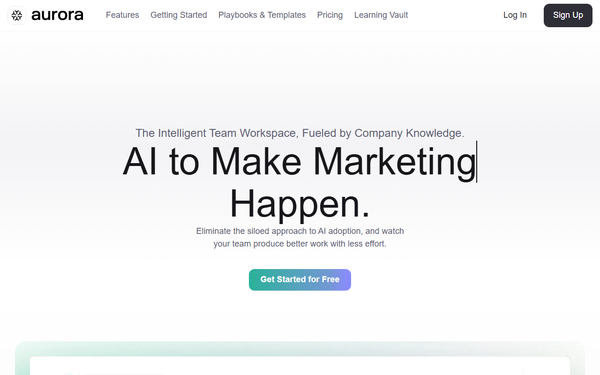
Aurora AI is a SaaS productivity workspace that centralizes organizational knowledge into searchable Knowledge Docs, delivers contextual AI responses powered by that company-specific data, and enables seamless team collaboration through shared workspaces, real-time documents, and guided workflows. Rather than relying on generic large language models, it pulls from an organization's own assets to provide cited, relevant answers and automations—eliminating information silos and the need to toggle between tools like chatbots, docs, and project apps.
Primary use cases include generating high-impact sales scripts, creating brand style guides, writing converting case studies, solving complex problems with structured methods (e.g., 1-3-1), crafting homepage wireframes, producing thought-leadership content, developing positioning strategies, and planning webinars—all in minutes using built-in playbooks. It also supports turning raw notes into polished presentations via Liquid Docs.
Target audience spans businesses of all sizes, particularly teams in sales, marketing, strategy, consulting, and agencies, as well as leaders and organizations seeking scalable AI adoption. Solo users and enterprises alike benefit, though it shines for cross-functional teams needing consistency and knowledge compounding.
Key Features & Capabilities
Core functionality revolves around a unified workspace with:
- Knowledge Docs — Centralized, searchable repository of team expertise that powers all AI outputs.
- Intelligence (AI Chat) — Contextual responses with citations drawn directly from uploaded knowledge.
- Aurora Docs & Liquid Docs — Real-time collaborative editing; one-click conversion of notes or reports into formatted, presentation-ready assets.
- Workspaces — Dedicated project or department spaces for organizing assets, chats, and permissions.
- SmartFlows — Guided, chain-of-thought AI workflows that automate repetitive tasks with custom instructions and knowledge references for repeatable, consistent results.
Standout differentiators include true context-awareness (overcoming generic AI limitations), no-code implementation, SmartFlows for standardization across users, and an all-in-one environment that keeps everything—from ideation to polished output—inside the platform. Security features AES-256 encryption and explicitly avoids using customer data for LLM training.
Limitations include no prominently advertised third-party integrations (e.g., Slack, Google Drive beyond basic uploads), potential upfront time investment to build a robust knowledge base, and a lack of advanced analytics or automation beyond SmartFlows. As an emerging tool, it also lacks extensive ecosystem extensions compared to mature platforms like Notion AI or Coda.
User Experience
Setup follows a no-code, intuitive sidebar-driven interface reminiscent of modern note-taking apps. Users create workspaces, add documents, and launch chats or SmartFlows with simple “+” buttons and dropdowns—resulting in a low learning curve even for non-technical teams. The Getting Started manual provides clear, numbered instructions, and pre-built playbooks accelerate onboarding.
Interface quality feels clean and collaborative, with real-time editing, easy permission controls, and bookmarkable chat responses. Documentation is strong: comprehensive user manual, Learning Vault blog with prompt guides and use-case articles, and a library of playbooks/templates. Support resources include in-app guidance and email ([email protected]), though live chat or dedicated success managers appear reserved for higher tiers.
Performance & Reliability
Tasks complete quickly per official playbooks (e.g., sales scripts in ~5 minutes, presentations from notes in one click), with responsive AI chat and efficient SmartFlow execution. No widespread performance bottlenecks are reported. Reliability appears solid thanks to enterprise-grade encryption and contextual grounding that reduces hallucination risks.
Known issues or common complaints are virtually nonexistent in public sources as of March 2026; independent reviews remain scarce, suggesting the product is still gaining traction. No major outages, data leaks, or accuracy complaints surfaced in searches.
Pricing & Value
Aurora AI offers a 30-day free trial with no credit card required for initial signup. Specific plan details (freemium tier, Pro, and enterprise options) are presented as flexible and “invest in productivity, not overhead,” with pricing in USD; however, exact monthly costs and feature breakdowns are not publicly itemized on the pricing page and likely require signup or sales contact for full transparency.
Value proposition is strong for teams: it replaces multiple tools (chatbots + docs + workflow apps) while delivering company-specific AI that generic alternatives cannot match. Compared with Notion AI or ChatGPT Teams, Aurora’s SmartFlows and centralized knowledge base provide superior consistency and reduced context-switching, justifying the investment for organizations prioritizing repeatability and security. Early users can realize significant time savings (hours per task) even on the trial.
Practical Tutorial
Official playbooks and the user manual provide ready-made walkthroughs. Below is a practical, step-by-step tutorial for a common task—building a high-impact sales script in minutes—synthesized from the platform’s Getting Started guide and Sales playbook example (full template available at the official link).
- Create a Workspace — Log in, click “+ Create Workspace” in the left sidebar, name it (e.g., “Q2 Sales Enablement”), choose an icon, and set permissions (invite team members via email with view/edit roles).
- Build Your Knowledge Base — In the workspace, click “+” next to Knowledge Docs. Upload existing assets (product specs, past call transcripts, buyer personas) or paste text. Convert any Aurora Doc to Knowledge Doc via the dropdown menu for AI context.
- Launch a SmartFlow — Click the Smart Flow tab, select “+ Smart Flow,” choose your workspace. Add tasks in chain-of-thought order (e.g., Step 1: “Extract key pain points from buyer persona”; Step 2: “Reference product features”; Step 3: “Structure script with objection-handling”). Reference your Knowledge Docs and add custom instructions.
- Generate the Script — Run the SmartFlow; Aurora produces a structured script with cited sources. Edit collaboratively in real time, then copy or export.
- Polish & Share — Convert the output to Liquid Docs for a presentation-ready version, or bookmark the chat response for team access.
Total time: ~5 minutes once knowledge is loaded. For visual guidance, visit the official playbook: https://hiaurora.ai/playbooks-and-templates/build-a-high-impact-sales-script-in-5-minutes/ or the full manual at https://hiaurora.ai/getting-started/.
Final Verdict
Overall rating: 4.5/5 (strong execution on core promise with room to grow in integrations and public transparency).
Teams and organizations frustrated by scattered knowledge and inconsistent AI outputs should use Aurora AI—it delivers genuine context-aware intelligence and guided consistency that generic tools lack, accelerating workflows across sales, marketing, and strategy while keeping data secure.
Solo freelancers or users needing deep third-party integrations, fully transparent upfront pricing, or extensive community validation should avoid it for now, as the platform is still maturing and shines brightest in collaborative business settings.
If you want AI that truly understands your company—not just the internet—start a free trial of Aurora AI today.