Turn Doodles into Art: An In-Depth AutoDraw AI Review
Overview & Purpose
AutoDraw is a free, web-based drawing tool developed by Google Creative Lab that uses machine learning to transform rough user sketches into polished illustrations drawn by talented artists. Launched in April 2017 as an AI experiment tied to the Quick, Draw! dataset, it remains fully functional and accessible as of April 2026 at autodraw.com. The tool analyzes your doodles in real time and suggests matching professional clip art-style drawings, making it simple to create visuals without artistic skill.
Primary use cases include generating quick icons, diagrams, sketchnotes, presentation graphics, party invitations, educational materials, flyers, and casual artwork. It excels at turning basic ideas into shareable visuals rapidly. The target audience encompasses non-artists such as marketers, teachers, students, business professionals, parents, and kids—anyone needing fast, accessible visuals without the steep learning curve of professional software like Adobe Illustrator or even Canva. It is not aimed at developers or advanced designers requiring complex vector workflows.
Key Features & Capabilities
Core functionality revolves around an intuitive canvas where users draw with a mouse, trackpad, or finger on touch devices. A dedicated “AutoDraw” tool triggers real-time machine learning suggestions that appear at the top of the screen as you sketch; selecting one instantly replaces your rough line work with a clean, artist-created illustration. Hundreds of objects are recognized, covering everyday items like houses, trees, animals, vehicles, and abstract shapes.
Additional tools mirror a simplified Microsoft Paint experience: regular pencil for freehand drawing without AI, eraser, undo/redo, color picker, fill bucket, basic shapes (rectangle, circle, triangle), text tool, and a selection tool for moving, resizing, and rotating elements. The canvas itself is resizable via a drag handle. Completed drawings export as PNG files or can be shared via a generated link. The experience works seamlessly across desktops, tablets, and phones with no installation or account required.
Standout features that differentiate AutoDraw include its “autocorrect for drawing” AI, which democratizes illustration by pairing neural network recognition with a curated library of artist contributions. This makes it faster and more enjoyable than basic paint programs while remaining far simpler than vector editors or modern generative AI tools. No competitors in the free web space offer this exact blend of instant artist-quality replacements without generative prompts or subscriptions.
Limitations and missing features are notable: there are no layers, advanced brushes, filters, or effects; exports are raster PNG only (no SVG or editable project files); the object library is fixed and cannot generate new custom illustrations; collaboration is absent; and AI suggestions require an internet connection. Recognition can fail on very abstract or poorly drawn sketches, and the tool has no built-in templates or advanced export options.
User Experience
AutoDraw boasts an exceptionally low learning curve—most users can start creating meaningful visuals within seconds thanks to its clean, minimal interface that prioritizes the canvas. The toolbar is straightforward and always visible, with clear icons and no overwhelming menus. Touch support makes it equally enjoyable on mobile devices.
Interface quality feels focused and playful, with responsive feedback as suggestions populate instantly. Documentation is light but sufficient: an in-app “How-To” section, keyboard shortcuts list, artist credits, and “About” page provide quick guidance. Community support comes via YouTube tutorials and scattered blog posts, though there is no formal help center or live chat. Overall, the experience is fun, forgiving, and accessible even for young children or complete beginners.
Performance & Reliability
The web app loads quickly and performs smoothly on modern browsers, with responsive drawing and near-instant AI suggestions under normal conditions. It handles multi-element compositions efficiently without noticeable lag on standard hardware.
Known issues include occasional AI recognition failures (especially with unclear sketches or objects outside the library) and rare temporary outages, as reported by users in early 2026 Reddit discussions where the suggestion engine stopped working reliably for short periods. Some users note the project feels lightly maintained since its 2017 launch, leading to concerns it could become abandoned. Export quality is consistent but limited to 72 dpi PNGs suitable for web or basic print. No major security or data concerns exist since no accounts or uploads are required.
Pricing & Value
AutoDraw is completely free with no tiers, watermarks, usage limits, or premium upgrades. There are no enterprise options or paid plans.
Its value proposition is outstanding for quick, zero-cost visual creation. Compared to alternatives like Canva (freemium with more templates but steeper for pure drawing), Microsoft Paint (no AI), or Adobe Fresco/Illustrator (paid and complex), AutoDraw delivers unique AI-assisted speed and artistic polish at zero cost. It shines for casual or occasional use but offers less long-term value for heavy professional workflows.
Practical Tutorial
AutoDraw includes an official in-app “How-To” guide accessible via the top navigation. Below is a step-by-step walkthrough for a common task: creating a simple presentation slide graphic (e.g., a “Sunny Day” scene with house, tree, and sun for an educational or marketing visual).
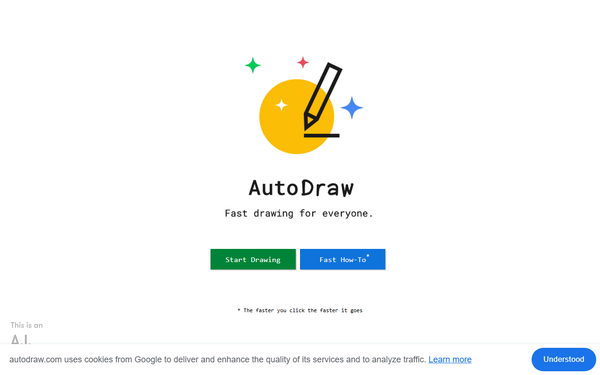
- Visit https://autodraw.com/ and click anywhere on the welcome screen to open a new canvas (or use the “Start Drawing” option).
- From the left toolbar, select the AutoDraw tool (the one with the magic wand or AI icon).
- Choose a color from the palette at the bottom. Sketch a rough circle in the upper canvas area for the sun—suggestions will appear instantly at the top. Click the best-matching sun illustration to replace your doodle.
- Draw a simple house shape (rectangle + triangle roof). Select the matching artist drawing from the top bar.
- Sketch a tree trunk and canopy nearby; choose the suggested tree illustration.
- Use the regular pencil or shapes tool to add details if needed, then switch to the fill bucket tool and click inside shapes to color them.
- Select the text tool, click on the canvas, and type a label such as “Sunny Day Project.”
- Use the selection tool (arrow icon) to click and drag elements, resize them, or rotate as desired for proper composition.
- Click the menu (three lines icon) at the top right, then choose “Download” to save as PNG or “Share” to generate a link.
The entire process typically takes under two minutes. For more examples, search YouTube for “AutoDraw tutorial” or explore the official How-To section directly in the app.
Final Verdict
AutoDraw earns a solid 4.2 out of 5 stars. It remains an excellent, no-frills tool for turning ideas into visuals instantly.
Who should use this tool: Non-artists, teachers, marketers, students, and casual creators who need fast, fun illustrations for presentations, education, or social media without learning complex software.
Who should avoid this tool: Professional designers or teams requiring layers, vector exports, collaboration, unlimited custom assets, or advanced editing capabilities.
One-sentence recommendation: If you want an effortless, completely free way to make your doodles look professionally drawn, AutoDraw is still one of the simplest and most delightful options available.