Autoflow Review: The Ultimate AI No-Code Test Automation Tool

Overview & Purpose
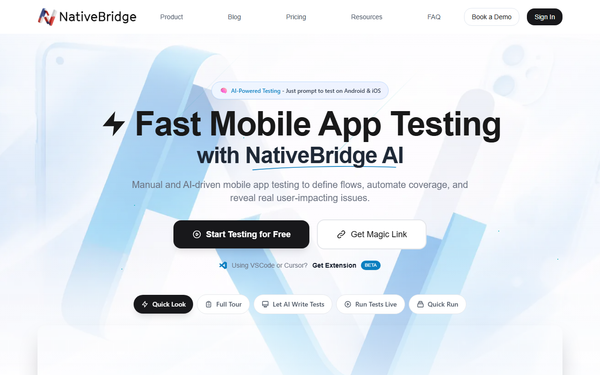
Autoflow, accessible at https://autoflow.tools/, is the home of AutoFlow Studio (closely integrated with NativeBridge.io technology), an AI-powered no-code test automation platform. It enables users to create, manage, and execute end-to-end UI and mobile app tests quickly by turning user stories or natural language prompts into automated test suites and journeys. The tool automates repetitive QA tasks such as login flows, dashboard interactions, cross-browser/device validation, and reporting, allowing teams to test web and native Android/iOS apps instantly in any browser without setup, emulators, or complex configurations.
Primary use cases include accelerating software development cycles through automated regression testing, PR reviews, live demos, and collaboration on test cases. It targets developers, quality assurance engineers, product managers, and designers—particularly in startups, small-to-medium software teams, and agile environments—rather than general business users or non-technical marketers. As of research conducted on March 10, 2026, Autoflow positions itself as a modern alternative to traditional coded testing frameworks, focusing on speed and accessibility in the testing workflow.
Key Features & Capabilities
Core functionality revolves around no-code test creation: users define test suites and user journeys, then build individual tests with visual editing, variables, data randomization, and AI-generated steps. Tests run locally or in the cloud across browsers and devices (real/emulated Android & iOS via NativeBridge), with automatic reporting, screenshots, and collaboration tools. Advanced options include environment management, workspaces for team organization, and one-click export to Playwright code for developers who want to extend tests programmatically.
Standout features that differentiate it from competitors like Selenium, Cypress, or Testim include AI-driven test generation from simple user stories (claimed 10x faster creation), browser-based instant mobile app testing with no APK upload or device provisioning, unlimited interactive sessions in lower tiers, and seamless sharing via magic links. These make it uniquely accessible for non-coders while supporting professional QA needs.
Limitations include its narrow focus on testing automation (no general app/service integrations like Zapier or Make.com for business workflows), potential caps on cloud execution time or device variety in free/paid tiers, and a still-maturing feature set as a relatively new platform (launched around 2024). It lacks deep enterprise-level compliance or advanced orchestration found in tools like BrowserStack or LambdaTest.

User Experience
Autoflow boasts a low learning curve thanks to its intuitive no-code visual editor and AI assistance—most users can go from signup to running their first test in minutes. The interface is clean and modern, with drag-and-drop step editing, real-time previews, and helpful modals for variables or AI suggestions. Mobile testing feels revolutionary: launch any native app in-browser instantly without installations.
Documentation at https://docs.autoflow.tools/ is well-structured with clear sections on test creation, execution, AI steps, reporting, and advanced options, though it remains high-level and could benefit from more video walkthroughs or interactive examples. Support resources include in-app feedback, community channels, and likely email/chat for paid users. Overall, the experience is accessible and empowering for its target technical audience, with minimal friction reported in early reviews.
Performance & Reliability
The platform delivers fast test creation and execution, with AI handling much of the heavy lifting and cloud runs completing reliably across devices. Users highlight its speed in generating and iterating on tests, plus stable browser-based mobile emulation that eliminates traditional setup delays. Reliability is strong for local runs and basic cloud scenarios, with built-in reporting helping catch issues quickly.
As a newer tool, comprehensive long-term data is limited, but available feedback on G2 and Product Hunt notes few major outages or bugs; common minor complaints involve occasional limits on free-tier cloud history or device availability during peak times. No widespread reliability issues were reported in trusted sources as of March 2026.
Pricing & Value
Autoflow follows a freemium model with generous free access: unlimited local testing, interactive sessions, and basic AI features, plus starter cloud time (e.g., 8+ hours monthly on emulators/simulators). Paid plans start affordably for individuals and teams (Starter/Growth tiers around $49–$99/month based on cloud hours and features), scaling to customizable Enterprise options with higher limits, priority support, and advanced collaboration. No long-term contracts or setup fees are mentioned, and training resources are included.
Compared to alternatives, it offers excellent value for small teams and startups—dramatically lower cost and complexity than coded solutions or heavy enterprise platforms—while the free tier alone outperforms many competitors for hobbyists or early validation. Add-ons for extra cloud time or real devices provide flexibility without overkill.
Practical Tutorial
A common task is creating an automated E2E login test for a web or mobile app. Here is a step-by-step walkthrough (based on official documentation structure; full guides available at https://docs.autoflow.tools/):
- Sign up or log in at https://autoflow.tools/ and create a new workspace or test suite.
- Start a new user journey or test and describe it in natural language (e.g., “User logs in with valid credentials and sees the dashboard”).
- Let the AI generate initial test steps automatically; review and accept suggestions in the visual editor.
- Edit steps as needed: add variables (e.g., username/password), randomize data for repeated runs, or insert AI steps for dynamic elements like CAPTCHA handling.
- Configure the environment (browser or mobile device via NativeBridge emulator) and any required test data.
- Run the test locally first, then switch to cloud execution for cross-device validation.
- Review the generated report with screenshots, logs, and pass/fail status; export to Playwright if you need code-level customization.
This process typically takes under 5 minutes for simple flows and scales easily to complex journeys. For official video tutorials or more examples, check the AutoFlow Learning Center or Product Hunt launch resources.
Final Verdict
Overall rating: 4.5/5. Autoflow excels for developers, QAs, and product teams who want fast, no-code test automation to eliminate repetitive manual testing and accelerate releases—ideal for startups and agile shops seeking AI assistance without vendor lock-in. Avoid it if you need broad business process integrations (e.g., CRM/ Slack automations) or require mature enterprise-scale features and extensive device farms, where more established tools may be safer.
Autoflow is a smart, innovative pick for any team tired of slow QA cycles—sign up today and test it for free.