Autoreel Review: Transform Real Estate Photos into AI Videos
Overview & Purpose

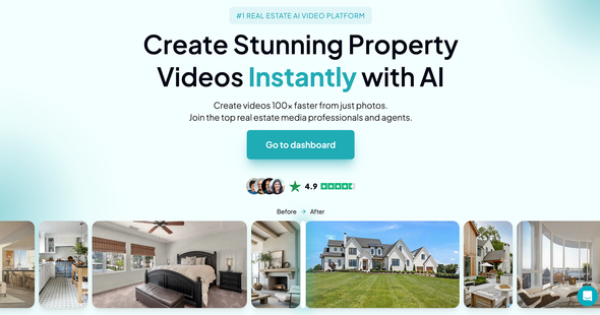
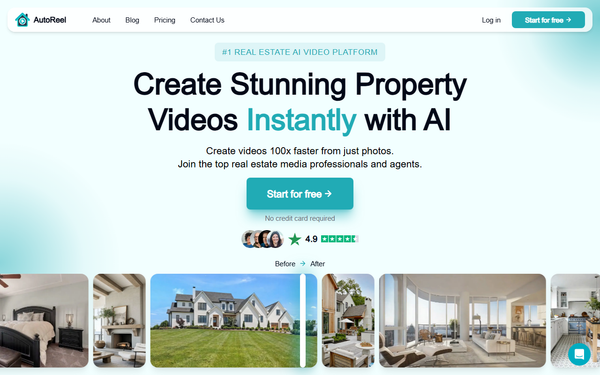
AutoReel is an AI-powered platform that transforms static property listing photos into professional cinematic videos and reels, complete with realistic motion effects, transitions, and custom enhancements. It automates the entire process from photo upload to polished output, enabling users to create engaging video tours suitable for social media, MLS listings, advertisements, and buyer presentations in minutes rather than hours. Primary use cases include generating scroll-stopping reels to attract leads, upsell services for photographers, and scale video content production for media companies without hiring editors or videographers. The tool claims to deliver up to 403% more listing inquiries through video marketing and positions itself as 100x faster and 10x less expensive than traditional agencies.
Target audience includes real estate agents, brokers, photographers looking to upsell AI videos, and real estate media companies seeking efficient, branded content creation. As of research in March 2026, it has helped create over 100,000 videos and focuses exclusively on the real estate niche.
Key Features & Capabilities
Core functionality revolves around a simple four-step workflow: upload photos (or import directly from Zillow or Realtor.com with one click), customize orientation (portrait or landscape), apply AI automation for motion and effects, and export. Each image becomes a roughly 3-second clip, resulting in videos typically 15–60 seconds long. Standout features include AI virtual staging to furnish empty rooms, automatic photo enhancements such as twilight skies or lawn repairs, AI-generated voiceovers with natural narration options, custom AI avatars for presentations, auto-created social media captions, and a built-in Studio editor for adding logos, text overlays, templates, personal clips, and branding elements. Music libraries and seamless exports optimized for Instagram, Facebook, LinkedIn, YouTube, and MLS further enhance usability.
These real estate-specific AI tools differentiate AutoReel from generic video editors or slideshow makers like Canva by delivering authentic, cinematic movements (including virtual drone flyovers) without manual effort. It also supports one-click listing imports unavailable in broader tools. Limitations include caps on images per video (5 on free, 15–20+ on paid), video length tied to plan, and dependence on high-quality input photos for best results—poor inputs can lead to minor AI artifacts in motion or staging. Missing features compared to professional software include full manual timeline editing, advanced keyframing, or integrations with tools like Adobe Premiere or CRM platforms. Peak-time processing can occasionally extend beyond the typical 10–15 minutes.

User Experience
The platform boasts an exceptionally low learning curve, with a clean, intuitive web-based interface that guides users through the four-step process without requiring any video editing experience. Most users report creating their first video in under 20 minutes, praising the dashboard for its simplicity and the Studio editor for optional deeper customization. Documentation includes an on-site FAQ covering common questions (processing times, file limits, watermarks), a demo video, and blog resources on trends and workflows. Customer support is generally responsive via chat (initially AI-assisted, with human escalation), and users highlight quick resolutions for technical issues.
Trustpilot reviews consistently commend the user-friendly design and efficiency, though isolated complaints mention brief delays in human support responses or challenges navigating cancellation processes. Overall, the experience is accessible and polished for its target non-technical audience.
Performance & Reliability
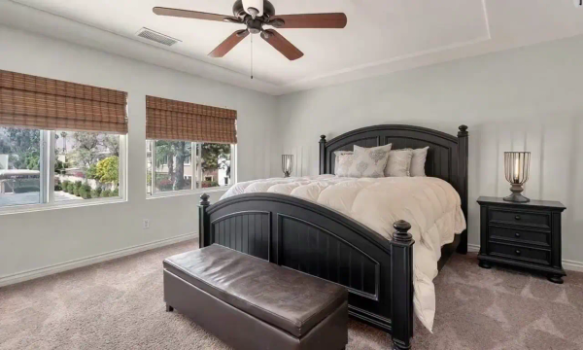
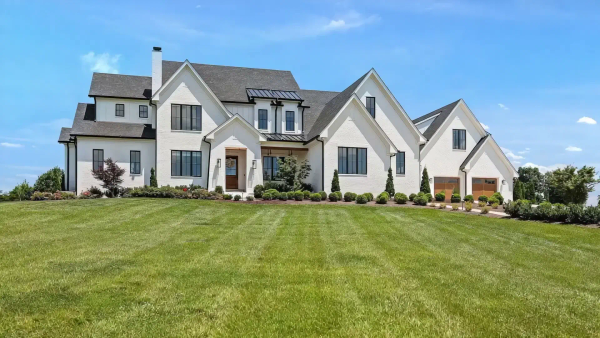
AutoReel delivers videos in 10–15 minutes on average, with outputs described as professional-grade, realistic, and ready for immediate use on social platforms or MLS. Users report consistent high-quality motion that feels closer to actual drone or walkthrough footage than generic AI tools, enabling reliable scaling for daily listings. Performance holds up well for short-form content, with over 100,000 videos generated successfully to date.
Known issues are minimal: processing may slow during high-demand periods, and rare AI imperfections (such as subtle unnatural movements) appear in side-by-side comparisons with competitors like VideoTour.ai. Billing-related concerns surfaced in a small number of Trustpilot reviews around trial cancellations, but the vast majority of feedback praises reliability, speed, and output quality with no widespread outages or quality complaints reported on Reddit or G2.
Pricing & Value
AutoReel offers a generous free tier with no credit card required: 2 videos per month, up to 5 images per video (15-second max length at 720p resolution), 10MB image size limit, 5 AI photo edits, and exports with a visible watermark. Paid plans (Growth and Pro) remove the watermark, expand to 15–20 images per video, support up to 60-second lengths, increase resolution and file size limits (25MB images), and unlock full access to advanced features like unlimited AI edits, voiceovers, and avatars. Enterprise options provide custom billing, 100+ videos per month, API access, and early feature releases. Yearly subscriptions include up to 30% savings, and a limited-time SPRING promo code was active during research.
Exact monthly pricing for Growth/Pro tiers is presented dynamically on the site after sign-up (third-party references suggest entry-level paid access in the $29–$49 range), but the structure emphasizes scalability. Value is exceptional for the target audience: it replaces expensive agency work or manual editing at a fraction of the cost and time, delivering strong ROI through increased inquiries and streamlined workflows. Compared to alternatives like Canva (more manual) or specialized competitors (higher per-video costs), AutoReel stands out for real estate specificity and automation depth.
Practical Tutorial
Official resources include an embedded demo video and process overview on the homepage, supplemented by user-generated YouTube walkthroughs and blog posts on workflows. Here is a complete step-by-step tutorial for the common task of creating a branded property listing video (tested conceptually against official descriptions as of March 2026):
- Sign up and start a project: Visit https://www.autoreelapp.com/, create a free account (no credit card needed), and click “Create your free video” or “New project” from the dashboard.
- Upload or import photos: Select 5–20 high-quality images (portrait orientation recommended for social reels). Use the one-click import by pasting a Zillow or Realtor.com listing URL to auto-pull photos.
- Apply AI enhancements: Choose optional virtual staging, twilight effects, or lawn repairs; the AI automatically optimizes images.
- Customize the video: Select portrait or landscape format, pick background music from the library, enable auto-generated captions optimized for social media, and upload your logo or branding elements.
- Generate the video: Click generate—the AI assembles cinematic clips with motion, transitions, and flyover effects (expect 10–15 minutes).
- Refine in Studio: Open the built-in editor to adjust timing, add text overlays, insert AI voiceover narration (choose voice and script), incorporate templates or personal clips, or tweak scenes.
- Preview, export, and share: Review the final video, download in the desired format, and directly share to social platforms, MLS, or email.
Results are typically MLS-ready and social-optimized. For visual guidance, watch the official demo on the homepage or search YouTube for “AutoReel real estate tutorial.”
Final Verdict
Overall rating: 4.5/5. This tool excels in its specialized niche, offering impressive automation and quality that genuinely saves time and money, though it could benefit from more transparent paid pricing visibility and deeper manual controls. Real estate professionals, photographers, and media companies with existing photo libraries should use it to quickly produce engaging marketing videos that boost leads and listings with zero editing skills required. Avoid it if you need long-form content, highly customized animations beyond AI templates, or prefer traditional full-control editing suites—generic tools or professional videographers may suit those needs better. AutoReel is a game-changing, efficient solution for modern real estate video marketing.