Master Prompt Engineering with Awesome ChatGPT Prompts Review
Overview & Purpose
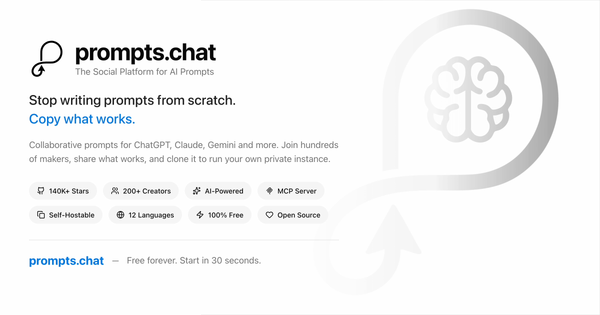
Awesome ChatGPT Prompts, now operating as prompts.chat (f.k.a. Awesome ChatGPT Prompts), is a free, open-source collection of prompt examples designed to elicit high-quality, human-like responses from large language models (LLMs) such as ChatGPT, Claude, Gemini, and others. Originally launched in December 2022 as a simple GitHub repository of "Act as..." role-playing prompts, it has evolved into the world's largest open-source prompt library, complete with a dedicated web platform at prompts.chat for browsing, searching, and contributing.
Its primary purpose is to help users master prompt engineering by providing ready-to-use, battle-tested templates that transform generic AI interactions into specialized, effective ones. Common use cases include generating code, writing content, role-playing experts (e.g., a Linux terminal or SEO auditor), creating images/videos, brainstorming ideas, and automating workflows. It targets a broad audience: developers, marketers, designers, writers, students, researchers, educators, and professionals in any field who interact with AI tools daily. The platform emphasizes community collaboration, education (via an interactive prompt engineering book and a game for kids aged 8–14), and privacy through self-hosting options.
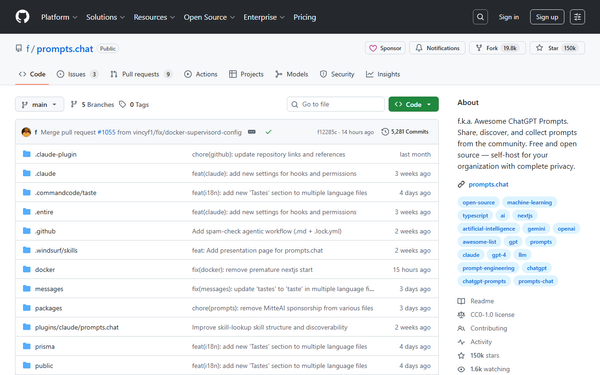
As of April 14, 2026, the repository boasts over 160,000 GitHub stars, making it one of the most popular open-source AI projects, and is frequently cited in academic settings (Harvard, Columbia) and by AI leaders like OpenAI co-founder Greg Brockman.
Key Features & Capabilities
Core functionality revolves around a massive, community-curated library of over 1,600 prompts (visible on the web interface as of recent data), stored in PROMPTS.md and prompts.csv for easy access and export. Prompts are typically structured as "Act as [role]" templates with detailed instructions, constraints, output formats (e.g., Markdown tables, JSON), and examples. The web platform adds modern capabilities like industry-specific browsing (e.g., Developers, Marketers, Designers, Researchers), type filters (Text, Image, Video, Code), and one-click copying.
Standout features include:
- Multi-model compatibility: Prompts work across ChatGPT, Claude, Gemini, Llama, Mistral, and more.
- Self-hosting and integrations: Docker support, CLI tools, Claude plugin, Raycast extension, and API for private organizational use.
- Educational resources: Free interactive book The Art of ChatGPT Prompting and governance for sustainable community growth.
- Contribution workflow: Anyone can submit new prompts via the site, which sync to GitHub automatically (CC0 public domain license for prompt data).
Differentiation comes from its scale, zero-cost accessibility, and evolution from a static list to a full social platform with tags and industry filters—unlike paid prompt marketplaces. Limitations include variable prompt quality (community-driven, so some may feel outdated or require tweaking for 2026-era models), lack of advanced analytics or version history per prompt, and a relatively basic web search compared to commercial alternatives like FlowGPT. No built-in prompt testing or A/B comparison tools exist natively.
User Experience
The resource excels in simplicity and accessibility, with an extremely low learning curve: visit the site or GitHub, browse by category or tag, and copy-paste into any LLM. The prompts.chat web interface features a clean, modern card-based layout with horizontal category filters (e.g., Coding, Marketing, Design, Video Generation), emoji icons, short descriptions, and metadata like contributor handles. Copy buttons provide instant feedback, and the page loads quickly without requiring login.
GitHub access remains straightforward via raw Markdown for bulk viewing. Interface quality is functional and text-focused—professional but not flashy—with good mobile compatibility for the vertical prompt feed, though horizontal filters can feel slightly cramped on small screens. Documentation is excellent: comprehensive README, SELF-HOSTING.md, DOCKER.md, and the free interactive book serve as strong support resources. Community governance (updated April 2026) adds transparency for contributors. Overall, it's intuitive for beginners and efficient for power users, though discovery could benefit from a more robust search bar or AI-powered recommendations.

Performance & Reliability
As a prompt repository rather than a hosted AI service, "performance" refers to the effectiveness of the prompts themselves rather than speed or uptime. Prompts deliver reliable, high-quality outputs when used with modern LLMs, often producing structured, creative, or expert-level responses far superior to plain queries. The library is actively maintained (latest commit April 12, 2026), with frequent additions and updates to match evolving models.
Efficiency is excellent—prompts are lightweight and copy instantly. Known issues are minor: some older prompts may underperform with newer model behaviors (e.g., requiring slight adaptation), and community contributions can lead to occasional inconsistencies in quality or formatting. User complaints on platforms like Reddit and Product Hunt are rare; most feedback highlights the collection as a "go-to" resource with consistent praise for inspiration and organization. No major reliability problems, security vulnerabilities, or downtime reports were noted in recent reviews.
Pricing & Value
The entire resource is completely free and open source. No tiers, subscriptions, or enterprise plans exist—prompts are under CC0 (public domain), and the platform code is MIT licensed. Self-hosting is also free via Docker.
Value proposition is exceptional for cost-conscious users and teams: it provides enterprise-grade prompt inspiration without the fees of commercial libraries (e.g., PromptBase or AIPRM). Compared to alternatives, it offers unmatched scale and community momentum at zero cost, making it ideal for individuals, educators, and open-source enthusiasts. Paid competitors may provide polished UIs or analytics, but for pure prompt discovery and customization, this remains the benchmark. The only "cost" is time spent browsing or adapting prompts.
Practical Tutorial
A step-by-step tutorial for a common task—generating a professional code review using the "AI Code Review Assistant" prompt (a popular category example from the Coding/Development section):
- Visit the official web interface at https://prompts.chat/prompts (or the raw GitHub file at https://raw.githubusercontent.com/f/prompts.chat/main/PROMPTS.md for the full list).
- Use the category filters at the top (select "Coding" or search tags like "Code Review" / "Development").
- Locate a relevant prompt such as "AI Code Review Assistant" (or similar role-based ones like "Act as a Senior Software Engineer"). Click to view details—it typically includes a role definition, review criteria (quality, bugs, security, best practices), and output format instructions.
- Copy the full prompt text (one-click button on the site).
-
Paste it into your preferred LLM (e.g., ChatGPT, Claude, or Grok) followed by your code snippet. Example usage:
[Paste the full AI Code Review Assistant prompt here] Here is the code to review: ```python def calculate_total(items): total = 0 for item in items: total += item.price # potential issue? return total - Review the AI's structured response (e.g., checklist of issues, suggestions, refactored code). Iterate by adding follow-ups like "Focus on performance optimizations."
- For advanced use, self-host the platform or integrate via CLI for team workflows.
This process typically takes under 30 seconds and yields far better results than vague queries. For deeper learning, explore the free interactive book linked on the homepage or official tutorials in the repo's SELF-HOSTING.md for private deployment.
Final Verdict
Overall rating: 9/10
This is an indispensable, evergreen resource for anyone serious about maximizing LLM potential—highly recommended for beginners seeking quick wins and experts building advanced workflows. Use it if you want free, community-vetted prompts that save hours and spark creativity across writing, coding, design, and more. Avoid it only if you prefer fully integrated paid platforms with analytics, AI prompt generation, or guaranteed premium curation (in which case, supplement with tools like FlowGPT).
One-sentence recommendation: The definitive open-source prompt library that turns average AI users into prompt engineering pros—bookmark it today.