Bugasura Review: The Best Free AI-Powered Bug Tracking Tool
Overview & Purpose
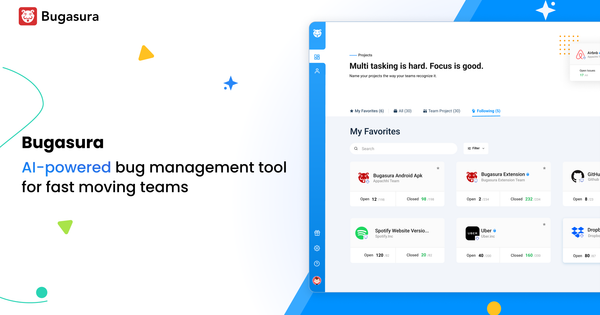
Bugasura (bugasura.io) is a modern, AI-powered bug tracking and test management platform that functions as a complete quality operating system for software teams. It enables users to report bugs contextually with visual evidence, track issues intelligently, manage tests and requirements, and close bugs faster through automation and integrations. Primary use cases include streamlined bug reporting for web and SaaS applications, test case organization and execution, sprint management, performance monitoring, and collaborative issue resolution across development, QA, and product teams.
The tool targets developers, testers, product managers, QA engineers, startup founders, CTOs, and fast-moving technology teams—particularly those building modern web/SaaS products who want to reduce tech debt, accelerate releases, and avoid the complexity of legacy tools like Jira. It emphasizes simplicity for agile, small-to-medium teams while scaling to support unlimited users and projects.

Key Features & Capabilities
Core functionality revolves around an AI-first issue tracker, visual bug reporters, and integrated test management. Users can create requirements, link test cases, run tests (functional, API, automation), and automatically raise bugs with full traceability. Customizable workflows, sprints, advanced filters, global search, and automatic dashboards provide insights into team performance and product quality.
Standout features include:
- AI capabilities: Automatic generation of bug descriptions, tags, severity, impact analysis, and customer impact assessments from uploaded context or documents; detection of similar bugs with percentage matching to avoid duplicates; intelligent suggestions for behavior and fixes.
- Visual bug reporters: Chrome extension that auto-captures screenshots on every scroll/click, records activity flows, supports full annotations, and includes session replays plus console logs. An embeddable web widget allows customers to report bugs conversationally with 20-second session replays captured automatically.
- Integrations and collaboration: Plug-and-play with Jira, GitHub, Slack; CSV/JSON import/export from Google Sheets/Excel/Jira; voice comments, public projects, and real-time dashboards.
- Test management: Folder/tag/suite organization, test runs across types, coverage mapping—all included at no extra cost.
Differentiators from competitors (Jira, Linear, Bugzilla) are its completely free model with unlimited everything, AI that “takes the issue tracker to a whole new level,” and pixel-perfect contextual reporting that reduces back-and-forth. Limitations include no native mobile web support for the Chrome reporter (mobile versions planned), inability to create test cases directly within bug reports (only reference existing IDs), and potentially less depth in advanced enterprise project management features compared to heavier tools.

User Experience
Bugasura boasts an intuitive, sleek interface with a very low learning curve—users consistently highlight how quickly they can start logging and tracking bugs without extensive training. The modern design focuses on collaboration, with clear status color-coding, customizable fields, and distraction-free flows that feel tailored for fast-moving teams rather than bloated enterprise systems.
Documentation is lightweight: API reference is available, along with a blog, release notes, and active Slack community (Bugasura Spaces) for support and networking. Official tutorials appear primarily as YouTube videos and in-app guidance rather than exhaustive written docs. Customer support is praised in reviews for responsiveness, though self-serve resources suit most users. Overall, the experience is described as “user-friendly” and “refreshing” compared to legacy alternatives.
Performance & Reliability
The platform is generally fast and efficient for bug logging, AI processing, and dashboard generation, with users reporting speed gains of up to 250% in daily workflows thanks to automation. Session replays, auto-captures, and real-time syncs perform reliably for web-based use.
Known issues are minor and infrequent: a small number of older reviews mention occasional slowness when entering bugs or slight lag for users outside primary hosting regions (e.g., non-India). No widespread reliability complaints appear in recent 2025–2026 feedback; the tool is stable for its target scale and includes end-to-end encryption plus regular security checks. It handles unlimited projects without performance degradation for most teams.
Pricing & Value
Bugasura’s pricing is exceptionally straightforward: the cloud version is 100% free forever with unlimited users, unlimited projects, all features (AI tracker, test management, reporters, integrations), and 50 GB storage. There are no per-user fees, feature gates, or hidden upgrades. A custom on-premise plan adds deployment flexibility, customization, and “Testpert” support (contact via Calendly for pricing).
Value is outstanding compared to alternatives—Jira starts at roughly $12.48/user/month, Linear at $15, and others charge for AI or advanced reporting. For startups and growing tech teams, it delivers enterprise-grade AI and visual tools at zero cost, making it one of the strongest free options available. The only trade-off is the on-premise custom route for highly regulated or large-scale deployments needing self-hosting.
Practical Tutorial
A common task is reporting a contextual bug using the Chrome Reporter (ideal for developers or testers reproducing issues on web apps). Here is a step-by-step walkthrough based on official capabilities (as of April 2026):
-
Sign up and set up: Go to https://bugasura.io/, create a free account, and create or join a project. Invite team members (unlimited on free plan).
-
Install the reporter: Add the Bugasura Chrome Reporter extension from the Chrome Web Store.
-
Reproduce the bug: Navigate to your web app or SaaS dashboard in Chrome. Perform the actions that trigger the issue (scroll, click, etc.). The extension automatically captures screenshots of each step as an activity flow, plus device details and console logs.
-
Trigger reporting: Click the Bugasura extension icon (or use the in-app widget if embedded). A reporting interface opens with the captured flow already populated.
-
Annotate and enhance: Use built-in annotation tools (markers, text, arrows) to highlight the exact problem. Optionally attach voice notes, videos, or additional documents.
-
Let AI assist: The AI automatically suggests a full issue description, tags, severity level, impact on customers, and links any similar existing bugs (with match percentage). Review and edit as needed.
-
Submit and track: Assign to a team member, add to a sprint or workflow, and submit. The issue instantly appears in your Bugasura dashboard with full context. It can auto-sync to Jira/GitHub/Slack if integrated.
This process typically takes under a minute and provides developers with reproducible steps, eliminating vague “it doesn’t work” reports. For visual demos, check official YouTube tutorials such as “Bugasura's Free Test Management Tool” or “Bugasura Issue Tracking Tool” for live examples.
Final Verdict
Bugasura earns a strong 4.7 out of 5 overall. It excels for modern, agile tech teams (developers, QA, PMs, and startups) seeking a free, AI-enhanced, visually rich bug tracker that replaces spreadsheets and bloated tools without sacrificing speed or collaboration. Teams tired of Jira’s complexity or paying for basic features will love its simplicity, unlimited scale, and contextual reporting.
Avoid it if you run massive enterprise environments requiring deep custom on-prem governance, advanced mobile-native testing, or highly specialized compliance features beyond what the free plan offers—those users may still prefer Jira or dedicated enterprise suites.
Bugasura is the smartest free choice for fast-moving teams that want to close bugs faster with AI and visual context—highly recommended for anyone ditching legacy trackers.