Beautiful.ai Review: Automate Professional Slides with AI

Overview & Purpose

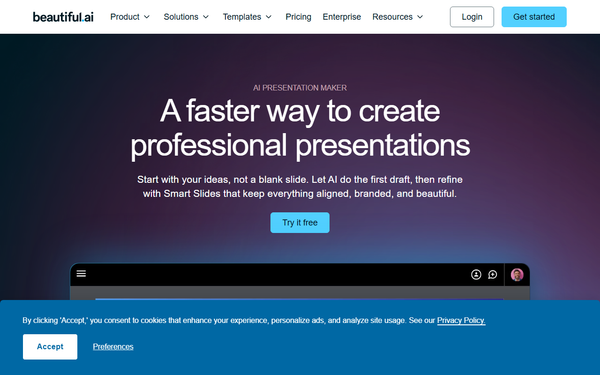
Beautiful.ai is an AI-powered presentation software that automates the creation of visually polished slides using intelligent templates and generative tools, allowing users to focus on content while the platform handles layout, formatting, animations, and design rules automatically. It generates full decks or individual slides from text prompts, incorporating Smart Slides that self-adjust for professional results. Primary use cases include business pitches, quarterly reports (QBRs), sales proposals, marketing campaigns, internal meetings, and educational lectures or workshops. The target audience consists of business professionals, marketers, sales teams, product managers, educators, startups, and collaborative organizations that need consistent, branded decks quickly without requiring graphic design skills. As of March 2026, it emphasizes efficiency gains for teams producing work-ready visual communication.
Key Features & Capabilities
Core functionality includes an AI slide generator that drafts presentations from prompts, Smart Slides with over 300 automated layouts for charts, tables, images, and text (handling spacing, colors, and animations), plus built-in AI tools for image creation, text rewriting/translation, and data visualization. Standout features that differentiate it from competitors like PowerPoint or basic AI tools are universal updates (edits to shared slides propagate everywhere), locked slides for central brand protection, real-time team collaboration with shared libraries and engagement analytics, custom theme builders enforcing brand guardrails, and integrations with Slack, Salesforce, Dropbox, ChatGPT, and Webex. These enable branded consistency and up to 75% faster creation while maintaining design rules. Limitations include rigid template structures that require adapting content to fixed slots (preventing arbitrary custom layouts or complex diagrams), frequent PowerPoint export issues (fonts substitute, elements convert to shapes needing cleanup), and occasional repetitive or imprecise AI outputs. Missing features for power users are full free-form editing capabilities and seamless handling of highly intricate custom designs without manual intervention.

User Experience
Beautiful.ai delivers strong ease of use with a minimal learning curve, ideal for non-designers as the AI and Smart Slides eliminate most manual formatting work. The interface is clean, modern, and content-focused, with intuitive controls for prompts, editing, and previews. Documentation and support resources are comprehensive, including a dedicated help center with categorized guides, blog articles, YouTube tutorials, and plan-based email or priority support plus onboarding for teams. However, some users report mixed experiences with customer service responsiveness and occasional interface quirks during heavy editing. Overall, it excels at making professional results accessible quickly.

Performance & Reliability
Generation and editing are fast and efficient, often producing work-ready drafts in minutes with reliable auto-formatting and real-time collaboration. The cloud-based platform handles large decks and integrations smoothly for most users, supporting offline playback via a desktop player. Known issues include occasional sluggishness on desktop apps or during slow internet connections, lag in complex edits, and persistent export formatting inconsistencies when moving to PowerPoint (requiring post-export fixes). Common user complaints also highlight billing and subscription management frustrations, though core design automation remains dependable and performant for its intended professional workflows.
Pricing & Value
Beautiful.ai offers no perpetual free tier but includes a 14-day full Pro trial (credit card required, auto-charges unless canceled). The Pro plan costs $12 per month (billed annually) for individuals, providing unlimited AI generation, branding, analytics, and exports. The Team plan (2–20 users) is $40 per user per month (annually) or $50 monthly, adding workspaces, shared libraries, live data linking, and priority support. Enterprise plans are custom-priced with advanced security (SSO, SOC 2, audit logs). An ad-hoc single-presentation option is $45 monthly, and .edu students qualify for a free Pro year. Value is strong for teams needing brand consistency and time savings versus manual tools, though monthly rates feel premium compared to more flexible alternatives like Gamma or Canva; annual billing and collaboration features make it worthwhile for regular professional use.
Practical Tutorial
Beautiful.ai provides official step-by-step guidance for AI-assisted creation. Here is a walkthrough for a common task—building an 8-slide sales pitch deck (e.g., for a new SaaS tool covering problem, solution, features, demo, pricing, testimonials, and CTA):
- Log in to your dashboard and click Create Presentation > Generate with AI.
- Enter a detailed prompt (e.g., "8-slide sales pitch for our SaaS productivity tool: problem statement, solution, key features with demo, pricing tiers, testimonials, and strong CTA"). Optionally click the plus icon to upload files, links, or paste context for richer results.
- Review the AI-generated slide-by-slide outline: edit titles/copy directly, reorder/remove/add slides (e.g., insert a conclusion), or use the built-in AI chat panel for plain-language changes like “Add an about us slide after slide 2” or “Delete slides 4 and 6.” Refine until the narrative flows correctly.
- Set visual preferences: select or build a custom brand theme, choose image style (AI-generated, stock, or none), and pick presentation language.
- Click Generate Presentation—the process creates a fully designed, editable deck in a few minutes.
- Customize: drag content into Smart Slides (they auto-format), use the AI robot icon to rewrite text (change tone/length/translate) or generate matching images, add animations/embeds/videos, and apply universal brand updates if needed.
- Preview, share securely with viewer analytics, or export to editable PowerPoint, PDF, or other formats. The result is a polished, brand-consistent deck ready for presentation.
This entire process typically takes 15–30 minutes. For the full official guide and more examples, visit https://support.beautiful.ai/hc/en-us/articles/12885226948109-Creating-a-presentation-with-AI. Additional beginner tips on AI text/image generation appear in Beautiful.ai’s blog.
Final Verdict
Overall rating: 4.3 out of 5. Beautiful.ai shines for business professionals, sales/marketing teams, educators, and organizations that want fast, consistent, branded presentations with AI automation handling the heavy lifting, delivering major productivity boosts and professional polish. Avoid it if you require unlimited creative layout freedom, rely heavily on seamless PowerPoint workflows without cleanup, or prefer lower-cost or fully free-form alternatives due to template rigidity and occasional billing/support hurdles. One-sentence recommendation: Beautiful.ai is an excellent AI-driven choice for teams prioritizing speed and design consistency over total customization in professional slide creation. (Research conducted as of March 14, 2026, drawing from official sources and aggregated user reviews.)