Bookeeping.ai Review: Automate Your Finances with AI Paula
Overview & Purpose

Bookeeping.ai is an AI-powered bookkeeping platform featuring an AI accountant named Paula that automates up to 95% of routine accounting tasks. It handles everything from importing bank transactions and matching receipts to generating financial reports, filling tax forms, scanning documents, and providing real-time insights and compliance advice. The primary use cases include automating ledger management, invoice creation and sending, expense tracking, tax preparation across 50+ countries, and delivering proactive financial advice such as spotting tax savings or detecting anomalies.
It is designed for small business owners, freelancers (including those managing ADHD-related challenges), finance teams in small-to-medium businesses, and accountancy firms looking to streamline client work. The tool eliminates the need for traditional software like QuickBooks or manual bookkeepers, allowing users to focus on business growth rather than administrative drudgery. Research conducted as of March 10, 2026.
Key Features & Capabilities
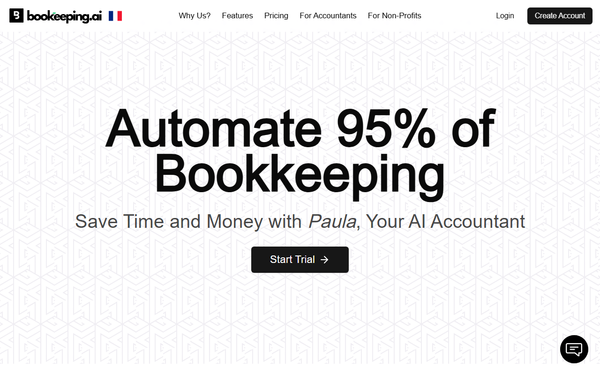
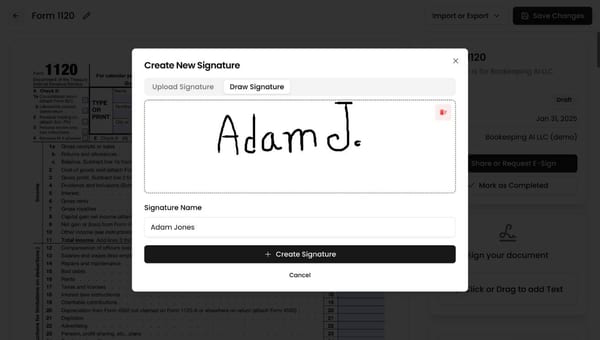
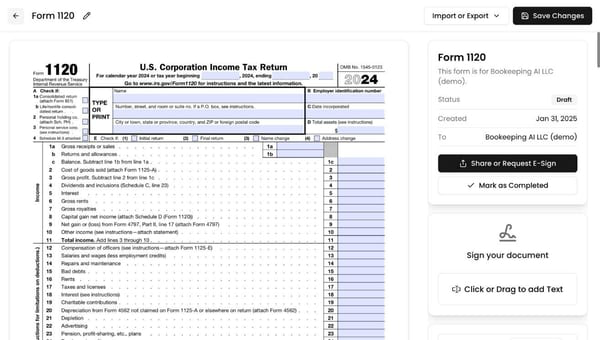
Core functionality centers on Paula, a conversational AI assistant powered by models like ChatGPT (and Claude on higher plans) that users can chat with to complete tasks—such as “Prepare an invoice for Client X” or “Show me a summary of my income and expenses.” It automatically syncs transactions from 5,000+ banks (US and Canada), categorizes 1,000+ entries instantly, matches receipts via AI, prepares and e-signs documents, tracks VAT/sales tax, and generates professional P&L statements and balance sheets on demand. Additional capabilities include weekly business health reports, 24/7 anomaly detection, AI audit scoring, and smart invoicing integrated with Stripe for payments and reminders.
Standout features that differentiate it from competitors include the natural-language chat interface for instant financial queries and actions (unlike traditional dashboards), full automation that claims to replace seven tools and three experts, and proactive advice like projected tax tracking (“You’re 75% on track”). It also offers mobile-friendly receipt matching and one-click reconciliations (e.g., for Airbnb properties). Compared to tools like QuickBooks or Pilot, the conversational AI and ultra-low effort setup provide a more intuitive experience.
Limitations include bank connections currently restricted to the US and Canada (international users must import via CSV), the need for initial review and training of Paula for accurate categorization in the first weeks, and a lack of advanced enterprise features such as full payroll management or highly complex tax scenarios. It is not intended to completely replace a human accountant for intricate compliance needs.
User Experience
The platform boasts an exceptionally low learning curve thanks to its chat-first interface and guided setup—users can connect a bank account in about 30 seconds and review transactions in under five minutes. The clean, modern interface emphasizes minimal clicks, with Paula handling most interactions conversationally, making it accessible even for non-accountants or freelancers with ADHD. Reviews frequently praise the “zero effort” feel and intuitive design.
Documentation is solid, with an official interactive learning center offering 24 lessons across seven chapters (approximately 30 minutes total) and an embedded how-it-works video demo. Support resources include in-app AI assistance, FAQs covering security and migration, and human support on higher plans. Early user feedback highlights helpful support when needed, though some isolated complaints mention occasional response delays.
Performance & Reliability
Automation runs in real time, with transactions syncing and categorizing instantly once connected, and reports generating in seconds via chat. Users report saving an average of 76 hours per month and slashing bookkeeping costs by 87.5%. Anomaly detection and audit features provide continuous monitoring without manual oversight.
Known issues are minor: some early users note occasional mis-categorizations requiring initial tweaks, and the newer platform status means fewer long-term reliability benchmarks than established competitors. No widespread outages or data breaches are reported; security is emphasized with bank-level encryption. Trustpilot shows a 4.1/5 rating from a small sample of six reviews, with praise for time savings but limited volume of feedback overall.
Pricing & Value
Bookeeping.ai offers a 30-day free trial with no credit card required initially. Paid plans start at $29 per month (billed monthly or with possible annual discounts), with a Pro tier around $49 per month. All plans include unlimited transactions and invoices; higher tiers add multi-user access, longer historical catch-up periods (up to three years), Claude AI integration, and hybrid human + AI support. A free account option exists specifically for bookkeepers serving clients. No hidden fees or per-transaction charges.
The value proposition is strong for its price point—significantly cheaper than competitors like Zeni ($549+/month) or traditional bookkeepers—while delivering comparable or better automation for simple-to-medium needs. It undercuts QuickBooks in ease and cost for solopreneurs and small teams, making professional-grade bookkeeping accessible without subscriptions to multiple tools.
Practical Tutorial
Official resources include a built-in interactive learning center and demo video. Below is a step-by-step walkthrough for a common task—generating a real-time P&L report and asking for tax-saving insights—based on the platform’s “How It Works” guidance and official demo examples (as of March 2026). For full guided lessons, visit the official interactive tutorial at https://bookeeping.ai/en/interactive-learning.
-
Sign up and connect data: Go to https://bookeeping.ai/ and click “Start free” or “Start Trial” to register (30-day free access). Securely connect your bank or credit card accounts (US/Canada supported) via the guided prompt—it takes about 30 seconds and uses read-only access.
-
Review initial transactions (optional but recommended): Paula auto-imports and categorizes recent transactions. Spend 2–5 minutes scanning the list and correcting any categories via simple clicks or chat commands to train the AI.
-
Chat with Paula for the report: Open the chat interface (prominently featured on the dashboard). Type: “Show me a summary of my income and expenses for this month” or “Generate my P&L report.” Paula instantly replies with a formatted summary (e.g., “Income: $8,200; Expenses: $5,100; Net: $3,100”) and top expense categories.
-
Ask for insights and actions: Follow up in the same chat: “What tax savings can I claim?” or “Am I on track for tax payments?” Paula analyzes data, provides advice (e.g., “You’re 75% on track based on projected income—here are three deductions you’re missing”), and can export the report as PDF or schedule weekly summaries.
-
Take action: Type “Create and send an invoice for Client X $500” to generate, e-sign, and email it via integrated Stripe. All changes are logged in an audit trail.
This process typically takes under 10 minutes end-to-end and demonstrates the chat-driven workflow.
Final Verdict
Overall rating: 4.2/5. Bookeeping.ai excels for small business owners and freelancers who want effortless, affordable automation without learning complex software—its conversational Paula AI and low cost deliver massive time savings and insights that traditional tools lack. Avoid it if you operate outside North America (limited bank feeds), run a large or highly complex operation needing payroll/integration depth, or prefer established platforms with decades of user data. One-sentence recommendation: If you’re a solopreneur or small-team operator tired of bookkeeping drudgery, start your free trial of Bookeeping.ai today—it’s the smartest way to let AI handle the numbers while you grow your business.