Bravo Studio Review
Overview & Purpose

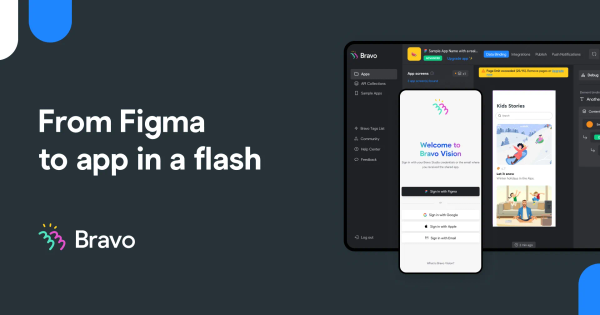
Bravo Studio is a no-code platform that converts Figma (or Adobe XD) designs into fully functional native iOS and Android mobile apps using a simple tagging system and API integrations. It bridges design tools directly to production-ready apps, allowing users to maintain pixel-perfect fidelity while adding interactivity, data binding, payments, push notifications, and more—without writing code. Primary use cases include rapid MVP development, content-driven apps (such as meditation or fitness platforms), prototypes for user testing, and custom client projects where design quality is paramount. It targets designers, founders, product teams, creators, and non-technical entrepreneurs who want to launch apps quickly and iterate from Figma without hiring developers or learning traditional coding.
Key Features & Capabilities
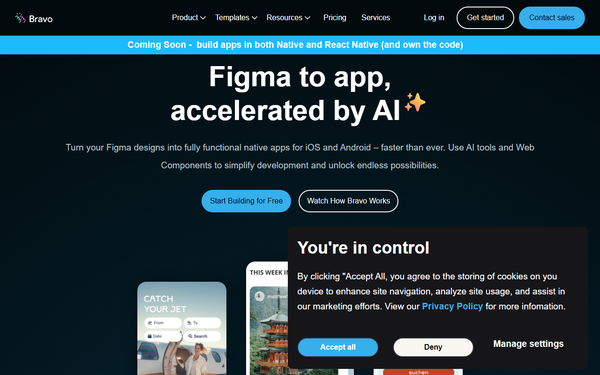
Core functionality revolves around the Bravo Figma plugin: users add “Bravo Tags” to design layers for navigation, animations, data binding, forms, and native components, then import into the Bravo dashboard for API connections and publishing. Standout features include instant previewing via the Bravo Vision mobile app, seamless over-the-air updates directly from Figma (even after App Store/Google Play launch), AI-powered backend generation and Web Components (allowing custom HTML/JS/CSS injection with style-matching from Figma screenshots), extensive integrations (Stripe, RevenueCat in-app purchases, OneSignal push, AdMob, Google Analytics, Comet Chat), and support for conditional logic, maps, charts, NFC, and QR scanning. These differentiate it from general no-code builders by prioritizing native performance and exact design translation over drag-and-drop builders that often compromise visuals.
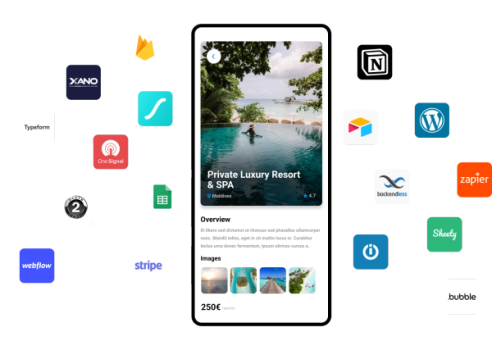
Limitations include no built-in full backend or complex business logic (users must connect external REST APIs like Xano, Supabase, or Airtable), caps on screens per app (15 on free, 30 on Solo, up to 100 on Business tiers), mobile-only output (no web apps), and a requirement for Figma proficiency. Advanced features like branding removal and versioning are locked behind paid add-ons.
User Experience
Bravo Studio offers a gentle learning curve for anyone comfortable with Figma—most users report going from design to testable prototype in under an hour once familiar with Bravo Tags. The interface is split between familiar Figma (for design and tagging) and a clean Bravo web dashboard for backend binding, previews, and publishing; no overwhelming menus or code editors. Documentation is thorough with step-by-step guides, while support includes an active community forum, email assistance on paid plans, an AI-powered Bravo Assistant (paid), and optional expert hiring. Resources like official blog tutorials and the Figma plugin itself accelerate onboarding. Some users note initial tag-learning friction, but overall the experience feels empowering for design-first workflows.

Performance & Reliability
Prototyping and updates are exceptionally fast—apps sync and preview instantly, with live store updates possible without new SDK submissions. Reliability is strong for MVPs and content apps, with native performance on iOS/Android and minimal bugs reported in standard use cases. Common complaints include occasional lag or minor stability issues when handling large datasets or highly complex interactions, and some users mention scaling challenges beyond mid-sized projects. These are not widespread but appear more frequently in reviews of ambitious apps without optimized backends. As of March 2026, the platform continues to improve with AI enhancements.

Pricing & Value
Bravo Studio offers a generous free Starter tier (unlimited apps, max 15 screens, previews only). The Solo plan starts at €19/month ($22) billed monthly or €16/month ($21) annually, unlocking unlimited apps, up to 30 screens, full publishing, API integrations, and email support. Team plans begin at €40/month per seat (minimum 10 seats) for collaboration. Advanced and Business add-ons (per app) add €89–199/month for more screens (80–100), branding removal, versioning, in-app purchases, and analytics. An Olé annual option exists for lighter prototyping. Value is excellent for design-centric MVPs—far cheaper than hiring developers—especially compared to all-in-one platforms that sacrifice visual quality. However, total cost rises when pairing with external backends (e.g., Xano) or scaling screens, making it most economical for focused, design-heavy projects.
Practical Tutorial
Bravo Studio provides excellent official resources, including a highly practical walkthrough for a common task: turning a Figma file into a working prototype with login, signup, paywall, navigation, and detail pages. Here is a condensed real step-by-step version based on the official guide (tested workflow as of 2026):
- Install the free Bravo Studio Figma plugin from the Figma Community.
- Open the plugin, select a pre-tagged template app (e.g., the one with login/paywall screens), and copy-paste it into a new Figma file.
- Customize colors, fonts, images, and copy to match your brand—keep all frames and layers intact.
- Apply or adjust Bravo Tags directly in layer names (e.g., for navigation transitions, form actions, or conditional visibility).
- In Bravo Studio, create a new project, import your Figma file via the plugin sync, connect any simple API if needed (or use static data for prototyping).
- Preview instantly on your phone using the Bravo Vision app, test flows (login → paywall → home), and iterate by editing in Figma and re-syncing.
- Once ready, publish builds to App Store/Google Play (Solo plan required).
The entire process typically takes 10–15 minutes for a functional prototype. Full details and video are available in the official post: https://www.bravostudio.app/post/from-figma-to-a-working-mobile-app-prototype-in-minutes. Additional beginner guides live in the docs at https://docs.bravostudio.app/get-started/create-your-first-app.
Final Verdict
Overall rating: 4.5/5. Bravo Studio excels for designers, founders, startups, and agencies prioritizing beautiful, native mobile apps from Figma without coding teams—delivering unmatched design fidelity, rapid iteration, and store-ready output at a fraction of traditional costs. Avoid it if you need heavy custom logic without external backends, prefer all-in-one platforms, lack Figma skills, or are building large-scale enterprise apps with complex data flows. Bravo Studio is the fastest path from beautiful Figma prototype to real native app on the stores.