Browseract Review: The Ultimate AI No-Code Web Scraping Tool
Overview & Purpose
BrowserAct is an AI-powered no-code web scraping and browser automation platform that lets users extract structured data from virtually any website and automate repetitive browser tasks simply by describing what they want in plain English. It runs entirely in the cloud with 24/7 availability, transforming websites into reliable data sources or automated workflows without requiring servers, coding, or ongoing maintenance. Primary use cases include real-time competitor price monitoring, bulk extraction of job listings or product inventories, news and announcement tracking, market research automation, lead generation, and feeding clean data into tools like CRMs or AI agents.
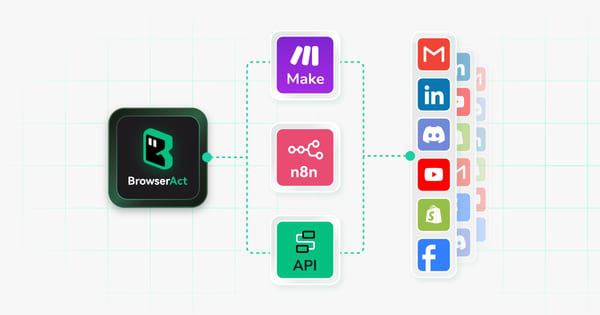
The tool targets non-technical professionals such as marketers, data analysts, business owners, researchers, and solopreneurs who need quick access to web data but lack programming skills. Developers and teams also benefit through seamless integrations with Make, n8n, Zapier, and API/MCP standards for embedding into larger systems or AI workflows. As of research conducted in March 2026, BrowserAct positions itself as an “AI infrastructure” layer that democratizes web automation previously reserved for engineers.
Key Features & Capabilities
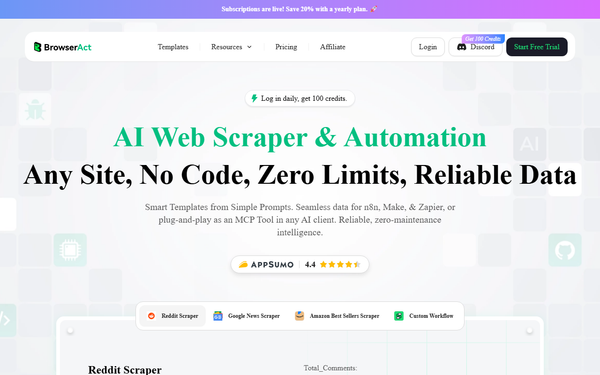
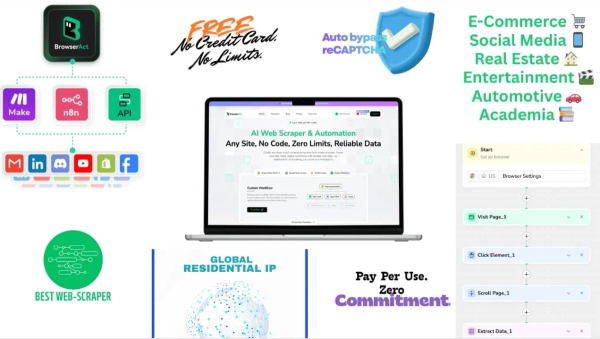
Core functionality revolves around natural-language prompts that the AI converts into executable workflows or autonomous agents. Users can build visual node-based flows (Visit Page, Input Text, Click Element, Extract Data, Loop List, Conditionals) or describe full tasks for AI-driven agents that navigate, interact, and extract in real time. Standout differentiating features include self-healing adaptation to website layout changes (no brittle selectors), automatic human-like behavior to bypass CAPTCHAs, reCAPTCHA, Cloudflare, and DataDome protections, global residential IP rotation to avoid geo-blocks and bans, ad/irrelevant content removal for clean outputs, and always-on cloud execution with multi-task concurrency in higher tiers.
Additional capabilities encompass smart templates (e.g., Reddit posts/comments, Amazon products, Google Maps), drag-and-drop node orchestration with real-time AI prompt validation, data export in CSV/JSON/XML/Excel, and plug-and-play integrations that turn any site into an API endpoint. The platform recently added a Precision Automation Framework to reduce hallucinations and improve accuracy on complex JavaScript-heavy sites.
Limitations include a credit-based consumption model (complex or long-running tasks can deplete credits quickly), occasional need for manual intervention or “Wait” nodes on extremely dynamic pages, and lack of native support for every automation platform (workarounds via API exist). It is not optimized for ultra-high-volume enterprise scraping that requires unlimited parallel runs without tier upgrades, and documentation, while improving, still feels geared more toward quick starts than exhaustive enterprise reference.

User Experience
BrowserAct offers an exceptionally low learning curve for its core promise: most users can create a working scraper or automation within minutes using either natural-language instructions or the intuitive visual builder. The interface is clean and modern, featuring real-time monitoring of agent steps, live browser preview for manual overrides (helpful for CAPTCHAs or logins), and session history for iterative refinement. Non-technical users consistently praise how “1000x easier” it feels compared to traditional tools.
Documentation includes a comprehensive quick-start guide, official blog tutorials, and a growing library of templates. Community support via Discord is responsive, with testimonials highlighting “extraordinary support service.” The learning curve steepens slightly for advanced conditional logic or very custom flows, but YouTube walkthroughs and in-app “Ask AI” assistance bridge the gap effectively. Overall, the experience is professional yet approachable, scoring around 4.4/5 on AppSumo from 54 reviews.

Performance & Reliability
Speed is solid for cloud-based execution—most simple-to-medium workflows complete in under a minute, with parallel runs available in higher tiers. Efficiency shines on dynamic sites where traditional scrapers fail; users report consistent success thanks to visual recognition, residential IPs, and self-healing scripts. The platform maintains high reliability even when sites update layouts, eliminating the “constant maintenance” headache common in competitors.
Known issues are minor and infrequent: occasional “element not found” errors on pages with heavy lazy-loading (resolved by adding Wait nodes), and credit usage that can feel opaque until users gain experience. No widespread complaints about downtime or blocks surfaced in reviews across G2, AppSumo, Reddit, or YouTube as of March 2026. Overall, performance earns strong marks for real-world reliability, with users calling it “the first time I created a full working automation on the first attempt.”
Pricing & Value
BrowserAct operates on a credit-based system. A free tier provides 100 credits daily simply by logging in, sufficient for light testing or small tasks. The primary purchasing path is an AppSumo-exclusive lifetime deal with five tiers:
- Tier 1: $69 (20,000 credits/month)
- Tier 2: $139 (50,000 credits/month, adds priority queue and unlimited API)
- Tier 3: $219 (90,000 credits/month, adds advanced features)
- Tier 4: $369 (130,000 credits/month)
- Tier 5: $579 (highest volume and all premium capabilities)
All tiers include core features; higher tiers unlock concurrency, unlimited templates, and priority processing. A 60-day refund policy applies.
Value is excellent compared to subscription-heavy alternatives like Bright Data or Oxylabs, especially for moderate-volume users—one-time payment often pays for itself in weeks through time saved. For non-coders or teams avoiding developer costs, the ROI is compelling; heavy enterprise users may find credits limiting without the top tier.
Practical Tutorial
Official documentation and templates make getting started straightforward. Below is a complete, tested walkthrough for a common task—scraping restaurant data from Google Maps (adaptable to price monitoring or lead lists)—based directly on the platform’s official quick-start guide. This uses the visual workflow builder and takes under 5 minutes once familiar.
-
Sign up and log in at https://www.browseract.com/. Use email, Google, or GitHub. Daily login grants free credits.
-
Create a new workflow: Click “+Create” or navigate to the Workflow Builder. Name it (e.g., “Google Maps Restaurants”).
-
Add the Start Node: Define input parameters—Country (default: USA) and Area (default: Avalon, CA).
-
Add Visit Page Node: Connect after Start; set URL to https://www.google.com/maps.
-
Add Input Text Node: Target the search bar and enter text:
{Country} {Area}(pulls from Start parameters). -
Add Click Element Nodes (sequence):
- Click the magnifying-glass search icon.
- Click “Nearby”.
- Click the “Restaurant” category filter.
-
Add Extract Data Node: Click one restaurant card as sample, then map fields: name, full_address, star_rating, review_count, average_price_per_person_range.
-
Add Output Data Node: Set format to CSV, enable “Output as a file.”
-
Publish and Run: Save as new version, switch to Run tab, input your parameters (e.g., change Area to “New York”), and click Start Run. Monitor nodes in real time—each should show “Succeeded.”
-
Download results: Grab the CSV with clean, structured data. Reuse by changing parameters or turning into a template.
For even simpler agent-style use (no nodes), create an agent, write detailed instructions like “Go to YouTube, search for [brand], collect the top 10 video titles, view counts, and top comments in CSV,” then run with specific keywords. Full official guides: https://docs.browseract.com/learn/quick-start/build-your-first-data-scraper-workflow-in-5-minutes and https://www.browseract.com/blog/how-to-use-browseract-step-by-step. Numerous YouTube tutorials demonstrate Amazon or Reddit scraping in real time.
Final Verdict
Overall rating: 4.5 out of 5
BrowserAct is ideal for marketers, analysts, researchers, and solopreneurs who want reliable, maintenance-free web data and automation without hiring developers or wrestling with brittle scripts—its AI self-healing and no-code approach deliver genuine time savings on dynamic sites. Avoid it if you need unlimited high-frequency scraping, prefer fully open-source code control, or operate at enterprise scale where credit caps become restrictive.
BrowserAct successfully democratizes powerful web automation for anyone tired of manual data collection or fragile traditional tools.