Camb AI Review: The Ultimate AI Tool for Multilingual Dubbing
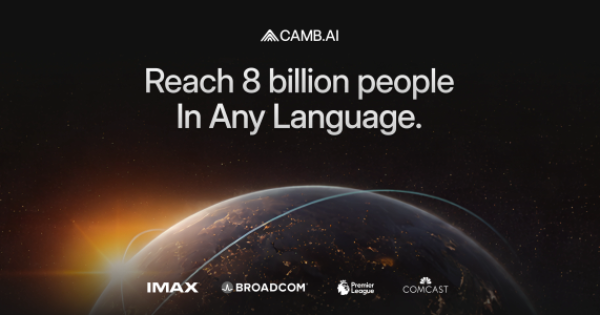
Overview & Purpose

CAMB.AI is a full-stack AI-powered localization platform designed as "the localization infrastructure of the internet." It enables real-time and on-demand multilingual dubbing, text-to-speech (TTS), translation, transcription with speaker IDs, voice cloning, audio separation, and more, all while preserving emotional nuance, tone, and performance across 140+ languages. Primary use cases include live sports commentary (e.g., Ligue 1+, NASCAR, CPL cricket), movie and film dubbing (e.g., the first AI-dubbed theatrical release "THREE" into Mandarin and IMAX cinema trials), live news broadcasting (e.g., India Today for 500M viewers), in-vehicle voice AI, e-learning, audiobooks, and website/content localization for global reach.
The target audience spans enterprise users in media, entertainment, sports broadcasting, and automotive (e.g., partnerships with Comcast NBCUniversal, Broadcom, DXC Technology, Google Cloud), as well as creators, developers, and teams via its Studio web interface and APIs. It appeals to broadcasters scaling live content, filmmakers needing director-level control, and developers integrating production-grade voice AI into apps or edge devices.

Key Features & Capabilities
Core functionality revolves around proprietary models: the MARS8 TTS family (specialized architectures ending the "one-size-fits-all" era) and context-aware translation engines. Key tools include:
- DubStream for real-time live dubbing with 1-2 second latency and multi-speaker expressive commentary.
- Zero-shot voice cloning from as little as 2 seconds of audio, plus voice-from-description.
- MARS TTS variants: MARS-Flash (600M params, sub-150ms latency for agents), MARS-Pro (emotional realism for dubbing/audiobooks), MARS-Instruct (1.2B params, fine-grained emotion/timing control for film/TV), MARS-Nano (50M params for on-device/automotive).
- Transcription (speaker ID, timestamps), audio separation, sound/music generation from text, and translated stories/narration.
- Full API and Studio access for VOD/live video, supporting 99% of the world's population in native-feeling voices.
Standout differentiators include the world's first specialized TTS family optimized for production constraints (not just demos), live sports and cinema firsts (e.g., MLS Next Pro multi-language broadcasts, Australian Open interviews), native integration with Vertex AI and Broadcom chips, and unmatched emotional fidelity plus language coverage (140+ vs. competitors' ~29-70). Open-source elements (MARS5/6 on GitHub) add developer flexibility.
Limitations include high credit burn rates for narration/dubbing (potentially costly at scale without higher tiers), occasional flattening of complex emotional nuances in role-play content (best with human review for high-stakes e-learning or film), and reliance on clean source audio for optimal pronunciation of technical terms. Advanced API settings may overwhelm absolute beginners, and no unlimited free tier exists beyond basic trial credits. No major missing features for core localization, but live streaming is Expert-tier only.

User Experience
CAMB.AI Studio offers an intuitive web-based interface for quick uploads, language selection, voice cloning toggles, and one-click generation—described as "user-friendly even for those with minimal technical expertise." The learning curve is low for basic dubbing (minutes per video) but steeper for custom API integrations or fine-grained Instruct controls. Documentation is comprehensive with Python/Node SDKs, detailed API references, getting-started guides, and integrations (Google Cloud, etc.), plus a blog with practical articles. Support resources include API onboarding, GitHub repos for open models, and enterprise demo booking; no dedicated public forum or 24/7 chat noted.
Users report smooth workflows for long-form video dubbing, with real-time previews and easy downloads enhancing productivity.
Performance & Reliability
Performance excels with low-latency claims (MARS-Flash sub-150ms), broadcast-quality emotional fidelity, and proven real-time deployment in live events. Benchmarks show strong Production Quality (PQ ~7.45/10), speaker similarity (0.86+ cosine), low Character Error Rate (~5.7%), and optimizations for Blackwell GPUs or edge devices. Users praise it as "the fastest to do dubbing" with "voice quality just sounds better" than some alternatives, especially for long-form or live sports.
Known issues are minimal: occasional pacing adjustments needed for syllable-heavy languages and domain-specific term tweaks (addressed via glossaries). No widespread complaints on downtime or quality degradation in 2025-2026 reviews; reliability is production-grade, powering hundreds of enterprises with high-stakes use cases. Research as of March 2026.
Pricing & Value
Credit-based structure with generous free tier:
- Free: $0, 4k credits/mo (e.g., ~22.5k chars TTS or 125 min transcription).
- Essentials: $5/mo (20k credits).
- Pro (most popular): $20/mo (40k credits).
- Up to Expert: $900/mo (1.8M credits), with yearly discounts (e.g., Pro $220/year).
- Live streaming exclusive to Expert (15 min included). Credits scale usage (e.g., 1,000/min for narration; varies by model/UI vs. API). No overage fees—upgrade required. Enterprise custom via top tiers or contact. Free plan doubles as trial; startup grants mentioned in blog.
Value is strong for scale: entry-level affordability beats high-cost rivals like ElevenLabs for budget users, while 140+ languages, live capabilities, and specialized models deliver superior ROI for media pros (e.g., "marginal cost of each additional language is a fraction"). Compared to alternatives (Synthesia, Dubverse), it leads in real-time/live performance and voice realism at production volumes.
Practical Tutorial
Official tutorials exist in the blog and docs (e.g., SDK guides, API examples). Here's a step-by-step walkthrough for a common task—AI dubbing an e-learning video (adapted from official guidance; process takes minutes). Full details and free trial at CAMB.AI Studio.
- Log into CAMB.AI Studio (sign up free at the onboarding link above).
- Select "AI Dubbing" from the dashboard.
- Upload your source video (start with clean audio for best results).
- Select source language and target languages (up to 140+ options).
- Enable Voice Cloning (upload 2+ seconds of instructor audio or use description).
- Click "Generate Dubbing" (uses MARS models for emotional preservation).
- Review the output (check pacing, pronunciation; edit via Instruct controls if needed).
- Download dubbed versions.
Tips: Build a glossary for technical terms; test with learners; combine with human review for motivational content. For developers, use the Python SDK for batch API dubbing (see docs.camb.ai). Example: Real courses dubbed into multiple languages retain instructor identity seamlessly.
Final Verdict
Overall rating: 4.7/5. CAMB.AI is ideal for media companies, broadcasters, sports leagues, filmmakers, and scaling creators who need fast, emotionally faithful multilingual localization (live or on-demand) without massive voice-actor budgets—its specialized models, real-time edge, and enterprise integrations set it apart. Avoid it if you're a pure hobbyist seeking unlimited free usage or ultra-simple non-AI tools without any credit management. One-sentence recommendation: If you create or broadcast content for global audiences and value native-sounding emotional depth at production speed, CAMB.AI is the infrastructure to adopt today.