HubSpot Campaign Assistant Review: Free AI for Marketing Copy

Overview & Purpose

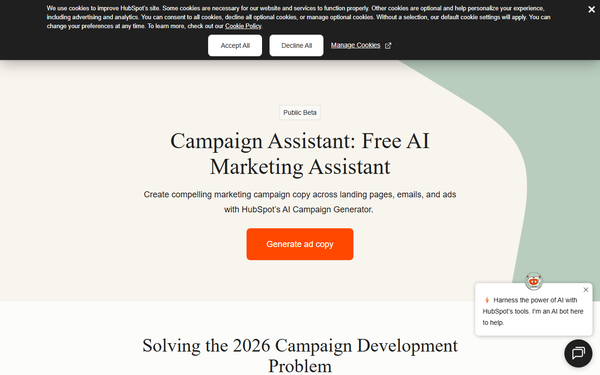
Campaign Assistant by HubSpot is a free AI-powered marketing asset creator that generates high-quality copy for landing pages, marketing emails, and ads on platforms like Google, Facebook, and LinkedIn. Users provide campaign objectives, target audience details (via key points), and brand tone/writing styles to produce coherent, channel-optimized content in minutes. Primary use cases include accelerating multi-channel campaign launches, creating first drafts for emails and landing pages, and generating platform-specific ad copy to maintain consistent messaging. Target audience is primarily marketers, content creators, and marketing teams at small businesses to enterprises, especially those already using or integrating with HubSpot's CRM and Marketing Hub for seamless deployment. It's ideal for anyone facing content creation bottlenecks who wants to focus on strategy over writing. This review reflects the tool's capabilities as of March 2026.
Key Features & Capabilities
Core functionality includes generating tailored copy based on simple prompts: campaign description, three key selling points, up to three writing styles for tone, and call-to-action goals. Supported assets: landing page content (headlines, body, CTAs), marketing emails (subjects, body), Google Search Ads, Facebook Ads, LinkedIn Ads. Standout features: direct integration with HubSpot for auto-populating emails and landing pages; exportable ad copy; consistent brand voice across all assets from one input set; rapid iteration with up to 10 regenerations per asset. It differentiates from generic AI writers by focusing on campaign coherence and platform best practices (e.g., optimized lengths). Limitations: capped at 10 campaigns and 15 assets per campaign; outputs are text-only (no images or full designs); quality depends heavily on input prompts and often requires human editing for character limits (esp. Google Ads), SEO specifics, or nuanced branding; no advanced A/B testing or analytics built into the generator itself.
User Experience
The tool has a low learning curve with a straightforward wizard-like interface: left panel for prompts, right panel for previewing generated variants. First-time users answer a few questions then generate; returning users manage campaigns easily. Interface is clean and functional within HubSpot, though overall HubSpot navigation can feel overwhelming for complete beginners. Documentation is excellent via the official Knowledge Base article with detailed steps, and support resources include HubSpot Academy, community forums, and customer support (tiered by subscription). It's easy to copy content or directly create assets.
Performance & Reliability
Generation is highly efficient, often completing in under a minute per asset, significantly cutting traditional timelines from weeks to hours. It reliably produces structured, conversion-oriented copy. Known issues include outputs sometimes exceeding platform character limits requiring manual trimming, and occasional generic or off-brand text if prompts are vague—common AI limitations. User complaints (from reviews and forums) center on needing post-editing and broader HubSpot platform slowness/clunkiness rather than the Assistant itself. No major reliability outages reported; performs consistently for draft generation.
Pricing & Value
Campaign Assistant is completely free and available to all users with a HubSpot account (no paid tier required for core features). It can be accessed via the dedicated page or within the Marketing Hub. This provides exceptional value as a no-cost accelerator compared to paid alternatives like Jasper.ai or Copy.ai (starting ~$39-49/month) or even general AI tools requiring more manual prompting. For HubSpot users, the integration adds immense value by enabling quick deployment and tracking. Best value for teams scaling campaigns without budget for dedicated copywriters. Potential 'hidden' cost is time learning the broader HubSpot platform if not already using it.
Practical Tutorial
Step-by-Step: Generating Assets for a Product Launch Campaign (e.g., New Productivity App)
- Visit https://www.hubspot.com/campaign-assistant or navigate to Marketing > Campaigns in your HubSpot account and click 'Get started' or 'Generate ad copy'.
- Select your first asset type, such as 'Landing page content'. Click Next.
- For first-time setup: Describe your campaign (e.g., 'Launching FocusAI, an AI-powered productivity app that helps professionals manage tasks and focus better with smart scheduling features.').
- Provide three key points your audience should know (e.g., 1. AI-driven focus enhancement. 2. Seamless calendar integrations. 3. 14-day free trial with premium features.).
- Choose up to 3 writing styles (e.g., Professional, Innovative, Motivational) to match your brand tone.
- Specify the audience goal (e.g., 'Sign up for the free trial and download the app.').
- Click to generate. Review variants in the right panel.
- Edit prompts in the left panel and 'Regenerate content' (up to 10 times) as needed. Click 'Copy' or 'Create landing page' to integrate directly.
- Repeat process by clicking 'Create new asset' for Marketing Email or specific ads (Google Search, Facebook, LinkedIn), reusing the campaign prompts for consistency.
- For ads, copy the generated headlines/descriptions and paste into ad platforms or use HubSpot's ads tools.
Edit and optimize as necessary. For visuals, see official YouTube demo: 'Build Marketing Campaigns In Minutes With Campaign Assistant'. Full guide: https://knowledge.hubspot.com/campaigns/campaign-assistant.
Final Verdict
Overall rating: 4.5/5. This tool excels at democratizing high-quality marketing copy creation and is perfect for busy marketers and HubSpot users who want to launch campaigns faster while ensuring messaging consistency. It should be used by teams looking for a free, integrated AI assistant to handle initial content heavy-lifting. Avoid it if you need fully autonomous creative output without any editing or operate completely outside the HubSpot ecosystem and prefer standalone tools with more advanced features. One-sentence recommendation: HubSpot Campaign Assistant is an indispensable free resource for marketers aiming to streamline campaign asset creation and focus more on strategy and performance.