Charisma AI Review: Create Immersive Interactive Storytelling
Overview & Purpose
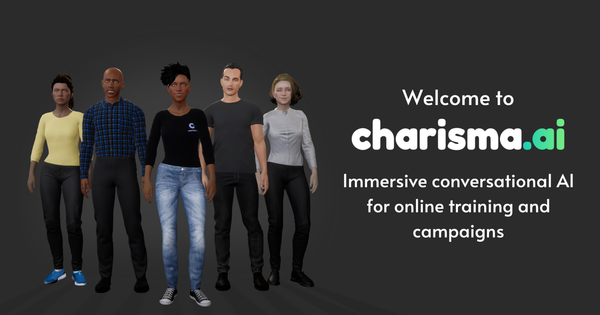
Charisma.ai is a specialized platform for building immersive, conversational AI experiences centered on digital characters and interactive, non-linear stories. It combines a visual story graph editor with advanced AI capabilities to create believable virtual characters that respond dynamically to user input while maintaining authorial control. Primary use cases include entertainment (games, interactive films/TV, publishing, metaverses), education and training simulations, brand engagement campaigns, and VR/mobile experiences. The platform powers realistic dialogue-driven scenarios where characters exhibit personality, evolving relationships, and contextual awareness.
Target audience spans indie developers, writers, game designers, educators, L&D professionals, and marketing teams at enterprises. It appeals to both technical users integrating via SDKs and non-technical storytellers using the no-code editor. Notable clients include Warner Bros., Sky, and the BBC, who have used it for interactive storytelling and training. Research conducted as of April 2026 shows the platform has evolved from consumer-facing comic apps to a robust pro/enterprise tool focused on controllable, responsible AI for high-stakes applications.

Key Features & Capabilities
Core functionality revolves around a node-based story graph where creators connect Player nodes (for free-text or voice input), Character nodes (dialogue), Memory nodes (persistent recall of choices or facts), and special nodes for branching. Stories can be structured with scenes (sequential chunks) and subplots (parallel or triggered branches) for complex narratives.
Standout features that differentiate Charisma from pure generative tools like Character.AI or general LLMs include:
- Hybrid AI system: Scripted dialogue guarantees on-message responses with optional GenAI improvisations (powered by OpenAI and Anthropic models) for natural variation—eliminating hallucinations while allowing creativity.
- Emotion Engine: Characters have adjustable baseline moods, relationships, and emotional states that influence tone, word choice, voice delivery, and story branches.
- Memory system: Long-term recall of player decisions, relationships, and events for personalized, consistent interactions across sessions.
- Voice capabilities: Speech-to-text recognition, extensive AI voice library (with pitch/rate/volume controls), and custom voice integration.
- Real-time analytics: KPI-driven dashboards tracking engagement, completion rates, player paths, and sentiment for iterative improvement.
- Integrations and deployment: Plug-and-play SDKs for Unity, Unreal Engine, web, mobile, VR, and metaverses; publish directly to Charisma’s Web Comic player or embed anywhere.
Limitations include credit-based usage that scales with playtime (potentially costly for high-traffic experiences), a focus on English-first with limited additional languages, and the need for some trial-and-error to balance open-ended player input with controlled narrative flow. No offline mode or unlimited free tier exists for production use.

User Experience
The interface features a clean, visual story graph editor that feels intuitive for anyone familiar with node-based tools (similar to dialogue trees in game engines). Creators drag and connect nodes directly in the canvas—no coding or special syntax required—and use a built-in chat tester for instant previews. Character creation includes voice selection, mood sliders, and relationship settings.
Learning curve is moderate: beginners can build a basic interactive conversation in minutes via the quick-start process, but mastering branching logic, memory triggers, emotion weighting, and AI matching rules takes a few hours of practice. The editor’s real-time testing and clear node previews accelerate iteration.
Documentation is comprehensive and well-organized at docs.charisma.ai, with guides on nodes, emotions, memory, and SDKs. YouTube tutorials (e.g., “Getting Started” and “Designing Characters”) provide visual walkthroughs. Community support includes Discord, email, and enterprise account managers. Overall interface quality is professional and focused, though some users note the shift away from the older consumer app may feel more enterprise-oriented.

Performance & Reliability
Conversations run in real time with low latency thanks to optimized AI models and cross-platform architecture. The hybrid controllable system ensures high reliability—characters stay in character and on-script far better than unfiltered LLMs. Voice recognition and synthesis perform smoothly in supported environments, and analytics deliver actionable real-time insights.
Known issues are minimal in public feedback; occasional player-input mismatches (common in open-ended dialogue systems) are mitigated by priority settings and gates in the graph. No widespread complaints about downtime or major bugs appear in recent reviews. Enterprise users praise consistency for training scenarios. Performance scales well via SDKs, though heavy GenAI usage consumes credits faster.

Pricing & Value
Charisma operates on a PRO pay-as-you-go model and Enterprise custom plans:
- PRO: $5 for 50,000 credits (≈200 minutes of player experience time). Includes full editor access, SDKs, AI voices, speech-to-text, GenAI features, collaborators, and additional languages.
- Credit bundles (one-off, expire after 12 months): Smaller packs start at similar per-credit rates.
- Enterprise: One-off development fee (custom front-end, scripting, support) plus fixed monthly platform fee. Adds premium voices, admin tools, training templates, and dedicated account management.
A trial license activates on first story creation. Free publishing to the Charisma Web Comic player is available for testing/sharing, but production or high-volume use requires credits. No completely free unlimited tier exists.
Value is strong for projects needing emotional depth and narrative control—cheaper than building custom AI from scratch and more reliable than generic chatbots. Compared to alternatives like Inworld AI or custom LLM pipelines, Charisma offers superior authorial tools and analytics at a transparent usage-based cost, though very low-budget creators may find credits add up quickly.
Practical Tutorial
Charisma provides an official quick-start guide and YouTube series. Here is a step-by-step walkthrough for a common task—creating a simple interactive character conversation (e.g., a training scenario where a virtual coach gives feedback based on player choices).
-
Sign in and create a story: Log into your Charisma account (contact [email protected] if needed for setup). On the Stories page, click “Create Story,” give it a title (e.g., “Coach Feedback Session”), add a description, select a license, and create.
-
Add a scene: In the left sidebar under “Story,” click “Add new scene.” Name it (e.g., “Opening Conversation”).
-
Create or select a character: Go to the Characters section (left menu), click “Add new character,” name it (e.g., “Alex the Coach”), choose a voice from the library, preview and adjust pitch/rate/volume, then set baseline mood and relationship values.
-
Build the story graph:
- Start with the Graph Entry node (auto-created; shortcut “n”).
- Add a Character node connected to it: Write Alex’s opening line (e.g., “Hi! Ready to practice your presentation?”).
- Connect a Player node: This waits for user input (free text or voice).
- Add branching Character nodes based on expected responses (e.g., positive vs. hesitant input). Use Memory nodes to save key facts (e.g., “Player mentioned public speaking fear”).
- Add Emotion adjustments or Memory references so Alex recalls prior choices and reacts accordingly (e.g., more encouraging if trust is high).
-
Test in real time: Open the slide-out chat tester on the right. Click “Chat from graph start” and interact with Alex. Watch how memory and emotions influence responses.
-
Publish:
- For quick sharing: Publish to the Web Comic player and share the Play link.
- For production: Export via SDKs to Unity/Unreal/web/VR and trigger subplots from your game engine.
Full official tutorial: https://docs.charisma.ai/quick-start. For deeper examples (emotions, decision memories), see the YouTube playlist “Charisma.ai Tutorials.”
Final Verdict
Overall rating: 4.7/5 — Excellent for high-quality interactive storytelling with emotional intelligence and authorial control; slightly docked for credit scaling and moderate learning curve on advanced branching.
Who should use this tool: Developers, writers, educators, and brands needing believable, memory-driven AI characters for games, training simulations, VR experiences, or marketing campaigns. It shines when narrative consistency and emotional depth matter more than raw generative freedom.
Who should avoid this tool: Hobbyists seeking completely free, unlimited casual chatbots or those without any interest in structured storytelling—simpler no-code tools like Character.AI may suffice for basic use cases.
One-sentence recommendation: If you want controllable, emotionally intelligent AI characters that power truly immersive and measurable interactive experiences, Charisma.ai is one of the strongest platforms available today.