Chat Data Review: Build Custom AI Chatbots with Your Own Data
Overview & Purpose

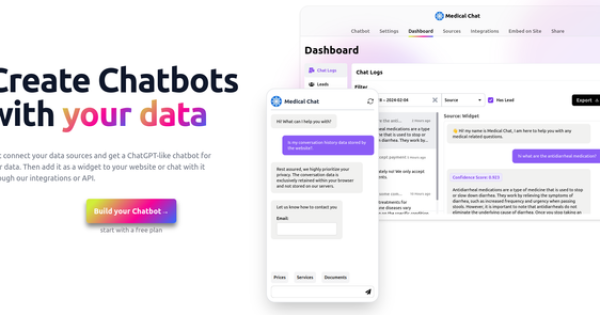
Chat Data is an AI agent and chatbot platform that lets users create customizable chatbots trained on their own data sources, delivering a tailored ChatGPT-like experience. Users connect proprietary data (documents, websites, videos, audio, or app integrations) to build agents that handle conversations via website widgets, API, or channels like WhatsApp, Slack, Messenger, and more. Primary use cases include 24/7 customer support, e-commerce product queries with real-time inventory sync, medical or veterinary inquiries, lead generation, and automated workflows such as sending receipts or contracts.
It targets small-to-medium businesses, e-commerce store owners, healthcare providers, marketers, and support teams who need branded, data-private AI assistance without heavy development. Developers can leverage API and custom model endpoints, while non-technical users benefit from the no-code interface. The platform emphasizes data privacy, brand personality matching, and compliance (especially HIPAA for medical models), making it suitable for industries requiring secure, personalized interactions.
Key Features & Capabilities
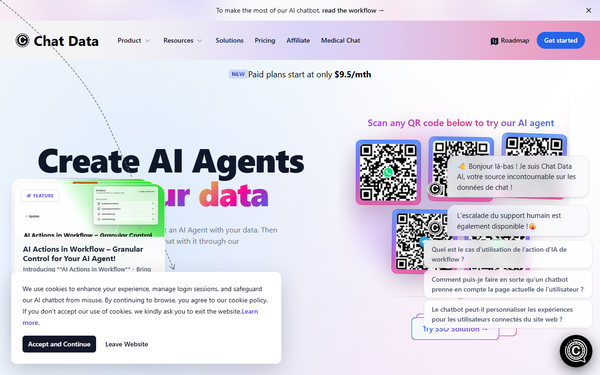
Core functionality revolves around data ingestion and training (RAG-style with text, video, audio, website scraping, Google Drive, Notion, or e-commerce platforms), chatbot deployment across multiple channels, and conversational AI powered by models like GPT-4o, Claude, or Gemini. Standout differentiators include 834 built-in MCP integrations (10,000+ tools spanning CRM, docs, messaging, and operations like Shopify, HubSpot, Slack, and Gmail), generation of interactive UI elements (charts, cards, carousels), natural-language AI workflows and actions, real-time voice conversations with custom voices (via ElevenLabs), multi-modal inputs (images/files), dynamic query suggestions, automatic re-engagement on messaging apps, live chat escalation to human agents, and full rebranding/resale options.
Medical-specific pretrained models (human and vet) offer 100% HIPAA compliance with zero chat history retention and signed BAAs with OpenAI and Anthropic. Other advanced capabilities cover webhooks, SDK listeners, automatic website retraining, multi-language translation, and lead forms.
Limitations include credit-based messaging (usage caps per plan, with add-ons for extras), chat history retention varying by tier (30–720 days), free-tier inactivity deletion of chatbots, and watermark branding unless upgraded. Missing compared to some enterprise competitors: unlimited high-volume scaling without add-ons and advanced governance/audit tools on lower plans.
User Experience
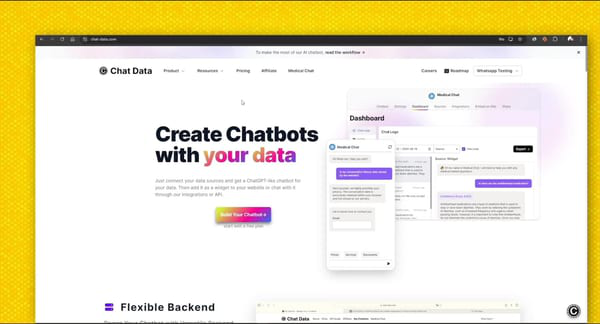
The platform offers a low learning curve with a fully no-code interface—most users can build and deploy a basic chatbot in minutes. The dashboard is intuitive for data uploads, customization (personality, colors, logos, voice), testing, and analytics. Reviews consistently praise accessibility, even for non-technical users, and fast feature rollouts.
Interface quality is modern and brandable, with previews, conversation history, and real-time monitoring. Documentation includes a comprehensive Cookbook (cookbook.chat-data.com) with guides on configuration, training, debugging, and integrations, plus blog tutorials and video demos on the homepage. Support resources cover in-app help, email, priority tiers on paid plans, and VIP WhatsApp for Professional users. Overall, the experience feels flexible and responsive, though very advanced custom backends may require some technical setup.
Performance & Reliability
Response generation is described as lightning-fast, with real-time capabilities for voice, escalations, and e-commerce syncs. Trained agents deliver accurate, context-aware replies using user data, and analytics dashboards track satisfaction, conversation breakdowns, and usage. Reliability benefits from underlying enterprise models and zero-retention medical workflows.
Known issues or complaints are minimal given the review volume; Trustpilot users highlight strong performance versus competitors (e.g., better website crawling and live escalation). Occasional limitations stem from model choice (e.g., hallucinations with lighter GPT variants) or quota exhaustion on busy sites, but debugging tools and structured data prioritization help. No widespread outages or major reliability concerns reported as of March 2026.
Pricing & Value
Chat Data uses a transparent credit-based model with generous free access and no per-seat fees. Plans (monthly billing shown; annual saves two extra months):
- Free: $0 — 40 message credits/month, 1 agent, basic GPT models, core integrations, limited scraping/training.
- Entry: $9 first month, then $18/month — 2,000 credits, 2 agents, advanced models (GPT-5+, Claude, etc.), voice, medical models, API, 18 third-party integrations, analytics.
- Standard: $47.50 first month, then $95/month — 10,000 credits, 7 agents, live escalation, webhooks, multi-language, larger storage.
- Professional: $175 first month, then $349.99/month — 40,000 credits, 20 agents, VIP support, reseller/white-label options.
- Enterprise: Custom (own server/database, dedicated management).
Add-ons cover extra credits ($7–9/1,000), agents, white-labeling, storage, and more. Value shines for SMBs and e-commerce: extensive features and HIPAA at far lower cost than alternatives like Intercom or Zendesk, with a free tier for testing. Higher-volume users may incur add-on costs, but overall it delivers strong ROI through automation and 24/7 support.
Practical Tutorial
Official resources include the full Cookbook at cookbook.chat-data.com (guides for creation, training, SDK, debugging) and blog tutorials (e.g., Shopify/WooCommerce-specific). Here is a complete walkthrough for the common task of building and embedding a customer support chatbot (example: e-commerce product inquiry bot). No coding required.
-
Sign up and create the agent: Go to chat-data.com/signin, register with email/password (or Google), then navigate to “Build Your Chatbot” or my-chatbots. Click “New Chatbot” and choose “Custom Data Upload” (default GPT-4o-mini or upgrade to GPT-4o).
-
Train with your data: Upload files/PDFs (review/edit extracted text via eye icon), paste text/Q&A pairs, enter website URL for scraping (fetch links and edit), or connect Google Drive/Notion. For e-commerce example: link Shopify/WooCommerce for auto product sync or upload catalog PDFs. Training completes in ~5 minutes—use structured Q&A for higher accuracy. Medical example: select pretrained “Medical Chat Human” model (HIPAA-compliant, skips upload).
-
Configure and customize: In Settings, set base prompt (include “CONTEXT INFORMATION” for data reference; keep concise), model, and temperature (0 for factual responses). Customize personality/brand (colors, logo, welcome message), add AI actions/workflows (e.g., “generate receipt”), enable voice, lead forms, or dynamic suggestions. For the e-comm bot: add instructions like “Answer product questions from catalog and suggest upsells.”
-
Test and optimize: Open the preview chat, ask sample questions (e.g., “What’s the price of item X?”). Use conversation history and debugging tools to refine data or prompt if responses miss context. Monitor 30-day history on free tier.
-
Deploy and integrate: Click “Embed on site” to copy the widget script and paste into your website HTML (WordPress/Shopify/Wix compatible). For multi-channel: follow Cookbook guides for WhatsApp (official/unofficial), Slack, or API. Enable live escalation for human handover and analytics. Publish—your branded bot is live!
Test with real users and review analytics. Full video demo available on the homepage; see also the official non-coder guide for visuals and Shopify-specific webhook sync.
Final Verdict
4.5 out of 5. Small-to-medium businesses, e-commerce stores, and healthcare providers seeking affordable, HIPAA-compliant, highly customizable AI support agents with broad integrations and no-code ease should use this tool—its value, flexibility, and rapid setup stand out. Avoid it if you need unlimited high-volume messaging without add-ons or deeply established enterprise governance features from larger platforms. Try the free tier today for a branded 24/7 assistant that truly reflects your data and personality.