ChatCSV Review: The Best Free AI Tool for Easy Data Analysis
Overview & Purpose
ChatCSV is an AI-powered personal data analyst that lets users upload a CSV file and converse in natural language to extract insights, trends, and visualizations—essentially turning any spreadsheet into an “Ask Me Anything” experience. Primary use cases include analyzing sales distributions, customer behavior, inventory levels, campaign performance, transaction trends, and market research data without writing formulas, SQL queries, or code. It serves non-technical professionals who need fast answers from spreadsheets, explicitly highlighting value for retail/e-commerce, finance/banking, and marketing/advertising teams. The target audience spans marketers, business analysts, small-business owners, finance teams, and “Excel noobies,” while developers can extend it via the official API. Research conducted March 17, 2026.
Key Features & Capabilities
Core functionality revolves around seamless CSV upload (local file, URL, or clipboard paste), instant natural-language questioning, automatic generation of relevant starter questions, and rich visual responses including bar charts, pie charts, line charts, histograms, and scatter plots. Chat history is persistently saved, allowing renaming, deletion, or sharing with colleagues. Standout differentiators include its dead-simple conversational interface combined with on-the-fly charting, privacy-first design (historically processing data client-side), and one-click starter questions that eliminate blank-page syndrome—features rarely combined so elegantly in free tools. The API (documented at chatcsv.mintlify.app) enables custom integrations for developers.
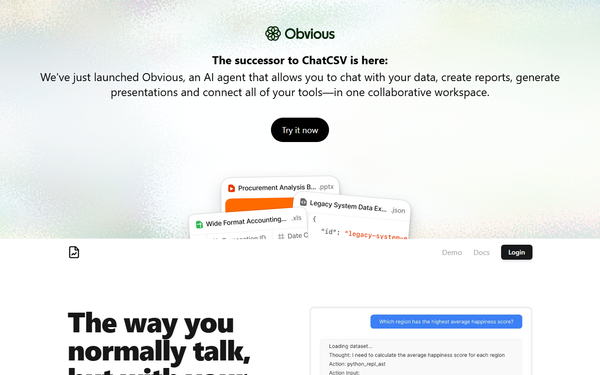
Limitations include exclusive CSV support (no native Excel, JSON, or database connections), dependence on clean, well-structured data for accurate results, potential LLM hallucinations on ambiguous or multi-step queries, and no advanced statistical modeling or automated report generation (those capabilities live in the successor product Obvious.ai). File sizes around 100 MB or ~10 k rows perform well; larger files may slow down.
User Experience
The interface is exceptionally intuitive: upload a file and immediately start chatting in a clean, ChatGPT-style window where answers and charts appear inline. The learning curve is near-zero—even complete beginners can get meaningful results in under a minute. Interface quality earns consistent praise for its polished, responsive design and helpful auto-suggestions. Official documentation focuses on the API with Postman collections and example apps; the main web app relies on an in-app FAQ and contact support ([email protected]). Community resources are light, but early user testimonials highlight how “nicely done” and beginner-friendly the experience feels.
Performance & Reliability
Responses are fast for typical datasets (under 10 seconds for most queries), with charts rendering smoothly. Reliability is strong for straightforward analysis; users report consistent, actionable results on clean data. Known issues are typical of LLM-based tools: occasional inaccuracies with messy headers, very large files, or overly complex requests, plus the need for an internet connection. There are no widespread complaints about downtime or data loss—post-acquisition stability has been solid. Privacy remains a highlight, with historical client-side processing and a clear privacy policy still in place.
Pricing & Value
Following its 2023 acquisition by Flatfile (now evolved into Obvious), ChatCSV is completely free with unlimited usage for all users—no credit card or usage caps on commercial features. Earlier freemium tiers have been retired in favor of open access. This creates exceptional value compared to paid alternatives like Julius AI, SheetAI, or enterprise BI tools that charge monthly for similar conversational analysis. It delivers professional-grade insights at zero cost, making it an unbeatable entry point for individuals and small teams before scaling to heavier platforms.
Practical Tutorial
No official video tutorial exists on the site, but the process is straightforward. Here is a complete step-by-step walkthrough using a real-world example (download a sample “sales_data.csv” with columns: Date, Product, Category, Sales, Region, Customer_Type).
- Visit https://www.chatcsv.co/ and click “Try it now.”
- Upload your CSV: drag-and-drop the file, paste a public URL, or copy-paste tabular data from clipboard.
- Wait a few seconds—the tool automatically generates 4–6 starter questions such as “What was the total sales last quarter?” or “Show a pie chart of sales distribution by category.”
- Ask a question, for example: “Show me a bar chart of total sales by region” or “What is the average sales per customer type in the last month?”
- Review the response: you’ll receive a clear textual answer plus an interactive chart. Continue the conversation (“Now break it down by month” or “Compare Q1 vs Q2”).
- When finished, rename the chat (e.g., “Q1 Marketing Analysis”), click share for a colleague, or save it to your history for later return.
This entire process typically takes under two minutes and works identically on desktop or mobile browsers. For developers wanting to embed the same capability, follow the API chat-completions guide at https://chatcsv.mintlify.app/introduction.
Final Verdict
4.7/5 – an outstanding free tool that democratizes data analysis.
Use it if you’re a marketer, analyst, small-business owner, or anyone who hates Excel formulas and just wants quick, visual answers from CSVs—its zero-cost, low-friction design makes it ideal for rapid prototyping and everyday insights.
Avoid it if you need enterprise-grade security auditing, multi-file/database connections, advanced statistical modeling, or production reporting pipelines (consider the successor Obvious.ai or full BI platforms instead).
One-sentence recommendation: ChatCSV is the fastest, simplest way to turn any CSV into an intelligent conversation—grab it while it’s still completely free.