ChatGPT Exporter Review: The Best Way to Save ChatGPT Chats
Overview & Purpose
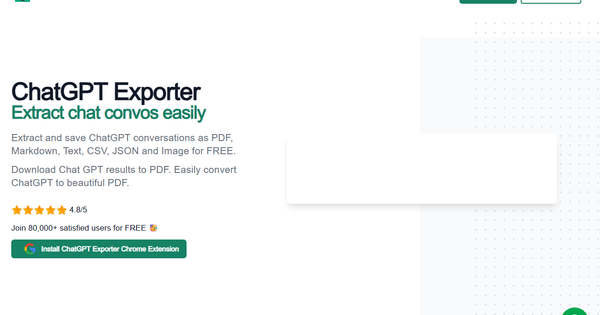
ChatGPT Exporter is a Chrome browser extension that enables users to seamlessly export conversations from ChatGPT into multiple file formats, including PDF, Markdown, Text, JSON, CSV, and Image. It addresses the common frustration of preserving AI-generated content by transforming chats into beautifully formatted, shareable files while maintaining advanced elements like code blocks, tables, mathematical formulas, Canvas outputs, and structured thinking processes. Primary use cases include archiving important discussions for future reference, sharing educational or professional insights privately, organizing research notes, and exporting code snippets or data analyses without relying on screenshots or manual copying.
The tool targets a broad audience: students and researchers who need to document study sessions or literature reviews; developers preserving code explanations and debugging threads; marketers and professionals creating reports or client deliverables; and everyday ChatGPT users (including GPT Plus subscribers) seeking efficient ways to save and organize interactions. With over 100,000 users and strong adoption across non-English speakers, it serves anyone who relies heavily on ChatGPT for productivity but requires reliable export capabilities beyond the platform's native limitations.
This review is based on research conducted as of March 9, 2026, drawing from the official website, Chrome Web Store data, user testimonials, and independent comparisons.
Key Features & Capabilities
Core functionality revolves around one-click exporting directly from the ChatGPT interface (chatgpt.com). Users install the extension, open any conversation, and access an "Export" button to generate files while preserving original formatting. Standout features that differentiate it from competitors include:
- Selective Content Export: Unlike many alternatives that force full-chat downloads, checkboxes appear next to each message, allowing users to select individual responses or use "Select all" for bulk choices—ideal for extracting only relevant sections.
- Multi-Format Support with Customization: Exports to PDF (with page numbers, dark/light mode toggles, custom titles), Markdown, Text, JSON, CSV, or Image. Filename and content title are customizable; PDFs include navigation aids for long documents.
- Advanced Formatting Preservation: Retains complex GPT outputs such as Canvas, Deep Research summaries, inline/block math, code blocks, and tables—features often lost in basic copy-paste or open-source scripts.
- Privacy-Focused Processing: Most formats run client-side in the browser; PDFs use temporary server processing (data deleted immediately after generation).
Compared to free GitHub scripts or lighter extensions, ChatGPT Exporter excels in PDF quality, selective controls, and user-friendly interface integration.
Limitations include a free-tier cap of 3 PDFs per day (higher limits require paid plans) and dependency on Chromium-based browsers only. It lacks native support for exporting entire conversation histories across multiple chats in one go (though individual chats are fully supported) and does not integrate with external apps like Notion or Google Docs beyond basic file downloads. No mobile version exists, as it is strictly a browser extension.
User Experience
The learning curve is minimal—most users can start exporting within seconds of installation. The interface is clean and non-intrusive: a simple "Export" button appears in the ChatGPT sidebar, with intuitive checkboxes and a format selector that requires no additional configuration for basic use. Customization options (e.g., mode toggles, titles) are straightforward and presented in a modal without cluttering the ChatGPT experience.
Interface quality earns high marks for its seamless blending with ChatGPT's design, supporting dark/light modes independently. Documentation is concise, with an FAQ section covering installation, privacy, refunds, and troubleshooting on the official site. Support resources include email ([email protected]) and a dedicated 30-second tutorial page. Community feedback highlights its reliability and "must-have" status for GPT Plus users, with no steep barriers for non-technical audiences.
Performance & Reliability
Exports are fast and efficient, with client-side formats completing in under a second for typical conversations and PDFs processing quickly even for longer threads. Users consistently praise its stability, noting it "works like a charm" and handles complex formatting without errors. As of recent reviews (March 2026), performance remains strong, with 4.8/5 ratings from 1,300+ Chrome Web Store users.
Known issues are rare; no widespread bugs or complaints surfaced in recent searches on Reddit or review aggregators. Occasional hiccups may occur if ChatGPT's web interface updates, but the developer responds promptly via support. Privacy is robust, with explicit assurances that conversations are never stored.
Pricing & Value
ChatGPT Exporter follows a freemium model with transparent, affordable tiers:
- Free: $0/month – Includes unlimited Markdown/Text/JSON/CSV/Image exports and 3 PDFs/day. No credit card required.
- Starter: $1.99/month (billed yearly) – 30 PDFs/day, plus branding removal, mute export, multi-device support.
- Standard: $2.99/month (billed yearly) – 100 PDFs/day with the same extras.
- Team: Custom pricing with 20% discount for 6+ members, centralized billing.
Yearly billing saves up to 33%; Alipay/WeChat Pay supported; full refund within 3 days. Students and non-profits qualify for discounts via email verification.
Value is excellent compared to alternatives (many free scripts lack PDF quality or selective features, while paid competitors charge more for similar output). The free tier suits light users, while paid plans deliver strong ROI for professionals handling frequent exports—far cheaper than manual reformatting or custom development.
Practical Tutorial
A 30-second official tutorial is available on the site, but here is a complete step-by-step walkthrough for a common task: exporting a coding assistance conversation as a polished PDF (tested conceptually on current ChatGPT interface as of March 2026).
- Install the extension: Visit the Chrome Web Store and add "ChatGPT Exporter" (free). It works on Chrome, Edge, Brave, and other Chromium browsers.
- Open your conversation: Log into chatgpt.com and navigate to a thread—e.g., a Python debugging session where ChatGPT explained code, generated tables of test cases, and included math formulas.
- Select content: Click the "Select" button that appears. Checkboxes appear next to each message. Select only the relevant parts (e.g., the final code block and explanation; uncheck introductory chit-chat). Use the master checkbox for quick "all" selection if needed.
- Customize and export: Click "Export." Choose PDF format, set a filename like "Python_Debug_Session_March2026.pdf," add a title "Optimized Bubble Sort Algorithm," and toggle dark mode if preferred. Page numbers are auto-added.
- Download and verify: The file generates (server-side for PDF) and downloads instantly. Open it to confirm preserved elements: syntax-highlighted code, formatted tables, and inline equations render perfectly.
For Markdown export instead, simply select that format—no server involved. Official walkthrough: https://www.chatgptexporter.com/en/welcome.
Final Verdict
Overall rating: 4.8/5 – A polished, highly effective tool that consistently delivers on its promises with minimal friction.
Who should use this tool: Frequent ChatGPT users—students, developers, researchers, and professionals—who need quick, selective, and beautifully formatted exports to archive, share, or reference conversations efficiently. It's especially valuable for those generating PDFs or handling complex outputs.
Who should avoid this tool: Users requiring unlimited free PDF exports daily, those on non-Chromium browsers, or anyone needing deep integrations with note-taking apps (manual file imports suffice but aren't automated).
One-sentence recommendation: Install ChatGPT Exporter today if you value your ChatGPT conversations enough to save them professionally—it's the simplest and most versatile solution available.