Chronicle Review: The Best AI Tool for Professional Presentations
Overview & Purpose
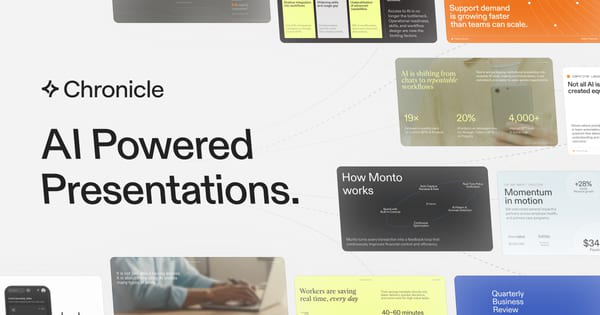
Chronicle is an AI-powered presentation tool that transforms raw ideas, text prompts, meeting notes, PDFs, URLs, or existing documents into visually stunning, professional slide decks using its Muse AI design agent. It streamlines the creation process from initial concept to polished output, focusing on narrative storytelling and high-impact visuals suitable for business environments. Primary use cases include pitch decks, sales proposals, product roadmaps, research reports, board updates, marketing strategies, and internal reviews. The platform is targeted at business professionals, sales and marketing teams, product managers, consultants, agencies, executives, and enterprises who need to produce client-ready or high-stakes presentations quickly without design skills or extensive time investment. Backed by expertise from alumni of McKinsey, BCG, and Apple, it's trusted by over 5,000 teams for professional applications rather than casual or highly artistic projects.
Research conducted as of March 2026.
Key Features & Capabilities
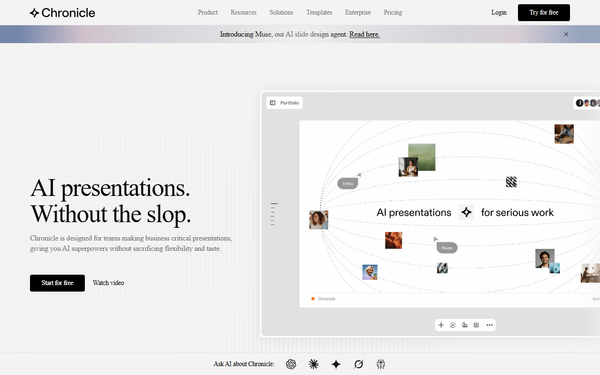
Core functionality revolves around AI generation and intelligent editing on a flexible canvas. Users input content in various forms, and the AI structures it into slides featuring pre-designed widgets for text, images, charts, and interactive elements. Standout features include the freeform/block-based editor for full customizability, advanced data visualization tools (charts, graphs, metrics, tables), brand guideline enforcement for consistency, real-time collaboration with permissions, and seamless exports to PPT, PDF, or interactive web publications. It also supports embedding external tools and offers templates inspired by top storytellers.
What differentiates Chronicle from competitors like Gamma or Beautiful.ai is its emphasis on design quality, professional polish, and user control—allowing AI-assisted iteration without locking users into rigid one-shot outputs. Users frequently note superior layouts and storytelling structure for business contexts.
Limitations include a token-based system for AI features (e.g., generation uses more tokens), which can constrain heavy usage on lower plans; web-only operation with no offline access; and occasional minor glitches like text overlap on content-heavy slides, typical of a relatively young platform (public launch around mid-2025). Advanced PowerPoint-specific features or complex animations may still be evolving, and outputs benefit from human oversight for nuanced needs.
User Experience
Chronicle boasts a low learning curve for its target users, with an intuitive, minimalist interface that avoids the clutter of traditional tools like PowerPoint or Google Slides. The drag-and-drop widget system combined with natural language AI commands for rewriting or remixing makes editing efficient and enjoyable. Most users report feeling productive within hours, though full mastery of layouts and AI prompting may take 4-6 hours according to reviews.
Interface quality is high—clean, modern, and focused on content flow, with a scrollable canvas experience that feels more like a website than static slides. Documentation includes helpful official YouTube tutorials such as "Chronicle 101" and layout-specific guides, along with in-app assistance. Support resources scale with plans, offering priority help for Pro and Plus users. Overall, it delivers a smooth, professional experience that reduces frustration in presentation creation.
Performance & Reliability
The tool excels in speed and efficiency, with AI generating initial drafts in seconds to minutes from inputs, and full professional decks achievable in under 10-15 minutes including edits per user testimonials. Iteration and refinements are quick thanks to the responsive canvas and AI tools.
Reliability is strong for day-to-day business use, with consistent high-quality visual outputs. However, as a maturing platform, some users note occasional layout inconsistencies or performance hiccups on dense content, and mobile viewing/editing is less optimized. There are no widespread major complaints in reviews as of March 2026; instead, feedback highlights rapid improvements and dependability for high-stakes deliverables. Web dependency means stable internet is required.
Pricing & Value
Chronicle uses a freemium model with clear tiers:
- Free: $0 – unlimited documents and widgets, 100 AI tokens/month, basic themes, PDF and social exports, web publishing, 1 guest editor.
- Pro ($15/user/month or $12 annual): 250 tokens, imports from URL/PDF/PPT, custom themes, branding removal, shared workspaces, up to 3 guests.
- Plus ($30/user/month or $25 annual): 1000 tokens, unlimited guests, priority support.
- Enterprise: Custom pricing for advanced security, brand governance, and admin tools (contact sales).
Tokens are consumed per AI action and reset monthly per user. This structure provides excellent value for teams, as the time saved and professional quality often outweigh costs compared to alternatives or manual creation in legacy tools. The Pro plan offers strong ROI for frequent users, while Free suffices for light or trial use. It's competitively priced with a focus on business utility over unlimited casual generation.
Practical Tutorial
Creating a product launch pitch deck is a common task made simple with Chronicle. Here's a step-by-step walkthrough (inspired by official Chronicle 101 tutorials and user demos available on YouTube):
-
Sign up and start: Visit https://chroniclehq.com/, create a free account, and start a new presentation from your workspace dashboard.
-
Input your content: Click to generate a new Chronicle using AI. Paste a detailed prompt such as: "Develop a 10-slide pitch deck for a new AI-powered project management tool called FlowAI. Cover market problem, our unique solution with key features (AI task automation, team collab, analytics), benefits, pricing tiers, case studies, and strong call-to-action. Target busy startup teams." Alternatively, upload a PDF of notes or a URL to an article.
-
Refine the structure: The AI will propose an outline with chapters or slides. Edit titles, add/remove sections, or adjust order as needed before full generation.
-
Generate the deck: Hit generate. Chronicle's Muse AI creates a complete set of slides with intelligently chosen layouts, visuals, and widgets. This typically takes under a minute.
-
Customize and edit: On the freeform canvas, click widgets to modify text or images. Use the AI Remix feature to instantly try different layouts for a slide (e.g., "Convert this bullet list to an infographic"). Instruct AI via chat-like commands: "Rewrite this slide to be more concise and add a metrics chart." Drag and drop to rearrange, or use "Tidy Up" for perfect alignment. Insert data visualizations or embed external content like Figma prototypes or charts.
-
Apply branding and polish: Upload or select a custom theme (Pro plan) to enforce brand colors, fonts, and logo. Review for flow in presentation mode.
-
Collaborate and finalize: Invite team members for real-time feedback. Preview the deck as it would appear to an audience.
-
Export or share: Download as PPT or PDF, or publish as an interactive web link with analytics on views. For live presenting, use the built-in mode.
This process can turn rough ideas into a stunning deck in 10-20 minutes. For video guidance, check official resources like "Getting Started with Chronicle | Chronicle 101" on YouTube or demos for pitch decks.
Final Verdict
Overall rating: 4.5 out of 5. Chronicle shines as a sophisticated AI tool that produces genuinely professional, visually appealing presentations with meaningful user control, making it highly recommended for business professionals, teams, and organizations creating frequent or critical decks. It excels for those frustrated with traditional slide software or generic AI generators. Users who should avoid it include those needing fully offline capabilities, unlimited free AI generations for casual use, or highly specialized creative animations beyond business norms. One-sentence recommendation: Chronicle is the go-to AI presentation platform for teams that demand both speed and sophisticated design in their visual storytelling.