Cleanvoice AI Review: Effortless Audio Cleanup for Podcasters
Overview & Purpose

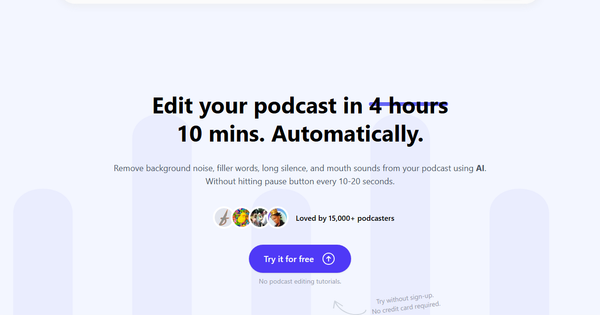
Cleanvoice AI is an AI-powered audio and video editing tool specifically designed to automatically remove unwanted artifacts from podcast recordings and other spoken content. It detects and eliminates filler sounds (such as "um" and "ah"), stuttering, mouth sounds, dead air (long silences), background noise, and other distractions, producing polished, professional-quality audio without requiring manual editing. Primary use cases include streamlining post-production for podcasts, voiceovers, interviews, and video content, allowing creators to focus on storytelling rather than tedious cleanup. It also extends beyond editing with supporting tools for transcription, content summarization, and marketing assets.
The tool targets independent podcasters, content creators, YouTubers, voiceover artists, educators, and businesses producing audio at scale. It appeals particularly to those who enjoy creating content but dislike the time-consuming editing process, as well as teams using its API for automated workflows. As of April 2026 research across the official site, user reviews on Trustpilot, G2, Reddit, and tech publications, Cleanvoice positions itself as a "podcaster-first" solution that makes high-quality production accessible without professional editing skills or software.
Key Features & Capabilities
Core functionality revolves around AI-driven audio cleanup: users upload files (audio or video), and the tool automatically processes them to remove fillers across 20+ languages, mouth sounds, stutters, dead air, and background noise. It supports multitrack editing for podcasts with multiple guests, syncing separate tracks seamlessly. Additional built-in capabilities include accurate transcription (handling various accents), AI-generated podcast summaries, show notes, chapter markers, and social media content. Users can export a detailed timeline of all edits for manual review or further customization in DAWs like Adobe Audition.
Standout features differentiating it from competitors include its browser-based simplicity (no software installation), timeline export for hybrid workflows, free ancillary tools such as a podcast name generator, Cleanscore podcast audit, podcast question generator, and episode title generator, plus a dedicated podcast mixing feature for intro/outro and multitrack synchronization. The API enables enterprise-scale editing, used by over 30 brands, with strong data security (GDPR-compliant, EU storage, ISO 27001 certified). It also offers video support and claims to process a typical podcast in about 10 minutes.
Limitations include occasional choppy or inconsistent edits (especially with complex stutters or silences), variable processing speeds reported by users, and a focus primarily on cleanup rather than full-suite recording or hosting. It is not a complete replacement for professional manual editing in highly nuanced projects, and older reviews noted accuracy challenges that appear improved but not eliminated.
User Experience
Cleanvoice AI boasts an exceptionally low learning curve thanks to its intuitive drag-and-drop interface—no prior editing knowledge or tutorials are required. Users simply upload files via the web app, select or confirm cleanup options, and let the AI handle processing before downloading clean files, transcripts, or timelines. The interface is clean, modern, and focused, making it accessible for first-time users and busy creators alike.
Documentation includes a helpful blog with how-to guides, an FAQ section, and email support. The help center covers pricing, credits, and features in detail. While not extensive, resources are practical and sufficient for the tool’s straightforward workflow. Overall, the experience emphasizes speed and minimal friction, with no credit card required for the free trial.
Performance & Reliability
Processing is generally efficient for shorter files, with the tool claiming significant time savings (e.g., editing a podcast in minutes versus hours manually). Audio quality improvements are widely praised, particularly for noise reduction and filler removal, leading to more engaging listener experiences. Over 15,000 podcasters reportedly use it, with positive G2 feedback highlighting time savings and multilingual support.
However, user reports reveal inconsistencies: processing can take hours for paid uploads (versus faster free trials), edits sometimes feel choppy, and stutters/silences may not always be perfectly handled. Trustpilot scores average 3.0/5 from limited reviews, citing lag, variable results, and occasional billing confusion. Reddit threads echo these concerns, though many still recommend it for background cleanup and overall sound enhancement. Reliability has improved since early 2021 reviews, but speed and precision remain variable depending on file complexity.
Pricing & Value
Cleanvoice AI offers a generous free trial of 30 minutes of audio/video processing with no signup or credit card required. Beyond that, it uses a flexible pay-as-you-go credit system (credits valid for 2 years): examples include 5 hours for $11 ($2.20/hour), 10 hours for $20 ($2.00/hour), and 30 hours for $45 ($1.50/hour). All plans include full features; enterprise/API options are custom-priced for higher volumes with priority support. No traditional monthly subscriptions are emphasized on the pricing page, though credits can be purchased in bulk for recurring needs.
Value is strong for occasional or mid-volume users, delivering professional results at a fraction of hiring an editor (often under $2/hour effective rate). Compared to alternatives like full DAWs or all-in-one platforms (e.g., Alitu), it excels in specialized, effortless cleanup without bloat. Heavy users may find costs add up if processing delays occur, but the timeline export and free tools enhance ROI. It provides excellent bang-for-buck for podcasters prioritizing simplicity over advanced manual controls.
Practical Tutorial
Cleanvoice AI provides official guidance via its blog and YouTube demos. Below is a step-by-step walkthrough for the common task of cleaning a raw podcast episode (based on the official “How to Clean Up Audio” guide and user videos as of April 2026). This example assumes a 30-minute interview recording in MP3 format with fillers, mouth sounds, and minor background noise.
-
Sign up and access the dashboard: Visit cleanvoice.ai and create a free account (or try without signup for the initial 30 minutes). Navigate to the upload area in the app dashboard.
-
Upload your file: Drag and drop your audio or video file (supported formats include MP3, WAV, M4A; video files are also accepted). For batch processing, upload multiple files. Wait for the upload to complete—no pre-transcription needed.
-
Select cleanup options: The AI interface presents a panel of options. Choose desired removals (e.g., filler words, mouth sounds/stutters, dead air, background noise). Enable any extras like Studio Sound enhancement or multitrack sync if applicable. You can also opt to generate a transcript or summary simultaneously.
-
Start processing: Click “Start Processing” or equivalent. The AI analyzes and edits automatically—sit back while it runs (typically minutes for short files; monitor progress in the dashboard).
-
Review and export: Once complete, preview the clean audio. Inspect the exported timeline showing every removal (timestamps for fillers, silences, etc.) for any manual tweaks in your preferred editor. Download the polished file, full transcript, summary, or social clips. For the example podcast, the result is a tight, professional episode ready for publishing, with dead air and “ums” seamlessly removed.
Official tutorial resources: Cleanvoice Blog - How to Clean Up Audio and YouTube demos such as “How to Clean Podcast Audio Fast with Cleanvoice.”
Final Verdict
Overall rating: 4/5. Cleanvoice AI delivers on its promise of effortless, high-impact audio cleanup and earns high marks for simplicity, time savings, and useful extras like transcription and free generators. It shines for podcasters and creators seeking quick professional results without a steep learning curve or high costs.
Podcasters, voiceover artists, and small teams who produce content regularly but lack editing time or skills should use this tool—it transforms raw recordings into polished episodes efficiently and affordably. Avoid it if you need pixel-perfect precision on every stutter, have very large-scale or time-critical projects (due to occasional processing variability), or prefer fully manual control in a traditional DAW.
One-sentence recommendation: Cleanvoice AI is a must-try for any podcaster tired of manual editing—its AI does the heavy lifting so you can focus on great content.