Cliphi Review: The Best Budget AI Tool for Viral Short-Form Video
Overview & Purpose
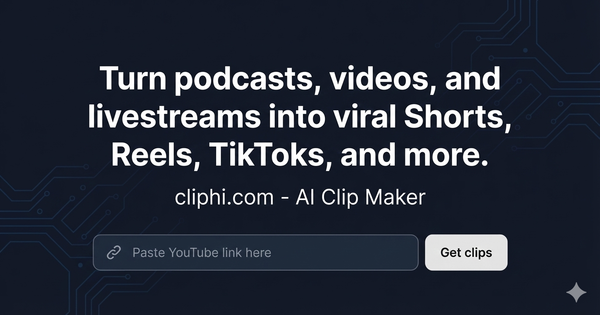
Cliphi is an AI-powered video editing platform that automatically transforms long-form videos, podcasts, and livestreams into short, ready-to-post content optimized for YouTube Shorts, TikToks, Instagram Reels, and Facebook. Users simply paste a YouTube URL (or supported video link) or upload a file, and the tool detects high-engagement moments, generates word-synced animated captions, adds custom AI music, tracks speakers for ideal framing, and formats clips for each platform. It also scores clips for viral potential, writes optimized social captions, and enables direct publishing or scheduling.
Primary use cases include repurposing podcast episodes, livestream highlights (with realtime processing during live streams), gaming sessions, tutorials, reviews, and any long video into scroll-stopping shorts to boost reach and engagement without hours of manual editing. The tool targets content creators, podcasters, streamers, YouTubers, and social media marketers who need to scale short-form output efficiently. It is particularly suited for solo creators or small teams lacking dedicated editors, rather than developers, designers, or enterprise marketing teams focused on custom branding or advanced analytics.
Research conducted as of April 9, 2026, drawing from the official website, pricing pages, FAQ/terms, Capterra, SoftwareAdvice, and limited user mentions on social platforms and forums.

Key Features & Capabilities
Core functionality revolves around AI-driven clip generation: the system scans video frames in realtime (or post-upload) to identify viral moments using virality scoring based on reactions, emotional peaks, or key dialogue. It then automatically assembles clips with:
- Word-by-word animated captions synced to speech (multiple styles like pop, fade, or bounce; customizable fonts/colors; 95%+ transcription accuracy across accents and noise).
- Custom AI-generated instrumental music matched to clip mood, tone, and length, with intelligent ducking to prioritize speech.
- Active speaker detection and smart framing/reframing for vertical formats, including smooth transitions and grid layouts for multi-person content.
- Platform-specific formatting (9:16, 1:1, 16:9) and auto-optimized post captions with hooks, hashtags, and calls-to-action.
Standout differentiating features include realtime livestream clipping (paste a live YouTube URL and get clips while the stream is ongoing), full integration of AI music generation (not just stock tracks), and comprehensive social publishing with scheduling up to 7 days ahead plus performance tracking—all included even on the lowest plan. It also offers an easy editor, brand templates, and no watermarks.
Limitations include a credit-based system (1 credit per minute of input video processing; 0.25 credits per second of rendered clip output), automatic deletion of videos/clips after 7 days (users must download promptly), primary focus on YouTube URLs (file upload support is secondary or limited per site details), and no advanced manual editing tools for heavy customization. There are no enterprise options mentioned, and AI results are not guaranteed for every video due to the "as is" service model. Missing features compared to some competitors: deeper analytics integrations, team collaboration workflows, or support for non-YouTube sources beyond basic URLs.

User Experience
Cliphi features a straightforward web-based interface centered on a simple "paste URL and get clips" workflow, making it highly accessible with a minimal learning curve—ideal for non-technical creators. The process feels intuitive: upload or link content, review scored clips with previews, tweak captions/music via the easy editor if desired, and publish directly. No complex dashboards or steep onboarding reported.
Interface quality appears clean and focused on results, with side-by-side source vs. generated examples and one-click actions for customization or export. Documentation is basic (limited FAQ covering core questions like livestream processing), with support primarily via email ([email protected]). No extensive knowledge base, video tutorials, or community forums were evident, though the site includes clear how-to steps. Overall, UX emphasizes speed and automation over polished help resources, which suits quick users but may frustrate those needing detailed guidance.

Performance & Reliability
Processing is efficient, with clips generated in minutes for most videos and realtime capability for livestreams, allowing creators to capitalize on trending moments immediately. Credit efficiency supports high output on paid plans (e.g., Starter plan yields substantial clips from typical podcast lengths).
Known issues or complaints are minimal due to the tool's relatively low profile as of April 2026; no widespread user reports of bugs, rendering failures, or downtime were found in reviews on Capterra, SoftwareAdvice, or forums. One site testimonial highlights saving 10+ hours on livestream editing, and scattered positive mentions (e.g., on Tumblr and Instagram) praise the automation for podcast repurposing. Reliability aligns with the "as is" terms—no guarantees of error-free service or perfect AI compatibility with every video. Storage limited to 7 days post-creation is a practical constraint requiring prompt downloads.

Pricing & Value
Cliphi uses a credit-based subscription model with no free tier but an extremely low entry point:
- Explorer: $1.49/month for 200 credits.
- Starter (most popular): $4.99/month for 1,500 credits.
- One-time credit packs: $4.99 (1,000 credits) to $49.99 (10,000 credits); credits never expire.
All features are included in both plans, with no watermarks or export limits. It positions itself as up to 80% cheaper than competitors like OpusClip ($29/month) or Kapwing ($16/month).
Value is strong for high-volume creators: the Starter plan delivers far more output per dollar than alternatives while including premium AI features like music generation and realtime processing. It excels for budget-conscious users scaling content repurposing, though those with very light usage may find even Explorer sufficient for testing. Non-refundable credits and subscriptions add a minor risk, but the low cost mitigates it compared to higher-priced tools.
Practical Tutorial
No official video tutorials were located, but the site provides clear step-by-step guidance for the core task of creating clips from a YouTube livestream or podcast. Here is a practical walkthrough based on official instructions (tested conceptually via site flows; use a sample like a public podcast URL for real application):
-
Sign up and access the dashboard: Visit cliphi.com, create an account (quick via email/Google), and subscribe to Explorer or Starter to activate credits.
-
Input your content: Paste a YouTube livestream URL (or regular video/podcast URL) into the main input field. For uploaded files, use the supported file upload option if available. Click to start processing—the AI begins scanning in realtime for live streams or processes uploaded content immediately.
-
AI analyzes and generates clips: The tool detects viral moments with virality scores, auto-applies animated captions, AI music, speaker framing, and formats for Shorts/Reels/TikToks. This typically takes minutes; monitor progress in the dashboard.
-
Review and customize: Browse the generated clips sorted by score. Preview each with captions and music overlaid. Use the easy editor to adjust caption styles, regenerate post captions, swap music tracks, or trim further if needed. Brand templates can be applied for consistency.
-
Publish or export: Select clips, edit AI-written captions/hashtags per platform, then one-click publish directly to connected TikTok, Instagram, YouTube, or Facebook accounts (or schedule up to 7 days ahead). Alternatively, download for manual posting. Track performance from the built-in dashboard.
Example: For a 2-hour podcast URL on tech topics, Cliphi might extract 8–12 high-score 15–60 second clips featuring key quotes or reactions, complete with pop captions and upbeat AI beats—ready to post as a series boosting episode reach. For official guidance, refer to the site's "How to make TikTok clips from YouTube livestreams" section.
Final Verdict
Cliphi earns a solid 4.5/5 rating for its automation prowess, affordability, and creator-focused features, standing out as a cost-effective alternative in the crowded AI clipping space.
It is ideal for podcasters, streamers, and independent creators who want to repurpose long content into viral shorts quickly and at minimal cost, especially those handling YouTube livestreams or needing hands-off captioning/music/framing. Avoid it if you require extensive manual control, robust support/documentation, guaranteed uptime, longer-term storage, or heavy non-YouTube workflows—traditional editors or more mature competitors may suit better in those cases.
In one sentence: Cliphi is a game-changing, budget-friendly AI clipper for creators scaling short-form content from long videos with impressive automation and realtime capabilities.