Clippie AI Review: The Ultimate Tool for Viral Faceless Videos
Overview & Purpose
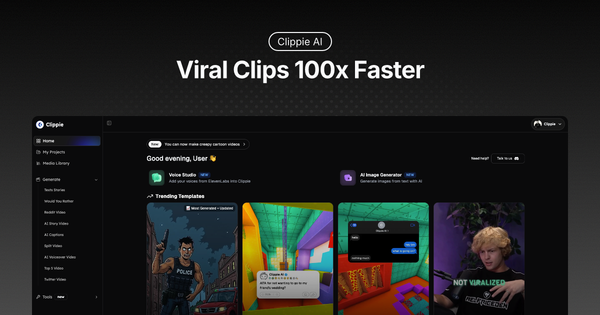
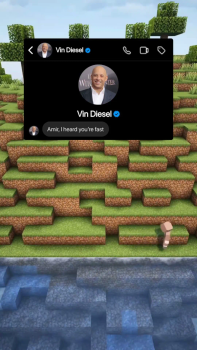
Clippie AI is an AI-powered platform specialized in generating viral faceless YouTube videos and short-form content in seconds. It transforms text scripts, Reddit URLs, or simple ideas into fully edited videos complete with animations, AI voiceovers, captions, background music, sound effects, and customizable visuals—eliminating the need for manual video editing. Primary use cases include creating Reddit story videos, AI-generated text story conversations, "Would You Rather" polls, Twitter thread recaps, Roblox rants, top 5 lists, and split podcast clips, all optimized for platforms like YouTube Shorts, TikTok, and Instagram Reels to drive views and monetization through high watch time and engagement.
The tool targets content creators, faceless YouTube channel operators, social media marketers, new or time-strapped editors, and small businesses seeking scalable short-form content without advanced skills. It appeals particularly to those in niches like storytelling, drama, confessions, or gaming commentary who want to automate posting schedules and grow audiences rapidly.
Key Features & Capabilities
Core functionality revolves around selecting from specialized viral templates, inputting or auto-generating scripts (including pasting Reddit URLs for instant processing), and letting AI handle the rest: generating or selecting images, applying ElevenLabs-powered voiceovers (50+ voices in 32 languages), auto-adding captions/subtitles (102+ languages with high-accuracy transcription), layering background music or sound effects from a free media library, and exporting ready-to-post videos. Users can upload custom media, adjust pacing/delays, customize chat UIs, and incorporate AI-generated images (up to plan limits).
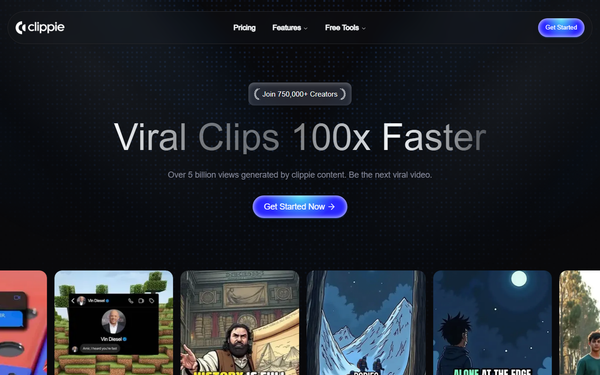
Standout features differentiating it from competitors include its focus on "brainrot"-style faceless storytelling templates with superior animation freedom for virality, seamless ElevenLabs integration for premium voice quality, one-minute Reddit video generation, and built-in AI image creation without external tools. It also supports custom voice imports and advanced models (like Sora 2 or Veo 3 via separate credits) for more cinematic outputs.
Limitations include strict minute-based consumption (video export, voice generation, and subtitles all draw from the same pool), no unlimited plans, requirement of an active subscription for any creation (purchased top-ups or credits alone are insufficient), and lack of advanced manual editing tools or native integrations with other platforms. Advanced AI video models consume separate, non-expiring credits that must be purchased additionally.

User Experience
Clippie AI boasts a low learning curve and highly intuitive interface, with users frequently praising its simplicity—"so easy to make brainrot I can automate my entire account." The dashboard allows quick template selection, script input, and real-time previews, making it accessible for beginners while offering enough customization tabs (Edit UI, Voices, Background) for polished results without overwhelming complexity.
Interface quality is clean and template-driven, focused on speed rather than pro-level timelines. Documentation includes an FAQ section, official blog guides, and a Discord community for 24/7 one-on-one support. All plans advertise 24/7 help, though some users report slower responses or unresolved issues. Overall, the experience suits non-editors well but may feel restrictive for those wanting pixel-level control.

Performance & Reliability
Generation is impressively fast—Reddit stories process in about one minute, while most templates complete in seconds to under five minutes depending on length and customizations. Efficiency shines for high-volume creators, enabling automated posting and reported time savings of over 100 hours.
Known issues include mixed output quality (some users call it "absolute trash" for basic prompts or reused media risks), subscription limitations that halt creation immediately upon depletion or cancellation, and occasional flagging on platforms from public library assets. Trustpilot reviews average 2.5/5 (based on limited samples), citing overhyping and weak app performance, while positive feedback on Reddit and the site highlights reliability for faceless automation. No widespread outages reported as of March 2026 research.
Pricing & Value
Clippie AI operates on a subscription-only model with no free tier or trial; all sales are final with a strict no-refund policy. Three plans are available (monthly billing; yearly options referenced in some guides but not detailed on the pricing page):
- Lite: $19.99/month – 30 minutes each of video export, AI voice, and speech-to-subtitles; 100 AI images; 1 custom voice.
- Creator: $34.99/month – 120 minutes each; 500 AI images; 10 custom voices.
- Pro: $69.99/month – 250 minutes each; 1,000 AI images; 30 custom voices.
All plans include captions in 102+ languages, 50+ AI voices, and 24/7 support. Extra top-ups ($5–$30) and AI credits ($4.50–$72) are available for overflow or premium models; credits and top-ups never expire but require an active subscription to create videos.
Value is strong for high-volume faceless creators (cost per video drops significantly at scale) and edges out alternatives like Crayo AI in voice quality and template variety per user switches. However, it feels expensive for low-output users or those comparing to broader tools like InVideo or OpusClip, especially given the no-refund stance and minute-based caps.
Practical Tutorial
Official tutorials are available on the Clippie AI blog and YouTube. Below is a complete, real-world walkthrough for creating a viral text story video (a common task for faceless channels), based directly on the platform’s 2026 guide.
-
Sign up and select a plan – Log in at clippie.ai/dashboard and choose Lite or higher (minutes required for export).
-
Craft your script – In the dashboard, select the Text Story template. Click “Generate with AI” and enter a detailed prompt (e.g., “Generate a funny conversation about two friends planning for a surprise party”). Add sound effects to messages, reorder them, and set individual delays for pacing. Tip: Use vivid emotions for relatability.
-
Personalize the chat UI – Switch to the Edit UI tab. Change contact names and profile pictures, adjust unread messages and messages per page, and pick a UI template to match your story’s vibe.
-
Add voiceovers – Go to the Voices tab. Select voices for each speaker (left/right) from 50+ options or your custom imports. Click “Generate Texts” to narrate the script.
-
Set background and music – In the Background tab, choose a video from the library or upload your own (recommended for originality to avoid reach limits). Add background music or upload audio and balance volumes so narration stays clear.
-
Review and export – Preview the video, then click Export. The file is ready for TikTok, YouTube Shorts, or Reels (optimal 30–60 seconds for virality).
For best results, test with your own gameplay footage and join the Discord for support. Full official guide: https://clippie.ai/blog/how-to-create-text-story-videos-with-clippie-ai.
Final Verdict
Overall rating: 3.7/5 – Strong on speed and niche specialization but held back by pricing rigidity, mixed user reviews, and no trial.
Content creators running faceless YouTube or short-form channels in storytelling niches should use this tool for its fast templates and premium voices that save hours and boost posting consistency. Avoid it if you need a free trial, unlimited usage, deep manual editing, or guaranteed support responsiveness.
Clippie AI is an excellent automation shortcut for viral faceless shorts—if you’re ready to commit to a paid plan and stay within its template ecosystem.