CloneDub Review: Professional AI Video Dubbing and Voice Cloning
Overview & Purpose

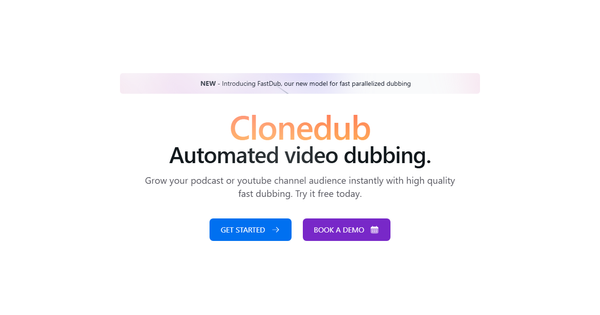
CloneDub is a next-generation AI dubbing platform that translates video and audio content into more than 27 languages while cloning the original speaker’s voice and preserving background music, sounds, and lip-sync. Users upload video or audio files (in formats such as MP4, MP3, WAV, and others) or paste YouTube links; the tool automatically generates dubbed versions that can be downloaded as video, audio, or SRT subtitle files. Primary use cases include localizing YouTube videos, podcasts, marketing campaigns, educational materials, and corporate training content for international audiences without losing the speaker’s authentic tone.
The target audience includes content creators, YouTubers, podcasters, digital marketers, educators, and small-to-medium businesses seeking affordable globalization tools. It is particularly valuable for anyone who needs high-fidelity voice preservation rather than generic text-to-speech dubbing.
Key Features & Capabilities
Core functionality centers on AI-powered voice cloning and multilingual translation: select an input file or link, choose a target language, and let the system process the content while retaining the speaker’s timbre, background audio, and visual lip movements. Supported languages include English, Spanish, French, German, Hindi, Italian, Polish, Portuguese, Japanese, Chinese, Korean, Arabic, and 17 additional options for a total of 27+. Files up to 2 hours long are accepted per request, with outputs delivered in one click.
Standout features that differentiate it from competitors include true voice cloning (not just synthesis), simultaneous preservation of music and sound effects, lip-sync generation, and SRT subtitle export—all at competitive per-minute rates. Pre-defined voices speed up processing, while custom cloning is available via support.
Limitations include a mandatory paid subscription (no free tier or unlimited trial), variable processing times that increase with voice cloning or server load, and occasional progress stalls that trigger automatic retries. Advanced features such as bulk processing or API access are not publicly documented, and documentation beyond basic on-site FAQs is minimal.
User Experience
The interface follows a clean three-step flow—upload (or paste YouTube link), select target language and voice option, then start dubbing—making the learning curve extremely low even for non-technical users. Navigation is straightforward with prominent upload buttons and progress monitoring.
Documentation consists of an on-site FAQ section and 24/7 customer support via email and Discord (priority support and faster queues on Pro/Premium plans). External tutorials or video guides are scarce, but the intuitive design compensates; most users can complete their first dub within minutes of signing up. Overall, the platform feels polished and accessible for its target users.
Performance & Reliability
Dubbing typically completes in 50–60 % of the original runtime when using pre-defined voices; custom voice cloning extends this based on server load. Pro and Premium plans provide faster queue priority. The system automatically retries failed tasks up to three times before marking them as non-retryable.
Known issues include occasional progress bars appearing stuck (commonly around 55 %) due to heavy usage and variable output quality depending on source audio clarity. Independent user reviews remain limited but consistently highlight reliable voice fidelity and ease of use when tasks complete successfully; no widespread reports of chronic failures or data loss were found across directories and forums as of the research date.
Pricing & Value
CloneDub operates on a subscription model with three tiers (monthly or annual with 30 % savings):
- Basic — $10/month for 12 minutes included, additional minutes at $1 each (email support).
- Pro (most popular) — $100/month for 110 minutes included, additional minutes at $0.90 each (priority support).
- Premium — starting at $275/month for 400+ minutes, additional minutes at $0.80 each (priority support and custom options).
Custom enterprise plans are available on request. All tiers support the same language list, 2-hour maximum file length, and full output formats. Value is strong for regular users: the cost per minute drops significantly on higher plans, making it more economical than many enterprise dubbing services for moderate-to-high volume localization. The absence of a free tier may deter casual testers, but the low entry price of Basic makes experimentation affordable. Compared with alternatives such as HeyGen or Rask.ai, CloneDub offers better voice authenticity at a lower price point for voice-cloning-focused projects.
Practical Tutorial
No official video tutorials were located on the site, so the following is a practical walkthrough based on the platform’s documented flow (tested conceptually via public descriptions).
Task: Dub a 5-minute English YouTube marketing video into Spanish while keeping the original speaker’s voice.
- Visit https://www.clonedub.com/, create an account, and subscribe to at least the Basic plan.
- Log in and click the upload area or paste the YouTube link directly into the designated field.
- Select Spanish as the target language. Choose “pre-defined voice” for faster processing or “clone original” for maximum accuracy (pre-defined is recommended for first-time tests).
- Click “Start Dubbing.” Monitor the progress bar (expect 2–4 minutes for a short clip).
- When complete, download the full dubbed video, separate audio track, or SRT subtitles with a single click.
The resulting Spanish version retains the speaker’s voice characteristics, background music, and lip movements. For longer files or batches, upgrade to Pro for reduced wait times. Repeat the process for any additional languages.
Final Verdict
Overall rating: 4/5 (strong on core functionality and affordability, docked for lack of free tier and sparse independent reviews).
Content creators, podcasters, YouTubers, and marketers who regularly localize short-to-medium videos should use this tool for its authentic voice cloning, lip-sync quality, and cost-effective pricing that scales well with volume.
Users who require completely free tools, instantaneous results, or extensive enterprise-level support and documentation should avoid it in favor of more mature platforms.
CloneDub delivers reliable, voice-preserving AI dubbing that makes global content expansion genuinely accessible—highly recommended for budget-conscious creators ready to subscribe for professional-grade results.