Clueso Review: Transform Screen Recordings into Pro Videos Fast

Overview & Purpose

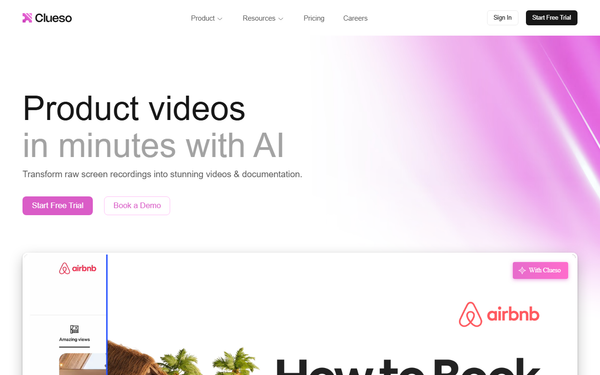
Clueso is an AI-powered platform that transforms raw screen recordings, video uploads, slide decks, PDFs, or images into polished, professional instructional content in minutes. It automates the creation of high-quality videos complete with AI voiceovers, smart effects, captions, and branding, alongside step-by-step articles, GIFs, and multi-language versions. The primary purpose is to simplify explaining software, products, processes, and training materials, enabling teams to produce consistent, engaging user guides and demos without traditional video editing expertise or large production budgets.
Key use cases include product demos, customer onboarding videos, employee training modules, support documentation, SOPs, and sales enablement materials—particularly valuable for reducing support queries and scaling knowledge bases. The target audience encompasses customer education, product marketing, learning & development (L&D), customer success, sales enablement, product management, and IT teams at B2B SaaS companies, from startups to large enterprises. It is also suitable for broader industries needing efficient content creation. (All information based on research conducted in March 2026.)
Key Features & Capabilities
Core functionality revolves around a simple four-step workflow: record or upload content, let AI handle transcription, script refinement (removing fillers and rewriting to match brand voice), voiceover generation, auto-zooms, captions, and background enhancements; customize in an intuitive editor; and export in multiple formats. Standout features that differentiate Clueso include one-click translation of voiceovers, captions, and full articles into 37+ languages, automatic generation of editable step-by-step documentation (in Rich Text, Markdown, or HTML) and GIFs directly from the same recording, branded templates with custom intros/outros/fonts/colors/logos, screenshot-to-GIF conversion, and privacy-first security (SOC 2 Type II and ISO 27001 certified, with data never used for model training).
Additional capabilities encompass AI copilot for article editing, pronunciation dictionary, music library integration, blur/spotlight/callout effects, custom cursors, timeline-based clip management, sync points for precise voice-video alignment, and analytics on shared links. These elements make it far more comprehensive than simpler screen-recording tools.
Limitations include strict export quotas based on video minutes and article counts (which can pause exports until renewal or upgrade), occasional AI generation imperfections (such as minor script fluidity or voice synchronization issues requiring manual tweaks), and a lack of advanced professional editing tools for complex transitions, special effects, or precise timing—making it unsuitable as a full replacement for dedicated software like Adobe Premiere or Camtasia. Variable performance on very large files is also noted by some users.

User Experience
Clueso boasts an exceptionally low learning curve, with users frequently describing the interface as intuitive and “child’s play” even for non-video editors. The process begins with a quick Chrome extension installation for seamless screen recording, followed by a clean, guided web-based editor that separates script, timeline, elements, and article views for straightforward navigation. No prior experience is required, and the AI handles most heavy lifting upfront.
Documentation and support resources are strong, featuring a dedicated help center with quickstart guides, video basics, and article copilot tutorials at help.clueso.io, plus in-app chat, email support, and enterprise-level priority via Slack or Microsoft Teams, including live onboarding and a dedicated customer success manager. YouTube reviews and demos provide additional walkthroughs. Overall feedback highlights the polished output and ease of team collaboration through workspaces and shareable links.
Performance & Reliability
The platform excels in speed and efficiency, typically reducing video production from hours or days to as little as 15 minutes per piece, with AI processing completing in minutes for standard-length recordings. Users report reliable results for most workflows, supported by over 100,000 videos created in recent periods and consistent high ratings. Security and uptime align with enterprise standards via AWS hosting.
Known issues include occasional longer processing times or rendering delays for extended recordings, the need for post-AI manual edits in some cases, and frustrations when hitting export limits mid-cycle. Common user complaints center on these quotas feeling restrictive for high-volume teams and minor AI inaccuracies (e.g., rhythm in voiceovers), though these are generally fixable and do not detract from overall reliability. No widespread outages or major bugs were reported across recent reviews.
Pricing & Value
Clueso does not offer a perpetual free tier but provides a 7-day free trial (limited to 2 users, 15 video minutes, and 15 articles). Paid plans are workspace-based and scale with team size and export needs: Starter plans begin at approximately $120 per month (billed annually, for 2 users and roughly 6 hours of video exports per year), Growth plans around $200 per month (billed annually) with increased capacity (e.g., more users and ~12 hours of exports), and Enterprise at custom pricing for unlimited options, advanced features like SSO and voice cloning, and priority support. Yearly billing saves 20%, and unused minutes do not roll over on monthly plans. Higher limits or add-ons are available via upgrade.
The value proposition is compelling for teams producing moderate-to-high volumes of content, delivering strong ROI through dramatic time and cost savings (e.g., 20x faster production) compared to manual editing, agencies, or less integrated tools like Loom, Guidde, or Scribe. Branding consistency and multi-language support further enhance long-term efficiency. However, strict quotas can reduce perceived value for very heavy users, potentially requiring frequent upgrades.
Practical Tutorial
A common task is creating a professional product demo video and accompanying step-by-step article (e.g., “How to set up a new user account in your SaaS app”). Clueso’s official quickstart makes this straightforward; the following walkthrough is adapted directly from it (full details available at https://help.clueso.io/getting-started/quickstart).
-
Sign up for the free trial at clueso.io and complete onboarding to reach the dashboard. Install the Clueso Chrome extension from the Chrome Web Store and pin it for easy access.
-
Click “Record Screen” (or upload an existing recording/slide deck). Grant permissions, select your screen/tab/window, and narrate a rough walkthrough of the task while performing it naturally—no need for perfection.
-
Stop the recording; it automatically uploads and processes. The AI generates a polished script (removing fillers, improving flow), adds a natural AI voiceover (choose from dozens of voices/accents), applies auto-zooms on key actions, and creates captions.
-
In the editor, review and tweak the script on the left panel (use inline AI rewrite or pronunciation dictionary if needed). Select or upload background music, apply your brand template (fonts, colors, logo, intro/outro), and add elements like blurs for sensitive info, callouts, or text boxes via the right panel. Adjust sync points or timeline clips for perfect timing.
-
Switch to the Article tab to view the AI-generated step-by-step guide (with embedded screenshots or GIFs). Use the Article Copilot chat for refinements or custom prompts, then edit inline.
-
Optionally, translate everything (voice, captions, article) to another language with one click.
-
Click “Share” in the top right to export the video as MP4 or GIF, the article as Markdown/HTML/Rich Text, captions as SRT/VTT, or generate a view-only link/embed code with analytics. Publish directly to YouTube if desired.
The entire process typically takes under 15 minutes for a short demo. For visual guidance, see official YouTube tutorials such as “Create Polished Screen Recordings With AI Voice Over.”
Final Verdict
Clueso earns a strong 4.8 out of 5 for its exceptional automation, multi-format output, and ease of scaling professional content creation.
Teams in B2B SaaS customer education, product marketing, L&D, or support who want to produce consistent, branded, multilingual videos and docs quickly should use this tool—it delivers massive time savings and professional results without specialized skills.
Avoid it if your needs involve unlimited high-volume exports without budgeting for upgrades, highly complex cinematic editing, or deep integrations beyond basic sharing, as quotas and AI-assisted (not fully manual) controls may frustrate power users.
Clueso revolutionizes instructional content creation by turning simple recordings into studio-quality videos and documentation accessible to any team in minutes.