Cobbai Review: The AI-First Helpdesk for Scalable Support

Overview & Purpose

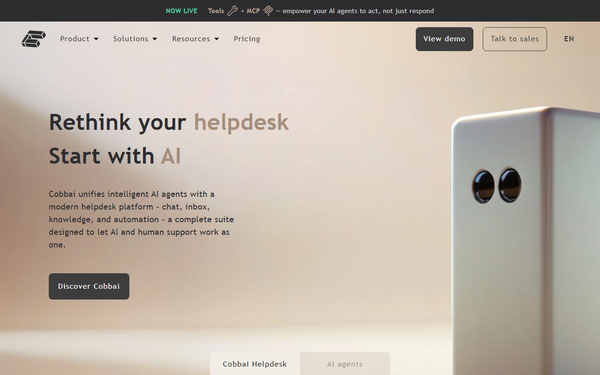
Cobbai is an AI-first helpdesk platform that unifies specialized AI agents with a modern customer service workspace, including chat, inbox, knowledge management, automation, and analytics tools. It enables seamless collaboration between autonomous AI agents and human support teams to handle inquiries across channels like email, chat, and self-service portals. Primary use cases include automating routine resolutions, intelligent ticket routing based on intent and urgency, real-time sentiment analysis and Voice of Customer (VOC) insights, sales opportunity identification, and generating operational reports via conversational "Ask AI" queries. It helps businesses reduce response times, deflect support volume (up to 56% with its Front agent), improve NPS scores, and turn customer interactions into product feedback and revenue drivers without proportionally increasing staff.
The platform targets customer service and support teams across industries such as travel, education, financial services, healthcare, and the public sector. It is particularly suited for mid-sized to enterprise organizations dealing with high inquiry volumes who want to augment rather than replace human agents. Developers or technical teams can leverage its API for custom deployments, while marketers and operations leaders benefit from the analytics and sales enablement features.
Key Features & Capabilities
Core functionality revolves around three purpose-built AI agents that operate within a unified helpdesk:
- Front Agent: Customer-facing for 24/7 autonomous resolutions, chat deployment, and self-service.
- Companion Agent: Agent-assist copilot that drafts replies, translates, summarizes, and flags sales opportunities (reducing handle time by 40-50%).
- Analyst Agent: Background intelligence for real-time tagging, routing, sentiment tracking, and insights.
Additional standout capabilities include a centralized Knowledge Hub for consistent answers, AI-powered Topics mapping for intent clustering, VOC dashboards for trend visualization and segmentation, and "Tools" integration (via internal systems or Model Context Protocol) allowing agents to perform actions like order status checks or address updates. The platform supports one-click integrations with popular helpdesks such as Freshdesk, Zendesk, Intercom, Salesforce, and Gorgias, plus API deployment for custom environments. Security features encompass SOC 2 Type 2 compliance, GDPR readiness, data anonymization, and MFA.
Differentiators include the specialized trio of agents with transparent control (instructions, sandbox testing, performance monitoring, and topic-based scoping) and deep focus on turning support into growth via actionable insights—features less emphasized in general chatbot tools. Limitations include dependency on high-quality knowledge base data for accuracy, full advanced analytics and unlimited agents restricted to the Enterprise plan, and potential cost accumulation from usage-based fees. Missing features (compared to some competitors) are extensive third-party app marketplaces or native multilingual voice support beyond text.

User Experience
Cobbai offers a modern, intuitive interface designed as an "AI-native" workspace where agents and humans collaborate in one inbox and dashboard. Onboarding involves data ingestion and agent configuration, which testimonials describe as straightforward and quick (often under a week for initial setup). The learning curve is moderate—technical users appreciate the sandbox testing and instruction-based training, while non-technical support managers value the visual Topics map and conversational Ask AI for insights. No steep coding is required for basic deployment.
Interface quality is clean and focused, with real-time metrics and customizable dashboards. Documentation is available via a dedicated docs section covering AI framework, agent management, deployment, and data sources, though it remains high-level with conceptual explanations rather than exhaustive video walkthroughs or searchable knowledge base articles. Support resources include live chat, FAQ, and dedicated success managers on higher plans. Overall, users report responsive vendor support, though some third-party listings note potential documentation gaps that could slow initial workflows.
Performance & Reliability
Performance claims are strong, backed by metrics like 80% faster first-reply times, 40-50% reduced handle times, and notable NPS improvements. Deflection rates reach 56% for fully autonomous resolutions, and the Analyst Agent processes tickets in real-time for efficient routing and sentiment detection. Agents adapt continuously through feedback loops, unsupervised clustering, and automatic knowledge updates, ensuring reliability as data evolves.
Reliability appears solid with enterprise-grade security and compliance, and no widespread reports of downtime or major outages in available sources as of March 2026. Testimonials from healthcare and finance users highlight accurate categorization of thousands of comments and rapid insights. Known issues are minimal; sparse external feedback mentions occasional slower performance during peak hours in generic listings, but independent reviews on platforms like G2 and Capterra remain limited, with no common complaints dominating discussions. The platform's design for human-AI handoff ensures graceful escalation when needed.
Pricing & Value
Cobbai uses a hybrid model: per-seat subscription (monthly or annual with discounts) plus usage fees of €0.15 per conversation (any inbound message) and €0.75 per full auto-resolution by the Front Agent. There is no free tier or public trial; plans require minimum seats.
- Essential: Starts with 1 seat and 1 agent; basic helpdesk and customization.
- Advanced: Minimum 3 seats, up to 3 agents, plus advanced routing and Topics.
- Enterprise: Minimum 10 seats at €99 per seat/month (billed annually), unlimited agents/conversations, full VOC/sentiment analytics, advanced security, dedicated support, and custom SLAs. Tools and add-ons are extra.
Value is compelling for high-volume operations where automation savings and insights offset usage costs—ROI comes from staff efficiency, deflection, and revenue from identified sales opportunities. Compared to alternatives like Zendesk or Intercom AI add-ons, Cobbai's specialized agents and unified workspace provide stronger native collaboration and VOC depth without heavy customization fees. However, pricing opacity on lower tiers (quotes required) and usage variability may deter small teams; it's best suited for organizations where AI resolutions scale profitably.
Practical Tutorial
Official resources provide high-level guides rather than interactive step-by-step public tutorials, with a product tour available by scheduling a live demo at cobbai.com/demo and conceptual documentation at cobbai.com/docs (covering AI framework, deployment, and agent management). Below is a practical walkthrough for a common task—deploying the Analyst Agent for intelligent ticket routing and sentiment analysis—based on documented capabilities and real-world examples from user testimonials (e.g., healthcare teams categorizing 100,000+ comments or public sector auto-sorting tickets). This assumes an active Enterprise or Advanced account with existing helpdesk integration.
-
Onboard and Connect Data: Log into the Cobbai dashboard after signup. Navigate to Integrations (one-click for Freshdesk/Zendesk or API setup) and link your helpdesk, CRM, or knowledge base. Import past tickets, FAQs, and support documents into the Knowledge Hub for context.
-
Activate and Configure the Analyst Agent: Go to the AI Agents section (or Control Center). Select the Analyst Agent, set instructions (e.g., "Tag by urgency/sentiment, route billing queries to finance team, flag negative sentiment >70% for escalation"). Define tone, business rules, and scope by topics. Enable Tools if needed for CRM lookups.
-
Build Topics and VOC Setup: In the Topics module, enable AI-powered unsupervised clustering to auto-group inquiries (e.g., "delivery issues" cluster). Activate VOC and sentiment analysis for real-time tracking by topic. Create dashboards for trends and alerts.
-
Test in Sandbox: Use the built-in testing environment to simulate queries (e.g., "My order is delayed—what's the status?"). Review auto-tagging, routing suggestions, summaries, and sentiment scores. Iterate instructions based on accuracy, as described in the AI framework docs.
-
Deploy and Monitor: Activate in your Inbox/Chat. Monitor live performance via metrics (first-reply time, resolution rates) or Ask AI queries like "Show top topics this week and knowledge gaps." Set up alerts for emerging issues. Example outcome: A travel company structured large comment volumes for faster prioritization, per official testimonials.
Refine via feedback loops for continuous improvement. For video or personalized guidance, schedule the official demo or reference docs subpages like "AI Agent Management" and "Conversations and VoC."
Final Verdict
Overall rating: 4.3/5. Cobbai excels as an innovative, agent-specialized platform for teams seeking to blend AI autonomy with human oversight for scalable support and deep customer insights—ideal for mid-to-large organizations in dynamic industries like finance or healthcare that process high volumes and value VOC analytics alongside automation. It shines in efficiency gains and growth enablement but may not suit very small teams due to minimum seats, usage-based costs, and limited independent reviews/transparency as of March 2026 research.
Avoid it if you need a fully free entry point, extensive public documentation, or proven large-scale case studies from thousands of users—opt for more mature alternatives with broader ecosystems in those cases. One-sentence recommendation: Cobbai delivers a thoughtful AI-first evolution of the helpdesk that empowers rather than replaces support teams, making it worth exploring for businesses ready to measure success in both resolutions and revenue insights.