Codeparrot Review: The AI Design-to-Code Tool That Shut Down
Overview & Purpose
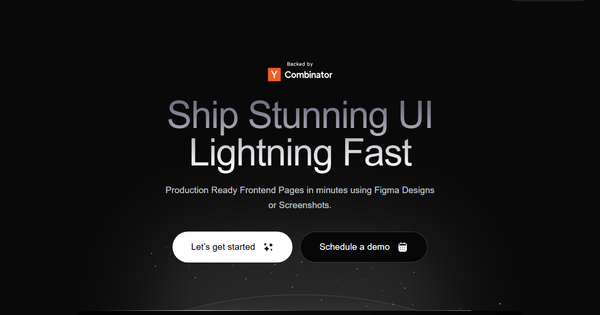
CodeParrot was an AI-powered design-to-code copilot that converted Figma designs or screenshots into production-ready frontend components directly within Visual Studio Code. Its primary purpose was to eliminate the tedious manual translation from design tools to code, allowing developers to generate clean, customizable React (and other framework) components while maintaining consistency with their existing codebase, styling preferences, and standards.
Key use cases included accelerating UI development for web and mobile apps, iterating on prototypes from screenshots when Figma files were unavailable, and enabling teams to ship pixel-perfect interfaces faster without context-switching between tools. It targeted software engineers and frontend developers—particularly those working in startups or larger organizations—who spent significant time hand-coding UIs from designs. Designers and marketers were not the primary users, though the tool indirectly benefited cross-functional teams by bridging the design-code gap.
Note on status (as of March 2026 research): CodeParrot ceased operations and shut down in July 2025 after struggling with growth, peaking at low monthly recurring revenue, and failing to raise additional funding despite Y Combinator backing. The website, VS Code extension, and service are no longer available.
Key Features & Capabilities
Core functionality centered on AI-driven generation: users selected a Figma component (via link) or uploaded a screenshot, specified preferences (framework, language, styling, component libraries), and received production-ready code that could reference and reuse existing files in the project. Standout features included seamless VS Code integration (zero context switches), codebase-aware generation (e.g., referencing other components with @filename syntax), support for screenshots, an AI chat assistant for post-generation edits, and adherence to custom coding standards or public libraries like Tailwind CSS or shadcn/ui equivalents.
It supported major frameworks such as React, React Native, Vue, Angular, Svelte, and even Flutter in some cases, with options for TypeScript/JavaScript and various styling approaches (inline, CSS modules, or external). This codebase-reuse capability differentiated it from many competitors that produced isolated components without project context awareness.
Limitations included occasional need for manual tweaks due to AI inaccuracies on highly complex or custom designs, dependency on clear Figma selections or high-quality screenshots, and lack of advanced state management or backend integration out of the box. As a now-defunct tool, it has no ongoing updates or bug fixes, and its absence of enterprise-scale features (beyond basic plans) contributed to its inability to compete in a rapidly evolving AI dev tools market.
User Experience
Installation was straightforward via the VS Code marketplace, with a clean sidebar interface for Figma links, preference settings, and prompt input—resulting in a low learning curve for anyone familiar with VS Code. The interface was intuitive, featuring drag-and-drop-like selection and real-time generation previews, though some users noted prompt engineering was occasionally required for optimal results.
Documentation was available through an official docs site (now offline) and included quick-start guides, while community support existed via Discord and YouTube demos. User feedback from 2024–early 2025 highlighted the “magical” speed of turning designs into usable code with minimal friction. However, with the shutdown, all official support resources, updates, and community channels have disappeared, leaving any historical users without assistance.
Performance & Reliability
Generation was marketed as lightning-fast—often completing complex components in seconds to minutes—with high claims of production readiness and pixel fidelity. Early users praised its efficiency in real projects, such as building dashboards or reusable UI kits, and its ability to maintain consistency across large codebases.
Common complaints (pre-shutdown) mirrored general AI code tools: occasional hallucinated imports, imperfect responsive behavior on edge-case designs, or style mismatches requiring iteration. No widespread reliability scandals emerged, but the tool’s ultimate failure to achieve sustainable traction and MRR highlighted underlying challenges in scaling AI accuracy for diverse real-world use cases. Post-shutdown, performance is irrelevant as the service is unavailable.
Pricing & Value
CodeParrot offered a simple, transparent model: a 14-day unlimited free trial with no credit card required, followed by a Pro plan at $19 per seat per month for unlimited access. Team and Enterprise options existed for larger groups (contact-based for bulk seats >10), with no annual discounts explicitly detailed in available records.
Value was strong during its active period for individual developers and small teams—delivering time savings that far exceeded the modest cost compared to manual coding or pricier alternatives like Builder.io Visual Copilot or Anima. However, the low overall adoption and resulting shutdown underscore that its value proposition did not scale sufficiently against free or more integrated AI coding assistants (e.g., Cursor or GitHub Copilot enhancements) in a competitive 2025 landscape.
Practical Tutorial
Although CodeParrot is no longer operational, here is a recreated step-by-step walkthrough for a common task—converting a Figma dashboard design into React components—based on a 2024–2025 public tutorial example. This reflects the exact workflow users followed while the tool was active. (Original reference: independent developer blog walkthrough.)
-
Install the Extension (historical): Open VS Code → Extensions view (Ctrl/Cmd + Shift + X) → Search “CodeParrot” → Install → Sign in via the sidebar icon using your Figma-linked account.
-
Prepare Figma Selection: In Figma, select the target layers (e.g., entire dashboard sidebar + charts). Right-click → “Copy link to selection.” Paste this link into CodeParrot’s “Select from Figma” field.
-
Configure Preferences: Open settings (gear icon). Choose React + TypeScript, styling (e.g., Tailwind CSS or CSS modules), import paths (e.g., ../assets), and any libraries (e.g., d3.js for charts). Define naming conventions and coding standards to match your project.
-
Generate Core Components: Submit the prompt. For a dashboard, generate individual pieces first (e.g., Sidebar.jsx and VisitorInsights.jsx). CodeParrot outputs ready-to-paste files with props, responsive logic, and styling.
-
Reuse and Compose with AI Chat: Reference existing files using @ (e.g., type “@Sidebar.jsx” in the prompt). Ask the AI chat assistant: “Create a Dashboard component using @Sidebar and @VisitorInsights with d3 charts updated per design.” Generate the parent file.
-
Iterate and Export: Review output in VS Code. Use the chat for tweaks (“Make the chart responsive and match exact hex colors”). Copy finalized components into your project—typically 80%+ production-ready with minor manual polish.
YouTube tutorials from 2024 (e.g., “CodeParrot Tutorial: Figma to Code”) provide visual demonstrations of this process. Note: These steps are historical only; the extension and service no longer exist.
Final Verdict
Overall rating: 4/5 (for its active period—strong innovation and UX, undermined by sustainability issues) or 0/5 today due to complete unavailability.
Who should use this tool: No one—CodeParrot is defunct. In its prime, it was ideal for frontend engineers and teams prioritizing rapid, context-aware UI development from designs.
Who should avoid this tool: Everyone, especially those seeking reliable ongoing support or updates; the 2025 shutdown means zero access or maintenance.
One-sentence recommendation: CodeParrot delivered an impressive AI bridge from Figma to production code during its short lifespan but shut down in July 2025—explore active alternatives like Builder.io Visual Copilot or v0.dev for similar modern workflows.