Company Research Agent Review: Automate Deep Market Intelligence
Overview & Purpose

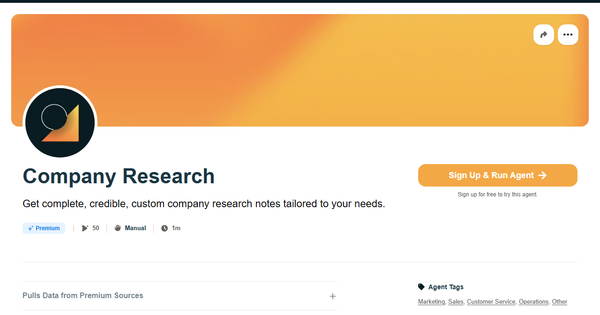
Company Research Agent is an AI-powered platform (accessible via agent.ai and integrated through HubSpot) that automates in-depth company and market research by aggregating data from premium sources such as Crunchbase, Similarweb, LinkedIn, news outlets, and public records. It synthesizes this information into structured, actionable reports in under a minute, delivering insights on firmographics, funding, web traffic, competitors, tech stacks, hiring trends, and more. Primary use cases include competitor analysis, sales prospecting and pre-call preparation, partner or vendor evaluation, market opportunity identification, strategic benchmarking, account reviews, and even job interview prep for understanding potential employers.
The tool targets business decision-makers, particularly sales professionals, marketers, account executives, recruiters, strategists, and operators who need fast, reliable intelligence without manually cross-referencing multiple platforms. It is especially valuable for HubSpot users seeking seamless CRM integration.
Key Features & Capabilities
Core functionality revolves around generating comprehensive, customizable reports from a single company name or domain input. The agent pulls real-time or near-real-time data and uses AI to provide summaries, context-aware analysis, executive overviews, recent news/trigger events, products/services breakdowns, industry/competitive landscapes, customer/market insights, and even CRM-linked research when integrated.
Standout features that differentiate it include: deep aggregation of premium sources into one coherent view (avoiding tab-switching); full customization of report sections, reordering, or adding custom questions; coaching-style insights and actionable recommendations; automatic background refreshes for ongoing relevance; and native HubSpot integration for saving reports directly to company records or triggering automations. It also supports exporting as PDF and maintains run history for easy reference.
Limitations include reliance on third-party data accuracy (which can vary for private or obscure companies), potential need for user verification of synthesized insights to avoid minor AI hallucinations, and lack of advanced custom scraping or proprietary financial modeling found in specialized enterprise tools. No native mobile app or offline access is mentioned.
User Experience
The interface is clean, intuitive, and web-based with minimal learning curve—users simply sign up, locate the agent in the marketplace or Breeze Studio, enter a company name/domain, optionally add instructions, and click “Run.” Outputs appear in a well-organized, sectioned format that is easy to scan or export. HubSpot integration feels seamless for CRM users, with one-click access from company records.
Documentation is strong: HubSpot provides a clear knowledge base article, and the official Agent.ai blog offers helpful context. Support includes standard platform channels plus community feedback loops typical of AI agent marketplaces. Overall, it feels polished and professional with no steep barriers for non-technical users.
Performance & Reliability
Reports typically generate in 10–60 seconds, dramatically faster than manual research that can take 1–4 hours. Efficiency is high thanks to premium data pipelines and consistent structuring. As of March 2026, there are no widespread reported outages or major reliability complaints; early user sentiment on launch channels (LinkedIn, X) highlights speed and usefulness.
Known minor issues are typical of data-aggregation tools: occasional gaps in coverage for very small or international private firms, and the need to double-check synthesized conclusions against source data. Overall performance is strong and improving with platform updates.
Pricing & Value
The tool follows Agent.ai’s freemium model. A free tier allows limited trials of Premium agents. Individual Premium agents (including Company Research) cost $10 per month for generous usage, while the Pro plan at $25 per month unlocks unlimited access to all Premium agents. Access via the HubSpot marketplace starts with a free “Get Started” option that funnels into the Agent.ai subscription. No enterprise custom pricing is publicly detailed, but volume discounts or team plans are implied at higher tiers.
Value is excellent for frequent users: it replaces multiple paid subscriptions (Crunchbase, Similarweb) plus hours of analyst time at a fraction of the cost. Compared to alternatives, it offers superior speed and synthesis without the high price tags of full market-intelligence platforms. Light users benefit from the low entry barrier, while heavy users gain massive time savings and consistency.
Practical Tutorial
A step-by-step walkthrough for a common task—generating a competitor research report—is available through official resources and can be completed in under five minutes. Here is a practical example using a real-world company (Stripe) based on the official HubSpot and Agent.ai documentation (last updated January 2026).
- Access the tool: Log into your HubSpot account (Professional or Enterprise recommended) or sign up free at agent.ai. Navigate to Breeze > Breeze Studio > Agents tab (or visit https://offers.hubspot.com/company-research-agent).
- Locate and configure: Click the Company Research Agent card. Hover and select “Configure” to add extra instructions (e.g., “Focus on fintech competitive positioning and recent funding impacts”) or set automation rules.
- Input the company: In the “Domain or Company name” field, enter “stripe.com” or “Stripe”. Optionally customize sections or add custom questions like “Compare hiring trends to competitors.”
- Run the agent: Click “Run agent.” The report generates in under a minute with sections including Executive Summary, Company Overview & Background, Recent News & Trigger Events, Products & Services, Industry & Competitive Landscape, Customers & Market, and Company CRM Research (if linked).
- Review and act: Scan the structured output. Export as PDF via the “Export PDF” button. From a HubSpot company record, click “Start research” for one-click results. View history for past runs.
- Integrate and follow up: Save insights directly to HubSpot CRM, add to HubSpot workflows, or use for sales notes.
Example output highlights (for Stripe) typically include latest funding rounds, web traffic benchmarks vs. competitors like Adyen, tech stack details, and recent news on expansions. For video demos, see HubSpot-related YouTube walkthroughs or the official Agent.ai introduction. Full official tutorial: https://knowledge.hubspot.com/ai/use-the-company-research-agent.
Final Verdict
Overall rating: 4.5/5. Business professionals in sales, marketing, strategy, or recruiting who regularly need quick, credible company intelligence should use this tool—it saves hours per week and delivers consistent, actionable insights with HubSpot integration. Avoid it if you require ultra-deep proprietary financial modeling, heavy custom data scraping, or work exclusively with highly obscure private entities where public data is sparse.
Highly recommended for any team tired of fragmented research tabs: Company Research Agent turns hours of work into minutes of insight.