Constella Review: The Ultimate AI-Powered Visual Second Brain

Overview & Purpose

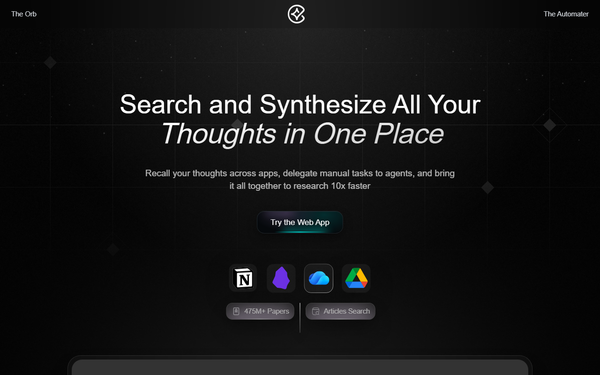
Constella is a local-first personal knowledge management (PKM) app designed as an intuitive "second brain" that captures, connects, and retrieves ideas through an AI-powered visual infinite graph. Unlike traditional note-taking tools reliant on folders and rigid structures, it automatically identifies relationships between notes, suggests connections, and surfaces relevant information via hybrid search and its Stella AI assistant, enabling users to synthesize thoughts, files, and external content effortlessly. Primary use cases include research synthesis, creative ideation, daily journaling, project management, literature reviews, and personal organization—particularly for nonlinear thinking workflows. It targets knowledge workers, researchers, designers, creatives, professionals, founders, and individuals with ADHD who value visual mapping and minimal manual organization over traditional lists or databases. As of research conducted in March 2026, Constella emphasizes data privacy with local storage and optional encrypted sync while integrating research tools like paper search and file analysis.
Key Features & Capabilities
Core functionality revolves around quick note capture (text, images, voice, or files), an interactive infinite graph canvas for visual organization, hybrid search (keyword + AI similarity with adjustable sliders), and the Stella AI assistant for chatting with notes/files/images, generating summaries, answering queries, and synthesizing content. Standout features that differentiate it from competitors like Obsidian or Notion include automatic backlinking (via [[ ]] syntax and visual arrows), AI-suggested connections and relationship discovery, document management with file uploads, PDF dragging, OCR, and Stella-powered summaries/generation, mind mapping with custom view saving, AI-assisted tagging, web clipping via Readwise, and cross-platform sync (desktop Mac/Windows, mobile iOS/Android) with full offline support. The local-first design ensures complete data ownership, with Markdown import/export for portability and features like speech-to-text on mobile or gather mode for accumulating search results.
Compared to alternatives, Constella's native AI-graph integration eliminates the need for plugins or manual linking, making it feel more like a dynamic neural map than a database. Limitations include AI message quotas (e.g., limited daily on free tier), absence of the full graph view on mobile (desktop-focused), maturing integrations (Readwise, Zapier, and basic API available but not as extensive as Notion), and export fidelity for highly complex graphs still evolving. Some advanced mobile features like app capture remain "coming soon."
User Experience
Constella offers a clean, modern interface with fluid navigation that feels approachable and non-overwhelming once past the initial onboarding. The learning curve exists primarily for users transitioning from list- or block-based tools—mastering graph panning, connection dragging, search sliders, and Stella prompting typically takes 5–10 minutes via the in-app tutorial, after which the merged search/capture bar and auto-surfacing connections become intuitive and brain-like. Interface quality is high, with zoomable canvas, customizable tags/colors, blur toggles, and responsive performance praised for reducing cognitive load. Documentation is solid through the comprehensive wiki (with category guides and feature lists) and community resources like a feedback board and Discord; support is responsive via developer channels. App Store and user feedback highlight its simplicity and speed for daily use, though some note the visual paradigm feels "weird" initially to linear thinkers.
Performance & Reliability
The app performs efficiently thanks to local-first storage, delivering fast search, graph rendering, and AI interactions even offline. Users consistently describe it as "incredibly fast" for recall and synthesis, with automatic graph arrangement handling complex connections smoothly on desktop. Reliability is strong with encrypted optional sync and frequent updates addressing early issues; offline capture on mobile syncs seamlessly upon reconnection. Known issues or complaints are minimal and mostly tied to the learning curve or occasional clutter in very large graphs (mitigated by filters and views); isolated reports mention minor lag with massive datasets or early sync quirks, but no widespread bugs or downtime complaints appear in reviews or forums as of March 2026. Active development keeps it evolving positively.
Pricing & Value
Constella uses a straightforward model with a generous free tier (local-only storage, core features, mobile access, and 20 Stella messages per day) and a single paid plan at $5.99 per month when billed annually (monthly option available). Paid unlocks full cloud sync, unlimited or expanded AI usage, advanced graph controls, and priority features. No enterprise options are prominently listed, though API/Zapier support scales for power users. Value is compelling for individuals seeking an AI-visual second brain—cheaper than many premium PKM tools while offering superior privacy and automation compared to free alternatives like basic Obsidian (which requires plugins for similar AI) or cloud-heavy options like Notion. The local-first approach plus lifetime data control provides excellent long-term ROI for heavy note-takers, though quota-conscious users may upgrade quickly for heavy Stella use.
Practical Tutorial
Official tutorials and documentation are available in the Constella Wiki, including a dedicated "Getting Started" guide (https://wiki.constella.app/docs/desktop-app-guide/getting-started) with an in-app walkthrough and supporting YouTube video for visual learners.
Here is a step-by-step walkthrough for a common task—capturing notes on a research topic (e.g., "AI in personal knowledge management") and using the AI graph/Stella to discover connections and generate a summary—based on official features:
- Open the desktop app and locate the top search/capture bar.
- Type a quick thought (e.g., "Constella visual graph advantages") and press Enter to save it as a note card; related existing notes will surface automatically via AI similarity for instant context.
- Hover over the new note card, click the grey circle at the bottom, and drag to connect it visually to another relevant note (or use [[ ]] syntax in the editor for automatic backlinks).
- Adjust the search similarity slider below the bar or switch to hybrid mode to refine results; use "Gathering mode" to accumulate multiple related notes on the canvas.
- Zoom/pan the infinite graph to explore the mind map; right-click to save a custom view for later retrieval.
- Open Stella (the AI chat interface) and ask something like "Summarize connections between these notes on AI PKM tools and suggest new insights"—Stella will retrieve relevant content, generate a synthesized response, and optionally create new connected notes.
- For files or images, drag a PDF onto the graph or upload, then chat with Stella directly ("Generate summary of this document and link to my notes") for AI summaries.
Export the view or notes as Markdown anytime via settings for backup. This process typically takes under 2 minutes once familiar and showcases the tool's core strength in effortless synthesis.
Final Verdict
Overall rating: 4.5 out of 5. Constella excels for visual thinkers, researchers, creatives, and anyone building a dynamic second brain who wants AI to handle connections and retrieval without manual folders—its privacy-focused local-first design and innovative graph make it transformative for nonlinear workflows. Avoid it if you prefer highly structured databases, need extensive third-party integrations or team collaboration out of the box, or have no tolerance for a short visual learning curve. One-sentence recommendation: If you're ready to rethink note-taking as a living, interconnected canvas, Constella delivers one of the most intuitive and powerful AI second brains available today.