Cuebric Review: Create Pro Virtual Environments with AI
Overview & Purpose

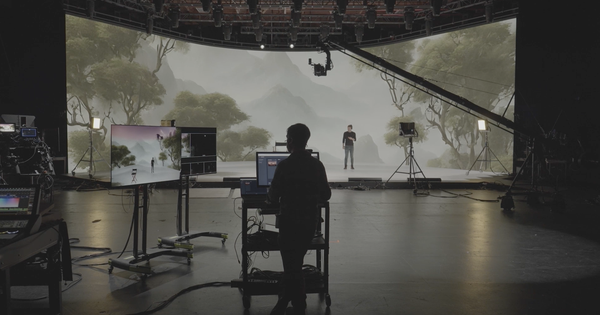
Cuebric is an AI-powered creative production studio that enables filmmakers and content creators to generate photorealistic, fully segmented, textured 2.5D virtual environments from text prompts in seconds, with built-in tools for refinement and direct export to production pipelines. It transforms concepts into camera-ready assets for LED volume stages, Unreal Engine scenes, or digital compositing, allowing users to go “From Concept To Camera™” rapidly without traditional 3D modeling or physical set construction. Primary use cases include virtual production for film and TV (establishing shots, dialogue scenes), previsualization, on-set real-time iterations, concept art, location scouting alternatives, commercials, music videos, and even educational storytelling. The target audience encompasses filmmakers, VFX supervisors, production designers, indie creators, studios, and educators (via its K-12 JASON Learning integration). By democratizing immersive environment creation, it reduces costs and timelines dramatically compared to conventional CGI or set-building workflows. Research conducted as of March 2026.
Key Features & Capabilities
Core functionality centers on a unified pipeline powered primarily by Stable Diffusion: text-to-image generation at resolutions up to 16K, AI-driven segmentation that automatically creates layered 2.5D assets with depth information for realistic parallax, inpainting to reconstruct missing areas or add details, advanced editing tools (evolving toward full Photoshop-like layering and masking), upscaling, and parallax preview. Standout features include one-click exports with depth maps directly to Unreal Engine or Disguise for instant LED stage deployment, real-time on-set adjustments, and the ability to produce film-grade outputs optimized for virtual production pipelines. These differentiate Cuebric from general-purpose AI image tools (such as Midjourney) by delivering production-ready, engine-integrated 2.5D environments rather than flat images, plus seamless integration with industry-standard virtual production tech like Disguise and Unreal Engine. Limitations include its 2.5D focus, which excels with controlled camera movement but falls short for highly dynamic 3D navigation or extensive dolly shots without supplemental modeling. Outputs can occasionally contain AI artifacts or inconsistencies that require human refinement, and quality depends heavily on prompt engineering. Missing features for some advanced users include native full 3D asset generation or offline/local processing (the platform is cloud-based).
User Experience
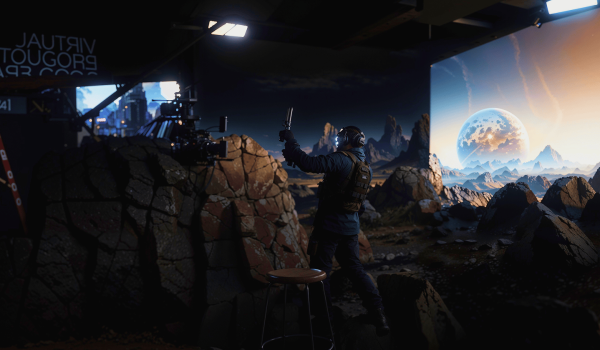
Cuebric’s web-based app interface is clean, intuitive, and workflow-focused, guiding users through generation, refinement, and export in a logical sequence without overwhelming complexity. The learning curve is low-to-moderate: beginners can generate basic images quickly, while professionals benefit from prompt engineering and layer management skills, which the platform’s tools make approachable. Interface quality receives praise in demos for its efficiency and lack of clutter, prioritizing creative speed over extraneous options. Documentation and support resources are comprehensive, featuring an official YouTube channel with step-by-step tutorials (including “Getting Started,” depth map workflows, and integrations), community support in base tiers, and priority onboarding plus training for Professional users. Overall, it lowers barriers for non-technical creatives while offering the precision needed by pros.

Performance & Reliability
Generation and full pipeline processing are exceptionally fast—often completing complex environments in seconds to minutes, with claims of up to 10x efficiency gains over traditional methods. High-resolution outputs maintain strong photorealism and texturing when prompts are optimized, making the tool reliable for both pre-production and live on-set use. Known issues are largely standard for generative AI: occasional segmentation imperfections or prompt-sensitive artifacts (mitigated effectively by built-in inpainting and editing), plus dependency on stable internet. Public user feedback from YouTube first-impression videos, VFX community discussions, and industry demos is overwhelmingly positive regarding speed, output usability, and integration success (e.g., demonstrated at XR Studios). Common complaints remain minimal; the tool has earned recognition in professional virtual production circles with no widespread reliability concerns reported.
Pricing & Value
Cuebric uses a straightforward three-tiered monthly subscription model with unlimited AI generations and GPU usage (no tokens or credits) and a 30-day full money-back guarantee. The tiers are:
- Image Generation at $15 per month (core generation, upscaling, community support—ideal for individuals exploring basics).
- Content Creation at $45 per month (adds inpainting, 2.5D segmentation, parallax preview, and depth map export).
- Professional at $120 per month (includes advanced exports such as to Disguise, priority support, and onboarding training).
Enterprise licensing and education options are available. Value is outstanding: the tool delivers professional-grade virtual production capabilities at a fraction of the cost and time of hiring 3D artists, building physical sets, or combining general AI tools with manual post-processing in Unreal Engine or Photoshop. It provides clear ROI for frequent users by slashing pre-production budgets and enabling rapid iteration unavailable in most alternatives.
Practical Tutorial
Official tutorials and video guides are readily available on the Cuebric YouTube channel (search “Cuebric Tutorials” or specific playlists covering getting started, Unreal integration, and Disguise workflows). Below is a practical step-by-step walkthrough for a common task—generating and preparing a photorealistic virtual environment for Unreal Engine or an LED stage—drawn from official workflows and real examples. Use case example: Create an “Icelandic landscape on Mars with pyramids” sci-fi backdrop.
- Sign up or log in at app.cuebric.com (free trial or exploration available before committing to a paid plan) and start a new project.
- Enter a detailed text prompt in the generation tool: “photorealistic cinematic view of an alien Mars landscape inspired by Iceland, red rocky dunes and volcanic terrain, ancient pyramid structures in the midground, thin pink atmosphere with distant Earth in the sky, dramatic golden-hour lighting, high detail, filmic composition.” Select desired resolution (4K or higher) and generate several variations.
- Choose the best image and proceed to the AI segmentation tool: automatically divide into 2.5D layers (e.g., foreground terrain, midground pyramids, background sky and atmosphere). Review and manually refine masks for clean separation.
- Switch to inpainting mode to fill any segmentation gaps, remove artifacts, or enhance details (e.g., add subtle atmospheric haze or adjust pyramid textures). Use the editing tools for masking, color correction, or green-screen-style refinements.
- Generate or apply a depth map and upscale the layered scene to production resolution (8K or 16K recommended for LED volumes). Preview the parallax effect in the built-in viewer.
- Export the complete package: download layered assets with depth information or use the one-click option optimized for Unreal Engine (or Disguise for LED stages).
- In Unreal Engine: import the layers as separate planes or use displacement mapping, apply the depth data for parallax scrolling, assign materials, and test with a virtual camera to confirm the immersive 2.5D effect. For LED stages, import the depth package directly into Disguise Designer for automatic layer mapping (setup typically under two minutes).
This entire process typically takes under 30 minutes for a usable asset. For visual walkthroughs, see official videos such as “How to Make Virtual Production Set at Home With Cuebric” or Unreal-specific integration tutorials on YouTube.
Final Verdict
Overall rating: 4.5 out of 5. Cuebric is an excellent specialized tool that empowers filmmakers and creators with professional virtual production capabilities at unprecedented speed and affordability. It is highly recommended for filmmakers, VFX artists, indie content creators, production designers, and studios adopting or exploring LED volumes and Unreal Engine workflows, as it dramatically accelerates ideation and reduces costs while maintaining high creative control. Users should avoid it if they require fully interactive 3D environments with unrestricted camera movement, offline/local processing, or pixel-perfect control without any AI refinement. One-sentence recommendation: For anyone in film or content creation seeking to unlock rapid, high-quality virtual environments without traditional barriers, Cuebric is a transformative must-try tool.