CuServly Review: Automate Customer Support with AI Chatbots
Overview & Purpose
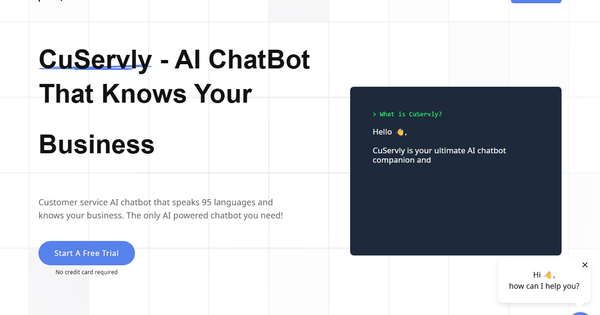
CuServly is an AI-powered chatbot platform designed to streamline customer service by enabling businesses to build and deploy natural language chatbots that provide instant, 24/7 support across 95 languages. It focuses on quick creation and training using website URLs or uploaded data files (such as PDFs, DOCs, TXT, CSVs, XLS, or PPTs), giving users complete ownership and editing rights over the chatbot's knowledge base. Primary use cases include automating responses for e-commerce (product recommendations and order tracking), healthcare (basic information and advice), finance/banking (query handling and investment guidance), travel/hospitality (bookings and preferences), and HR/recruitment (employee inquiries). The tool targets small to medium-sized businesses (SMBs), marketers, support teams, and non-technical users who want to reduce manual support workload—claimed by up to 80%—without requiring coding expertise or developer involvement.
Key Features & Capabilities
Core functionality revolves around a simple three-step process: customize appearance (name, colors, logo, avatar, quick prompts), add and train on data sources, and embed the chatbot via widget, iFrame, or full-page window on any website (with WordPress plugin guidance). Standout features include full knowledge base control—users can view, edit, add, or delete individual data units or Q&A pairs directly in the portal—unlimited messages across all plans and websites, powerful analytics showing top questions and inquiry frequency, multilingual instant responses, and human agent takeover (available in the Professional plan). Data is encrypted on Google Cloud with no sharing to third parties, and training typically completes in about one minute.
Differentiators from competitors like Zendesk or basic SiteGPT include diverse file format support for training, explicit knowledge base transparency (not a black-box LLM), and an emphasis on affordability with unlimited conversations rather than per-message fees. Limitations include plan-based caps on the number of chatbots, web pages, and data files; file size restrictions (e.g., 100 KB textual files in Basic); single-page scraping only per URL (no automatic subpage crawling); potential need for manual KB tweaks if parsing is imperfect; and lack of advanced third-party integrations (e.g., no native CRM or Slack connections mentioned). Conversation history is absent in the entry-level plan and capped in mid-tier options.
User Experience
Setup is straightforward with a low learning curve, marketed as achievable in just 2-3 clicks or minutes for non-technical users. The portal interface (accessible at portal.cuservly.com) features clean sections for chatbots, data sources, knowledge base management, and analytics, making customization and monitoring intuitive. Documentation consists of helpful blog-based guides rather than a comprehensive knowledge base or video library, covering training, knowledge base management, custom data formatting, and human assistance. Support is available via email ([email protected]), with no live chat or extensive community resources noted. Overall, the experience feels accessible for SMB owners or support leads, though advanced users may find integrations basic.
Performance & Reliability
Responses are claimed to be instant once trained, with training itself completing rapidly (around one minute per source). Analytics provide real-time insights into customer queries, aiding ongoing improvements. Reliability depends heavily on data quality—users can review parsing results and switch to "Advanced parsing mode" (leveraging ChatGPT for reformatting) or manually edit the knowledge base if answers are unsatisfactory. No widespread performance issues, downtime reports, or common complaints appear in public searches across review platforms as of March 2026; the tool relies on encrypted third-party models for edge cases. Potential drawbacks include parsing inconsistencies on poorly structured websites and limited history in lower plans, but overall uptime and multilingual accuracy align with the 24/7 promise for trained scenarios.
Pricing & Value
CuServly offers no permanent free tier but includes a 7-day free trial (no credit card required) across all plans, with flexible monthly or annual billing (17% savings on annual). Plans are:
- Basic: €29/month or €290/year – 1 chatbot, 5 web pages, 1 data file; strict file size limits; no history or human assistance.
- Business: €59/month or €590/year – 2 chatbots, 50 web pages, 5 data files; 30-day history.
- Professional: €129/month or €1,290/year – 10 chatbots, 500 web pages, 10 data files; unlimited history and human assistance.
Unlimited messages apply to all plans, with custom enterprise options available by email. Value is strong for cost-conscious SMBs compared to pricier alternatives (e.g., starting higher on platforms like Zendesk), especially given unlimited interactions and knowledge base control. It delivers excellent ROI for basic automation but may require upgrading quickly for growing businesses due to data limits.
Practical Tutorial
Official step-by-step guidance is available in CuServly's blog (e.g., "How to Train Your Chatbot"). Here is a practical walkthrough for a common task: creating and training a chatbot for an e-commerce store to handle product queries (real example using a hypothetical FAQ page and catalog PDF).
-
Sign up and access the portal: Visit https://portal.cuservly.com/#/chatbots, create a free account, and start the 7-day trial. Click to create a new chatbot.
-
Configure appearance: Set the chatbot name (e.g., "ShopAssist"), assistant name, colors, logo, avatar, widget icon, quick reply prompts (e.g., "Track my order"), and fallback message for unknown queries. Save and proceed to data sources.
-
Add and train data sources: In the "Add Data Source" section, choose URLs (e.g., your site's FAQ page at https://yourstore.com/faq—note: add multiple URLs separately as it scrapes only the provided page) or upload files (e.g., a product catalog PDF under 500 KB for Basic plan). Training takes ~1 minute. Start with standard parsing; if results are off (check later in Knowledgebase), enable Advanced parsing mode for AI-assisted Q&A formatting.
-
Review and refine knowledge base: After training, go to the Knowledgebase view (via portal). Edit, add, or delete data units manually for accuracy (e.g., refine a product price response). For custom files, format as clear Q&A pairs with blank lines between entries per official formatting advice.
-
Embed on your site: Copy the provided widget code, iFrame, or full-window embed. For WordPress, paste into a custom JS plugin like "Header and Footer Scripts." Test live responses.
-
Monitor and iterate: Use analytics for top questions, enable human handover (Pro plan), and retrain via the Data tab as needed (retrain or delete sources).
For more details, refer to official tutorials: How to Train Your Chatbot and Managing Knowledgebase. This process typically takes under 10 minutes and yields accurate, branded support instantly.
Final Verdict
Overall rating: 4/5 (strong on ease and value, held back by limited scale features and sparse external validation).
This tool suits small to medium businesses, support teams, and e-commerce/HR/marketing users seeking affordable, quick-setup multilingual automation with full control—ideal if you prioritize knowledge base ownership and unlimited messaging over enterprise integrations. Avoid it if you need deep CRM connections, handle massive data volumes, or require extensive third-party reviews and proven enterprise scalability. CuServly offers a compelling entry point for any business tired of overwhelming support tickets.