Daisy.so Review: Master Consistent AI Art with Custom Pods
Overview & Purpose
Daisy.so is an AI-powered creative platform that functions as a new kind of “camera” for visual ideas. Users upload photos, sketches, or reference images, then leverage generative AI to reinterpret, remix, edit, and animate them into professional-quality visuals. The standout innovation is Pods—custom-trained machine learning models that capture a specific aesthetic or style and enable consistent generation of new content. Whether turning a single frame into a reel, a photo into a carousel, or static images into dynamic animations, Daisy simplifies the creative process from abstract ideas to polished output.
Primary use cases include rapid ideation for social media content, brand asset creation, illustration series, motion graphics, and exploratory generative art. It targets artists, illustrators, photographers, designers, content creators, motion designers, and marketers who need fast, on-the-go iteration without traditional software complexity or heavy prompt engineering. As of research conducted on March 4, 2026, Daisy positions itself as the tool “for dreamers who refuse to wake,” emphasizing beauty, consistency, and mobility over complex workflows.
Key Features & Capabilities
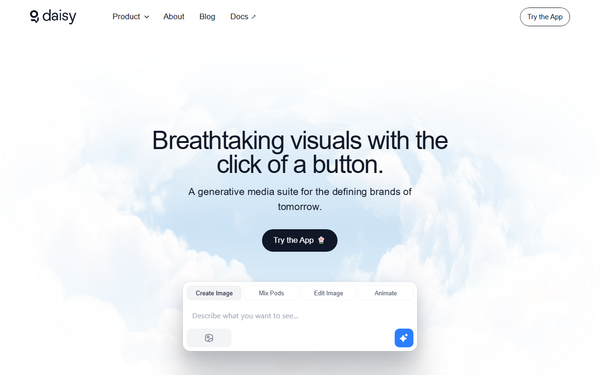
Core functionality revolves around four pillars:
- Pods: Train personal style models on 4–15 high-quality, consistent images (e.g., your colored sketches or brand photos). Once trained (typically under an hour), Pods generate Shots that faithfully reproduce the aesthetic.
- Create / Generate Shots: Upload references or start from a Pod, optionally mix multiple Pods for hybrid styles, and produce new images.
- Edit & Remix: Refine outputs with built-in tools.
- Animation: Convert static Shots into short videos with controllable duration and movement.
Standout differentiators include:
- Extremely easy Pod training from small datasets (no need for thousands of images or technical ML knowledge).
- Pod mixing for unique hybrid aesthetics.
- Integrated animation without leaving the platform.
- Emphasis on prompt-light or click-to-generate workflows in many modes, reducing the usual AI prompt fatigue.
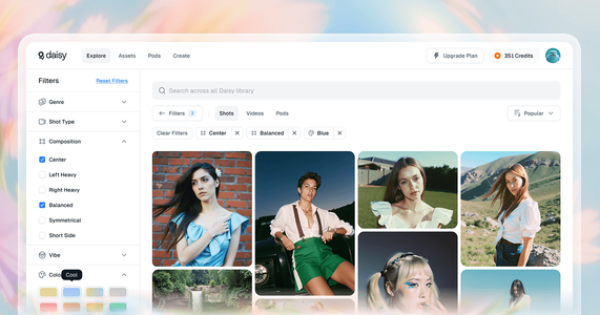
- Community exploration of public Pods and Shots for inspiration.
Limitations include a strict credit-based system (every training, generation, and animation consumes credits), typical AI variability in output quality if reference images lack consistency, and pending deeper mobile app troubleshooting. Advanced video editing controls or unlimited free generation are absent compared to some competitors like Midjourney or Runway ML.
User Experience
Daisy boasts an intuitive, camera-inspired interface accessible via web at app.daisy.so (with growing mobile support). The learning curve is low—most users can train their first Pod and generate Shots within minutes thanks to clear flows and helpful guides. Navigation uses clean sections (Pods, Create, Explore, Animation) with search and filters to reduce friction.
Documentation at docs.daisy.so is comprehensive, with dedicated guides for dataset curation, Pod creation, mixing, and animation. FAQ and Common Issues pages address real user pain points proactively. Support is available via email ([email protected]), and the active blog shares practical workshops and examples. Overall, the experience feels fast, flexible, and empowering for non-technical creatives.
Performance & Reliability
Generation of individual Shots is quick (often under a minute for simple outputs, as demonstrated in live workshops), and Pod training completes rapidly from small datasets. Animation rendering times vary with duration and complexity but remain usable for short clips. Reliability is solid for core tasks when best practices are followed (high-quality references, clear prompts, proper mixing).
Known issues, drawn directly from official troubleshooting, include occasional training failures from inconsistent datasets, variable Shot quality, choppy animations from low-resolution bases or complex movements, and occasional navigation hurdles for first-time users. No widespread outages or major complaints appear in public forums as of March 2026; the platform feels stable for its credit-gated usage model. Users are advised to start with shorter animations and curated datasets for best results.
Pricing & Value
Daisy uses a credit-based subscription model (credits cover training, generation, editing, and animation):
- Free: $0/month – 100 credits
- Pro: $39/month (or $31.17/month annually) – 4,000 credits + 2.5% discount on extra credits
- Ultra: $99/month (or $79.17/month annually) – 12,000 credits + 5% discount on extra credits
Annual billing saves 20%. No enterprise tier is publicly detailed. Free tier suits light experimentation; Pro and Ultra deliver strong value for regular creators (thousands of generations per month). Compared with prompt-heavy tools like Midjourney or Leonardo.AI, Daisy’s Pod consistency and integrated animation provide superior value for style-driven workflows, especially at the Pro price point. Extra credits can be purchased as needed.
Practical Tutorial
Official documentation and the August 19, 2025 blog post “How daisy Brought AI Labubu Magic to FWB Fest 2025” provide real-world walkthroughs. Here is a complete step-by-step tutorial for a common task: Train a custom Pod from your sketches and animate a series of consistent illustrations (based on the official Labubu workshop process and docs guides).
-
Sign up and prepare your dataset — Create a free account at app.daisy.so. Gather 4–15 high-quality images that perfectly capture your desired aesthetic (e.g., 8 colored sketches of your character in similar lighting and pose). Follow the Curating Dataset guide for best results.
-
Train your Pod — Navigate to the Pods section. Upload your images, name the Pod (e.g., “MySignatureStyle”), and click Train. Training typically finishes in under an hour and costs a modest number of credits.
-
Generate Shots — Go to Create > Generate Shots. Select your new Pod (or mix it with a community Pod for variation). Add an optional descriptive prompt or simply click Generate. Produce a batch of consistent illustrations.
-
Edit if needed — Use the built-in Edit tools to refine lighting, composition, or details on your favorite Shots.
-
Animate — Select a Shot, open the Animation tool, choose duration and movement style (keep simple for best quality), and render. Download the video.
Real example from the official workshop: Attendees colored printed Labubu pages, photographed them, trained individual Pods in minutes, then generated custom AI Labubu characters wearing their outfits in ~60 seconds via the labubufy.daisy.so mini-app. Full details and future workshop info are on the blog.
For official video-free guides, see docs.daisy.so/core-tools/pods/creating-pods and /core-tools/create/animation.
Final Verdict
Daisy.so earns a strong 4.5/5. It excels at delivering consistent, professional-grade generative art with minimal effort through its innovative Pods system.
Who should use it: Artists, designers, content creators, and brands seeking fast, style-consistent visuals and animation without steep learning curves or massive reference libraries—especially those who value mobile-friendly creativity on the go.
Who should avoid it: Users needing unlimited free generations, highly advanced video editing, or who prefer purely prompt-driven tools without credit limits may find better fits elsewhere.
One-sentence recommendation: If you want to turn your personal visual style into an instantly reusable AI superpower, Daisy.so is the most delightful and effective tool available today.