Dante AI Review: Build Custom AI Chatbots Without Any Coding
Overview & Purpose
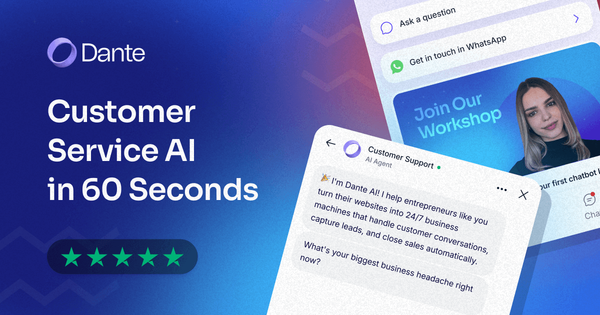
Dante AI is a no-code platform that empowers businesses to build and deploy custom AI chatbots, voice agents, and digital avatars for automated customer interactions on websites and across channels. It trains instantly on a company's website URL, uploaded documents, files, or knowledge bases to deliver accurate, context-aware responses in real time, handling support queries, lead capture, appointment bookings, and seamless escalations to human agents. Primary use cases include 24/7 customer service automation (resolving up to 89% of inquiries without human intervention), multilingual scaling for global markets, and boosting conversions through personalized engagement.
The tool targets non-technical users such as small-to-medium business owners, e-commerce teams, marketers, support managers, and customer service professionals who want to implement AI quickly without coding or large IT resources—over 100,000 businesses worldwide already use it. It is not primarily aimed at developers seeking deep custom coding but at those prioritizing speed and simplicity.
Key Features & Capabilities
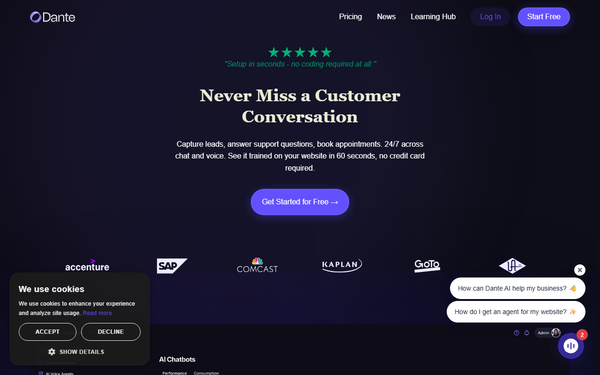
Core functionality revolves around one-click training (paste a URL or upload PDFs, FAQs, policies, or product data), natural conversation handling with context awareness (e.g., checking orders or inventory where integrated), multi-channel deployment (web chat embed, voice input/output, phone calls, WhatsApp), and analytics dashboards for tracking interactions. Standout features that differentiate it from competitors include a true 60-second setup with no credit card required, support for over 100 languages with automatic detection, unified knowledge across chat/voice/phone using a single agent, customizable brand voice and personality (including AI avatars with visual personas, voice styles, and memory for more engaging interactions), and flat monthly pricing that avoids per-resolution or per-conversation fees common in tools like some enterprise alternatives. Additional capabilities encompass Zapier integrations (7,000+ apps), human handover with full conversation history and agent photos for smooth transitions, custom CSS/domains on higher tiers, API access, and the ability to use your own OpenAI key.
Limitations include a credit-based response system (where advanced LLMs consume more credits, potentially requiring add-ons for high volume), memory/storage caps per plan (e.g., 250K characters on free tier), maximum 128 MB file uploads, and reliance on high-quality training data to minimize inaccuracies or hallucinations. Missing features for some advanced users are deep native CRM/ERP integrations beyond Zapier and fully unlimited everything without upgrading to enterprise.
User Experience
Dante AI boasts an exceptionally low learning curve, with most users launching their first chatbot in under 10 minutes thanks to its intuitive dashboard and guided workflows—no prior AI or coding experience needed. The interface is clean, modern, and highly customizable, featuring simple drag-and-drop elements for training data, tone settings, and widget styling, plus real-time testing previews. Documentation is practical and accessible via the company's blog and resources site, covering everything from basics to advanced customizations, while support includes Discord for free users, priority email, and highly responsive human assistance (often praised for co-founder involvement). Users consistently highlight the platform's user-friendliness and seamless onboarding in reviews.
Performance & Reliability
Responses are fast and efficient, with real-time processing that scales to unlimited simultaneous conversations within plan limits. The platform reliably grounds answers in provided data, achieving high accuracy when trained properly and supporting features like voice calls without lag for most use cases. It has processed over 3 million conversations with strong uptime. Known issues are minor and infrequent: occasional embedding glitches (e.g., CORS errors during setup), credit exhaustion during spikes, and performance dips if training data is outdated or unstructured. User complaints are rare, focusing more on credit management than core reliability; overall feedback on platforms like Trustpilot and G2 emphasizes consistent accuracy and productivity gains, with 89% of routine questions resolved autonomously.
Pricing & Value
Dante AI offers a clear tiered structure with a generous free plan and scalable paid options billed monthly or annually (30% discount for annual):
- Free: $0 – 1 chatbot, ~650 responses/month (100 credits), 250K characters memory, Discord support.
- Starter: $29/month ($24 billed annually) – 5 chatbots, ~20,000 responses/month, voice input, analytics, Zapier.
- Advanced: $99/month ($83 annually) – 10 chatbots, human handover, WhatsApp, team seats.
- Pro: $299/month ($249 annually) – 50 chatbots, API, dedicated manager, SLA.
- Enterprise: Custom – unlimited everything, tailored integrations.
Additional credits can be purchased as needed. This credit-based yet flat-fee model provides strong value for predictable costs compared to per-message competitors, making it especially cost-effective for SMBs with variable traffic. Higher tiers unlock branding removal and advanced features at reasonable increments, delivering quick ROI through time savings and higher engagement.
Practical Tutorial
Official step-by-step guides and a dedicated blog tutorial are available for quick onboarding. Here is a complete walkthrough for a common task—creating and deploying a customer support chatbot for an e-commerce website (e.g., an online clothing store)—based directly on Dante AI's official resources (research as of March 2026).
-
Sign up and access the dashboard: Go to dante-ai.com, click "Start for Free," and create an account (no credit card needed). Log in to your workspace.
-
Create a new AI chatbot: Click "Create AI Chatbot," enter a name (e.g., "StyleSupport Bot"), and confirm configuration. This takes under 30 seconds.
-
Train the AI on your data: Paste your website URL (e.g., yourclothingstore.com) for instant learning of products, policies, and FAQs. Alternatively or additionally, upload files like PDFs (product catalogs, return policies) or link YouTube videos. For the example store, upload sizing charts and shipping docs—the AI auto-processes them into knowledge.
-
Customize the agent: Set personality and tone (e.g., "friendly and helpful fashion advisor"), add a welcome message, enable voice input, human handover for complex issues (with full context), and buttons for bookings or leads. Optionally create a visual avatar by describing appearance (e.g., "stylish young woman with casual outfit").
-
Test thoroughly: In the dashboard, ask sample questions like "Do you have running shoes in size 10?" or "What's your return policy for online orders?" Review logs, refine data if needed, and confirm handover works.
-
Deploy and go live: Copy the single-line embed code (or use the WordPress plugin), paste it into your site footer or page. Connect additional channels like WhatsApp via one-click. Monitor the analytics dashboard for insights and iterate.
The entire process typically takes under 10 minutes. For the official version with visuals, see the blog guide. Test on the free plan first, then upgrade as volume grows.
Final Verdict
Overall rating: 4.5/5. Dante AI excels as an accessible, reliable no-code solution for businesses seeking rapid AI deployment. Businesses of all sizes—especially SMBs, e-commerce stores, and service providers without dedicated dev teams—should use it for its speed, multilingual support, predictable pricing, and proven resolution rates that free up human agents. Avoid it if you require unlimited high-volume usage without enterprise scaling, deep custom development tools, or highly specialized industry integrations beyond Zapier. One-sentence recommendation: Dante AI is a standout choice for turning any website into a smart, 24/7 customer service powerhouse with minimal effort and maximum impact.