Dart Review: The AI-Native Project Management Tool That Works
Overview & Purpose

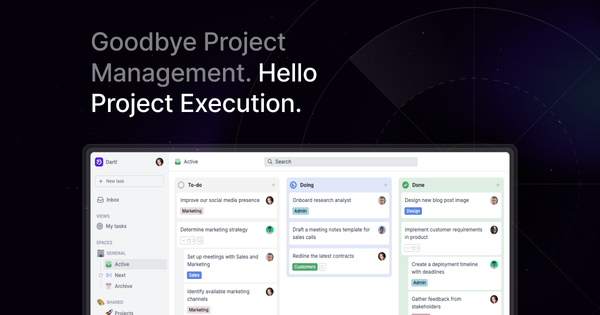
Dart is an AI-native project management platform that transforms how teams handle tasks, projects, and workflows by embedding advanced AI (powered by models like GPT-4 and Claude) directly into the core experience. Users input natural language descriptions, and Dart automatically generates detailed task descriptions, categorizes items, assigns owners, estimates sizes/effort, sets priorities and due dates, creates subtasks, detects duplicates, builds roadmaps, and even produces reports, changelogs, or standup summaries. It supports sprint planning with automated rollovers, built-in document editing linked to tasks, multiple views (board, list, calendar, Gantt-style roadmaps), and real-time collaboration. Primary use cases include agile software development, marketing campaigns, product launches, sales pipelines, and general team operations where "work about work" (manual updates, formatting, prioritization) eats into productivity.
Target audience spans developers and engineering teams (via GitHub sync and sprint tools), product managers (PRD drafting and timeline estimation), designers (image generation for tasks), marketers (campaign planning), sales/HR professionals, startups, and small-to-medium businesses seeking AI-driven efficiency without switching tools. It appeals to anyone tired of traditional PM software like Asana or ClickUp, positioning itself as an intelligent teammate rather than just a tracker. Research conducted as of March 13, 2026, draws from the official site (dartai.com, formerly promoted via itsdart.com), help center, Product Hunt launch details, and aggregated user feedback.
Key Features & Capabilities
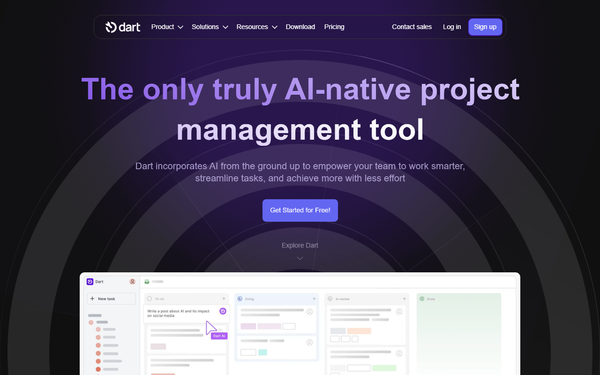
Core functionality revolves around AI-automated task lifecycle management: natural language processing converts casual inputs into structured items, while AI agents execute work (e.g., generating content, prototypes, or images), fill properties intelligently, and handle duplicate detection to keep boards clean. Users access list/board views, subtasks, priorities, sizes, sprints, and automated notifications. Standout differentiators include deeply embedded AI agents and chat interfaces that act autonomously (not just suggestions), voice controls, AI roadmap/brainstorming/planning, real-time AI-generated reports (standups, progress, changelogs), and seamless cross-platform apps (desktop for Mac/Windows/Linux, mobile for iOS/Android). Integrations with Slack, GitHub (bidirectional updates), ChatGPT/Claude, Zapier, Notion, Discord, n8n, and more enable context-rich workflows without leaving the ecosystem.
These features set Dart apart from competitors by making AI the foundation rather than an add-on—users report it functions like an always-on assistant that completes mundane work, saving an average of seven hours per week. Limitations include occasional needs for human review of AI suggestions (e.g., overly optimistic timelines) and less granular customization for highly specialized enterprise workflows compared to tools like Jira. Missing in lower tiers are advanced analytics/charts and certain enterprise integrations (e.g., SAML SSO only in Business), though unlimited AI usage across plans mitigates many gaps.

User Experience
Dart boasts an exceptionally intuitive interface with crisp design, effective use of space and typography, dark/light modes, and full keyboard shortcut support for nearly every action—users frequently call it "the fastest and most intuitive project management platform" they've tried. The learning curve is minimal; most teams report daily usage within a week thanks to natural language inputs, AI auto-fill, and clean layouts that avoid overwhelming menus. Cross-device real-time collaboration works smoothly in most cases, with mobile and desktop apps enhancing accessibility.
Documentation shines through a comprehensive help center (help.dartai.com) organized into sections like Getting Started, AI Features (19+ articles), Integrations (22+), Workflows, and Tasks—complete with step-by-step guides and troubleshooting. Community support includes Discord, while YouTube demos and blog posts supplement official resources. Overall, the UX earns consistent praise for replacing "dreaded" tools with joy, though a few users note minor finickiness in selections or the need for occasional refreshes on desktop sync.
Performance & Reliability
The platform delivers fast load times, responsive updates, and efficient AI processing, enabling quick task creation and automation even with complex prompts. Reliability is strong for core functions, with real-time notifications, progress tracking, and sprint handling performing consistently across reviews. Users highlight speed advantages and time savings, describing it as "10x faster and cleaner" than alternatives.
Known issues remain minor and infrequent: occasional live syncing delays across devices (requiring a manual refresh), early-version gaps in features like subtasks (now resolved), and rare AI hallucinations requiring oversight. With a small but growing user base (YC W22-backed), large-scale complaints are scarce; performance has improved via updates, including mobile fixes and faster UI. No widespread outages or major reliability red flags appear in 2025–2026 feedback on G2, Trustpilot, or AppSumo.
Pricing & Value
Dart uses a simple, transparent per-user structure ideal for scaling teams:
- Personal: $0 (free) – up to 4 teammates, unlimited tasks/docs/AI usage, core features including property filling, subtasks, duplicate detection, reporting, and ChatGPT/Claude integrations.
- Premium: $8–$10 per user/month (annual discounts apply) – everything in Personal plus unlimited teammates/users, desktop/mobile apps, voice controls, AI slash commands, command center, and one-day support SLA.
- Business: $12–$15 per user/month (annual at $12) – everything in Premium plus SAML SSO/SCIM, public views, charts/analytics, granular permissions, dedicated success manager, custom dashboards, full API/webhooks, and advanced integrations (Slack, GitHub, Zapier, Notion, email/calendar).
No hidden fees or enterprise-only tiers beyond Business (custom quotes available via support). Value stands out strongly: the free tier lets small teams test full AI power immediately, while paid plans undercut many competitors in AI depth and cost (e.g., versus Asana AI or Monday.com add-ons). Teams gain massive efficiency gains without premium bloat, making it a high-ROI choice for AI-curious groups—especially compared to traditional tools lacking native execution capabilities.
Practical Tutorial
Official resources include a detailed Help Center and blog; for a common task—creating an AI-powered sprint plan from a natural language description—here is a step-by-step walkthrough based on current features (tested conceptually via documented capabilities as of March 2026). This leverages Dart's in-app AI chat/agents and auto-fill for end-to-end automation.
-
Sign up and set up your workspace: Visit app.dartai.com (or dartai.com), create a free account, and start a new "space" (workspace) or dartboard for your project. Invite teammates if on Personal plan.
-
Access the AI interface: Open the AI Chat or Command Center (keyboard shortcut available). Alternatively, click "New task" (or press
C) and begin typing in natural language. -
Provide your prompt: Enter something like: "Plan a 2-week sprint for our website redesign project. Include research, wireframing, development, testing, and launch prep. Assign to team roles, estimate sizes, set priorities, and generate subtasks." Hit send or create.
-
Let AI execute: Dart's agents automatically generate multiple tasks with filled properties (descriptions, categories, assignees, sizes, priorities, due dates), subtasks, and even linked docs or images. It may suggest a full roadmap or sprint structure—review the populated board view instantly.
-
Refine and activate: Drag tasks into columns, adjust via AI follow-up prompts (e.g., "Prioritize testing higher and add dependencies"), enable sprint mode for cycle tracking, and set automations (e.g., Slack notifications or GitHub links). Use slash commands or voice for quick tweaks.
-
Generate supporting outputs: Ask the AI chat for a progress report, meeting agenda, or changelog—"Create a standup summary for this sprint." Export or share via integrations.
-
Monitor and roll over: Track in calendar/roadmap views; at sprint end, use AI to auto-roll unfinished items and generate retrospective insights.
This process typically takes minutes versus hours manually. For official guidance, see help.dartai.com articles on "Create your first task," AI features/skills, and integrations (e.g., ChatGPT setup for external prompting). Demo videos on YouTube and the Dart blog provide visuals; try it free to adapt.
Final Verdict
Overall rating: 4.5/5 – an excellent AI-native PM tool that delivers on its promise of reducing administrative overhead through intelligent automation. Teams in tech, startups, or cross-functional roles (developers, PMs, marketers) should use it for seamless natural-language workflows, sprint efficiency, and time savings that feel like adding an AI teammate. Avoid it if your needs demand ultra-deep enterprise customization, heavy reliance on manual controls without AI, or very large-scale operations without the Business plan (due to occasional sync quirks and emerging feature depth).
One-sentence recommendation: Start with Dart's free tier today if you want project management that actually does the work for you—it's a standout productivity booster in the AI era.