Deciphr AI Review: The Ultimate Tool for Podcast Repurposing
Overview & Purpose
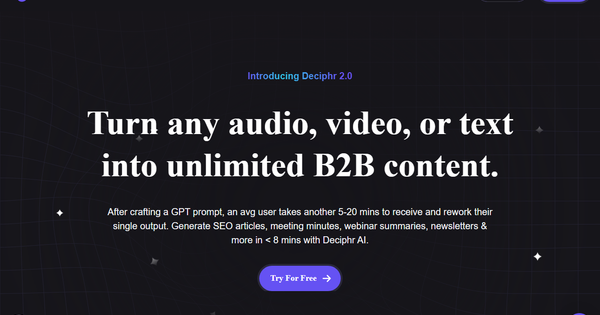
Deciphr AI is an AI-powered content repurposing platform that transforms audio, video, or text files—such as podcast episodes, webinars, or meeting recordings—into a wide array of structured outputs. It primarily automates the creation of detailed show notes, timestamps (chapters), transcripts, summaries, quotes, and highlights from podcast transcripts or audio files, while expanding to generate 75+ unique B2B content assets including SEO articles, white papers, FAQs, newsletters, landing pages, social media captions, audiograms, and video reels—all in one click without requiring custom prompts.
Primary use cases include streamlining podcast production workflows for quick post-production assets, repurposing thought leadership content (e.g., webinars or interviews) into evergreen marketing materials across platforms, and boosting SEO through keyword-optimized written content from spoken media. The target audience encompasses podcasters (both beginners and established creators seeking time savings on show notes and promotion), B2B marketers, content creators, and thought leaders who need to scale distribution of long-form audio/video without extensive manual effort. It positions itself as a tool for anyone handling spoken content who wants to amplify reach efficiently.
Key Features & Capabilities
Core functionality revolves around uploading an audio/video file or existing transcript, after which the AI automatically transcribes (if needed), timestamps chapters, and generates a full suite of outputs like session recaps, detailed summaries, show notes, speaker-labeled transcripts, and quotable highlights. Standout features include promptless generation of diverse formats (text-based plus visual media like audiograms and reels on higher plans), an interactive AI content assistant for real-time editing and regeneration (e.g., adjusting tone or adding brand voice), a custom dictionary for industry-specific terminology accuracy, and a centralized library for organizing and reusing assets. It also supports speaker labeling, file trimming, and multi-format exports.
Differentiators from competitors (such as Descript or Castmagic) include the breadth of one-click outputs—up to 75+ assets from a single upload—and its focus on B2B thought leadership repurposing beyond basic transcription. Users praise the speed and variety for podcast SEO and social promotion.
Limitations include a restricted free tier (text-only outputs, limited monthly minutes), potential need for manual editing on complex or accented audio, lack of third-party integrations, and no offline or mobile app support. Some users report generic speaker labeling (e.g., "The Speaker" instead of names) and absence of advanced features like global search/replace.
User Experience
Deciphr AI features a clean, intuitive interface with a straightforward upload process and dashboard library, resulting in a low learning curve—most users can generate assets within minutes of signing up. The layout prioritizes one-click actions, with easy navigation to view/edit outputs via the AI assistant chat. Reviewers consistently highlight its simplicity and efficiency compared to more complex tools.
Documentation is available through the official Help Center, covering plans, usage guides, and troubleshooting. Support resources include email ([email protected]), though user feedback frequently notes slow or unresponsive service. No extensive in-app tutorials or video library were prominently featured on the homepage as of research.
Performance & Reliability
Processing is notably fast, with users reporting full transcripts, summaries, and timestamps for a 30-minute podcast in under five minutes (often under 60 seconds for summarization). It handles large files reliably for most standard podcast audio, with strong accuracy on clear recordings and speaker differentiation. Stats from the site claim over 2.5 million minutes processed and 100 million words transcribed across 23K+ users.
Known issues from user reviews include occasional inaccuracies requiring edits (dependent on audio quality), billing and account management glitches, and limited reliability in customer support responses. Trustpilot reviews mention rare but frustrating experiences with account cancellation or unexpected charges. Overall, it performs well for core podcast tasks but may falter for high-volume or enterprise-scale needs without proactive support.
Pricing & Value
Deciphr AI operates on a freemium model with three main plans (as of April 2026):
- Flexi Free: Completely free tier with text-only outputs (transcripts, show notes, timestamps, summaries, etc.), limited to approximately 40 minutes of content per month—ideal for testing or light use.
- Hobbyist: $29 per month for expanded text outputs (up to 240 minutes), real-time AI editor, and AI assistant.
- Professional: $69 per month for full suite including media content (audiograms, video reels), higher limits, and additional features.
Pay-as-you-go credits and customizable enterprise options are also available. Note that while marketed with "Try for Free" and described as completely free in some contexts, the free plan has strict limits, and starting a trial may require credit card details.
Value proposition is strong for budget-conscious podcasters or solo creators needing quick repurposing, offering more output variety than basic transcription tools at competitive pricing. Compared to alternatives like Descript (higher cost with editing focus) or paid-only competitors, the free tier and multi-asset generation provide excellent entry-level ROI. However, scaling users may find value diminished by support limitations and the shift to paid plans for full features.
Practical Tutorial
A common task is generating detailed podcast show notes and timestamps from an audio file. Here's a step-by-step walkthrough based on the official process (as of April 2026; official Help Center and app interface):
-
Sign up and log in: Visit https://www.deciphr.ai/ or https://app.deciphr.ai/, create a free account (email signup), and log in. Start with the Flexi Free plan to test.
-
Upload your file: Click the prominent purple "Upload" button on the dashboard. Drag and drop your MP3, MP4, WAV, or TXT transcript file (supports podcasts up to platform limits). Optionally trim the file or label speakers manually for better accuracy.
-
Process the content: Confirm upload and let the AI run (typically under 7 minutes for a standard episode). You'll receive an email notification when ready. No prompts are needed—the system auto-generates the full suite.
-
Review outputs in the Library: Access your processed file in the content library. View and download: full transcript with timestamps/chapters, concise show notes/summary, key quotes, highlights, and additional assets (e.g., article draft or captions on paid plans). Use the AI Assistant chat to refine (e.g., "Make the summary more engaging" or "Add SEO keywords").
-
Edit and export: Leverage the real-time editor or custom dictionary for tweaks. Export as needed for your website, social media, or newsletter. For visual assets like audiograms, upgrade if on free tier.
Official resources include the Help Center articles on plans and usage, plus community YouTube tutorials (e.g., searches for "How To Use Deciphr.AI For Podcast Show Notes"). For best results, use high-quality audio and review speaker labels post-processing.
Final Verdict
Overall rating: 3.8/5 (strong on core functionality and speed for its niche, tempered by support and freemium limitations).
Podcasters and small B2B content teams on a budget should use this tool for its effortless one-click repurposing of audio into professional show notes, timestamps, and promotional assets, saving hours weekly with impressive output variety. Avoid it if you need robust customer support, seamless integrations, unlimited free processing, or mobile/offline capabilities, as billing transparency and response times have drawn consistent criticism.
One-sentence recommendation: Deciphr AI delivers excellent time-saving value for podcasters through fast, multi-format content generation in a simple interface, making it a solid free-to-start choice despite occasional support hurdles—worth trying for anyone scaling spoken content.
(Research conducted as of April 13, 2026, drawing from the official website, Help Center, Trustpilot, G2, and third-party reviews.)