Deerflow Review: The Ultimate Open-Source AI Agent Orchestrator
Overview & Purpose
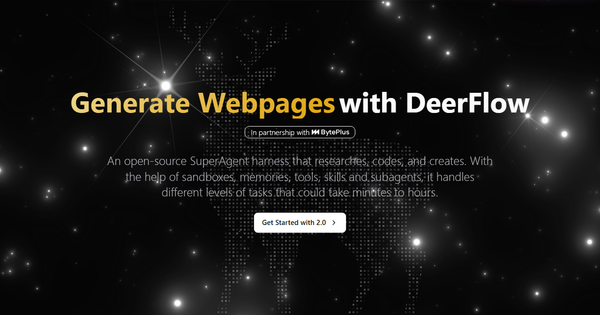
DeerFlow is an open-source SuperAgent harness developed by ByteDance, designed to orchestrate complex, long-horizon tasks through AI-driven decomposition, execution, and synthesis. Launched in its 2.0 version around February 27, 2026, it leverages LangGraph and LangChain to break down high-level prompts into parallel sub-agents, execute them within a secure Docker-based sandbox (including the All-in-One Sandbox with browser, shell, filesystem, and VSCode capabilities), and produce polished, persistent outputs such as research reports, data visualizations, slide decks, webpages, codebases, comics, and multimedia content.
Its primary use cases include deep research and forecasting (e.g., 2026 AI agent trends), exploratory data analysis (e.g., Titanic dataset processing with charts), content creation (e.g., educational Doraemon-style comics explaining concepts like MoE architecture or video generation from novel scenes), podcast/interview summarization, and full-stack automation like building web apps or generating code repositories. The tool emphasizes autonomous, multi-hour workflows in a self-contained environment with persistent filesystem and memory, making it ideal for end-to-end automation without constant human intervention.
The target audience primarily consists of developers, researchers, technical founders, and content creators who value local control, privacy, and extensibility. It appeals to teams or individuals building or using agentic AI for professional workflows, particularly those already comfortable with Docker, Python, and LLM APIs. Marketers or designers may use it for content pipelines, while researchers benefit from its memory-backed reporting capabilities.
Research conducted as of April 9, 2026.
Key Features & Capabilities
Core functionality revolves around a lead agent that plans, spawns sub-agents for parallel/sequential execution, and synthesizes results using progressive skill-loading (only relevant Markdown-defined skills are loaded to optimize context and tokens), persistent long- and short-term memory for user context across sessions, and sandboxed tool execution for safe code running, file I/O, web browsing, and more.
Standout features that differentiate DeerFlow from competitors like CrewAI, AutoGen, or basic LangGraph setups include:
- Full sandbox runtime: Acts as a "virtual computer" with isolated Docker containers, persistent mountable filesystem, and long-running task support—enabling real execution rather than just planning.
- Extensible skills and tools: Built-in library (e.g., biotech, frontend-design) plus custom Markdown skills; progressive loading keeps token usage efficient.
- Multi-model backend flexibility: Supports OpenAI, Anthropic (Claude), Gemini, DeepSeek, and local options like Ollama via compatible providers.
- Memory architecture: Fact extraction, confidence scoring, and cross-session persistence for personalized, context-aware interactions.
- Output synthesis: Directly generates formatted deliverables like webpages, reports with citations, or executable code.
Limitations include no built-in support for multi-day iterative project workflows (single-session focus, though tracked in GitHub issues), dependency on quality LLM reasoning for complex tasks, and setup requirements for Docker and API keys. It lacks native enterprise features like advanced RBAC out-of-the-box (though MIT license allows customization) and may require hardware resources for local model inference. Roadmap items (Q2 2026) target hierarchical memory and security enhancements.
User Experience
DeerFlow offers a streaming web UI (accessible via localhost after startup) alongside API and chat integrations (e.g., Lark, Telegram, Slack), providing a clean, interactive interface for monitoring agent progress, editing outputs, and managing sessions. The learning curve is moderate to steep for non-developers: installation involves cloning the repo, configuring YAML/env files, and Docker familiarity, but experienced Python/LLM users find it batteries-included and extensible within hours.
Interface quality is functional and demo-focused, with real-time streaming of sub-agent actions and file system access via the sandbox (including VSCode integration). Documentation is comprehensive, hosted on GitHub with dedicated guides for configuration, architecture, API, file uploads, and troubleshooting. Community support is strong via GitHub issues (active with 100+ contributors) and external tutorials; official resources include setup docs and demo videos on deerflow.tech. Some users note occasional config versioning warnings or dependency hurdles, but overall support resources are robust for an open-source project.
Performance & Reliability
DeerFlow excels at speed and efficiency for long-running tasks thanks to parallel sub-agent orchestration, on-demand skill loading, and checkpointing via LangGraph. Complex workflows (e.g., multi-source research to formatted report) complete in minutes to hours, depending on LLM choice and task scope, with sandbox isolation ensuring reliability and safety. Cold starts (8-15 seconds per session) and memory management are handled well, though performance scales with the underlying models (stronger models like Claude yield better reasoning).
Known issues from users and GitHub include installation dependencies (e.g., missing uv, pnpm, or Docker setup errors), config file pitfalls, and occasional sandbox provisioning hiccups on non-standard environments. Reddit and review feedback highlights solid local multi-agent potential but notes variability with weaker local LLMs and the need for API keys for optimal web/search tools. Reliability is high in controlled setups, with few widespread complaints beyond early adoption teething issues; the active community quickly addresses them.
Pricing & Value
DeerFlow is entirely free and open-source under the MIT license, with no tiers, subscriptions, or usage limits. Self-hosting requires only your infrastructure (Docker, compute for LLMs) and optional third-party API keys (e.g., OpenAI, Tavily for search). Enterprise options are community-driven via forks or hosted variants like those from BytePlus, but the core project demands zero cost.
Value proposition is exceptional for self-hosting enthusiasts: it delivers enterprise-grade agent orchestration without SaaS lock-in or recurring fees, outperforming many paid alternatives in control and customization. Compared to frameworks like LangGraph alone (which requires more wiring) or proprietary tools, DeerFlow's out-of-the-box sandbox, memory, and skills provide superior ROI for long-horizon automation—especially for teams avoiding cloud costs or prioritizing data privacy.
Practical Tutorial
Official quick-start documentation and community guides make getting started straightforward. Below is a step-by-step walkthrough for a common task: generating a deep research report on "AI agent trends for 2026" (inspired by site demos). This assumes a basic setup on macOS/Linux with Docker installed. Full details are in the GitHub repo and configuration guide.
-
Clone and Prepare Environment:
git clone https://github.com/bytedance/deer-flow.git
cd deer-flow
make config
This generates
config.yamland.env. -
Configure Models and Sandbox: Edit
config.yamlto define at least one model (e.g., OpenAI or local Ollama via compatible endpoint) and enable the AIO Sandbox:models: - name: gpt-4o use: langchain_openai:ChatOpenAI model: gpt-4o api_key: $OPENAI_API_KEY sandbox: use: deerflow.community.aio_sandbox:AioSandboxProvider auto_start: trueAdd API keys to
.env(e.g.,OPENAI_API_KEY=sk-..., optionalTAVILY_API_KEYfor search). Runmake config-upgradeif prompted. -
Start DeerFlow:
make docker-start # or follow local dev commands with uv sync, etc.Access the web UI at
http://localhost:2026(or configured port). -
Run the Task: In the web UI or via API/CLI, submit the prompt:
"Conduct deep research on AI agent trends for 2026 and generate a comprehensive webpage report with citations, charts, and forecasts."
The agent will plan sub-tasks (research via tools, analyze data, synthesize), execute in the sandbox, and output an editable report. -
Review and Export: Monitor progress in real-time, edit files via integrated VSCode, and download the final webpage or artifacts. For local models, swap to Ollama-compatible config and ensure sufficient GPU/CPU.
Link to official resources: deerflow.tech for demos, GitHub README and docs for full installation. Community YouTube tutorials cover Ollama integration for fully local setups. Expect 5-20 minutes for initial setup and task completion varying by model speed.
Final Verdict
Overall rating: 8.5/10. DeerFlow shines as a mature, execution-focused open-source SuperAgent that bridges planning with real-world runtime capabilities.
Who should use this tool: Developers, researchers, and technical teams seeking a self-hostable, extensible platform for automating sophisticated, multi-step workflows like research, analysis, or content pipelines—especially those prioritizing privacy, cost-free operation, and sandbox security.
Who should avoid this tool: Non-technical users or those needing zero-setup SaaS experiences, teams requiring polished multi-week project continuity without customization, or anyone uncomfortable with Docker/LLM configuration (setup friction could frustrate beginners).
One-sentence recommendation: If you're a developer ready to run a powerful, sandboxed SuperAgent locally for free, DeerFlow 2.0 is one of the strongest open-source options available today.