Depthify AI Review: Turn 2D Photos into 3D Spatial Video
Overview & Purpose

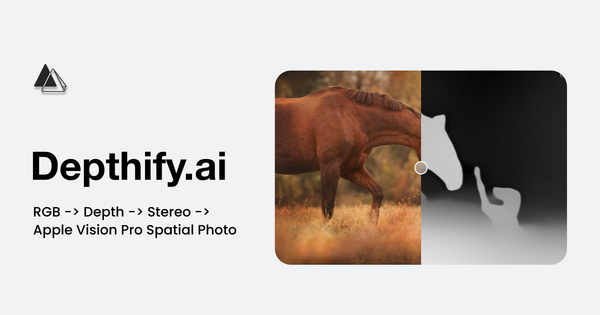
Depthify.ai is an AI-powered platform that transforms standard 2D RGB images and videos into immersive 3D spatial formats optimized for devices like the Apple Vision Pro and Meta Quest. It employs a monocular depth estimation network to generate accurate per-pixel depth maps, converts these into stereo image pairs (simulating left- and right-eye views), and encodes the results as .HEIC spatial photos or MV-HEVC spatial videos. Additional outputs include raw depth maps, anaglyph or side-by-side stereo previews, and 3D mesh visualizations.
Primary use cases include converting personal photos/videos into spatial content for VR viewing, creating depth data for computer-vision projects, and building 3D models or environments for AR/VR development. The tool targets content creators, filmmakers, VR/AR enthusiasts, and developers who want to enhance 2D media with realistic depth without manual 3D modeling. As of March 13, 2026, it stands out in the growing spatial-media ecosystem by offering both cloud and local processing options.

Key Features & Capabilities
Core functionality revolves around the RGB → depth → stereo → spatial pipeline. Users upload or import .jpg/.png images or .mp4/.mov videos; the system outputs production-ready files viewable natively on target headsets. Two distinct modes differentiate it:
- Cloud service: Handles any video length (scene-splitting for long clips), runs on secure servers, and delivers results via email. Ideal for quick, scalable conversions.
- Desktop app (MacOS Apple Silicon only): Fully local and offline, with fine-grained controls over depth and stereo effects, built-in three.js 3D mesh viewer, support for custom depth maps, and outputs including SBS stereo and anaglyph previews. It also supports multiple monocular depth models (e.g., Depth Anything Small).
Standout features include metric depth estimation (useful for computer vision), direct compatibility with HEIC/MV-HEVC standards, and commercial-use rights on desktop outputs without attribution. The dual-mode approach provides flexibility—cloud for convenience, desktop for privacy and control—that few competitors match.
Limitations include variable depth quality depending on scene complexity (monocular networks struggle with reflections, thin objects, or low texture), no support for 3D-to-2D conversion, and desktop exclusivity to Apple Silicon Macs. Windows/Linux users are limited to cloud only. No advanced editing tools (e.g., manual depth painting) or batch processing beyond bulk upload in cloud plans are present.
User Experience
Both interfaces emphasize simplicity, resulting in a gentle learning curve. The cloud workflow involves logging in at depthify.ai/convert, uploading a file, and waiting for an emailed result—straightforward for beginners. The desktop app features a clean, minimal UI with sliders for stereo strength and depth parameters, plus real-time 3D mesh previews, making it accessible yet powerful for intermediate users.
Documentation is basic: an on-site FAQ covers fundamentals (e.g., offline operation, supported models), but lacks in-depth guides or video tutorials. Support channels include a contact form, email ([email protected]), and Discord; however, terms explicitly note no obligation for assistance. Overall interface quality is modern and functional, though the absence of extensive help resources may frustrate novices seeking troubleshooting.
Performance & Reliability
Cloud processing scales to unlimited lengths and delivers consistent production-quality output, with email delivery typically completing within minutes to hours depending on video size and server load. Desktop performance varies by hardware—local inference can be slow (reported sub-1 fps on high-end M3 Max chips for longer clips), though it remains reliable for shorter content. Depth estimation quality holds up well on well-lit, textured scenes but can produce artifacts in challenging footage.
Few widespread user complaints exist due to the tool’s niche status; occasional reports mention slow desktop processing or minor output inconsistencies, but no major reliability failures or security issues surfaced in reviews or forums as of March 2026. Early adopters on Reddit praised unlimited-length support and ease for Vision Pro content. Overall, the service feels stable for its intended casual-to-professional spatial workflows.
Pricing & Value
The cloud service follows a pay-per-frame model with no free tier currently available:
- 1080p: $1.50 per minute (30 fps) or ≈ $0.000833 per frame, includes bulk upload and commercial license.
- 4K: $3.00 per minute (30 fps) or ≈ $0.001667 per frame, same inclusions.
- Enterprise: Custom pricing with extras (8K, upscaling, segmentation, fisheye correction).
The desktop app is free to download and use indefinitely, with full commercial rights and no usage limits. This hybrid structure delivers strong value: desktop users get unlimited conversions at zero ongoing cost, while cloud suits occasional or high-volume needs without hardware investment. Compared to manual stereo tools or generic AI converters, Depthify.ai’s specialized spatial encoding and metric depth make it cost-effective for Vision Pro/Quest creators, though heavy cloud users may find per-minute fees add up quickly versus one-time alternatives.
Practical Tutorial
No official video or step-by-step guide exists beyond basic site instructions, so here is a practical walkthrough for the most common task—converting a personal video to spatial format using the free Desktop app (recommended for control and zero cost). This example uses a short family vacation clip (.mov file) on a MacBook Pro with Apple Silicon.
- Visit https://www.depthify.ai/ and click “Download for MacOS (Apple Silicon).”
- Install and launch the app (fully offline after download).
- Click to import your .mp4 or .mov video.
- Select a depth model (e.g., Depth Anything Small) and generate the depth map—view the projected 3D mesh in the built-in three.js viewer to verify accuracy.
- Adjust stereo parameters (disparity, convergence) using the sliders for optimal eye separation.
- Choose output format: MV-HEVC spatial video (for Apple Vision Pro) or SBS stereo as backup.
- Click “Convert” and export the file.
- Transfer the resulting .mov to your Vision Pro via AirDrop or Files app; open in the Photos app or a compatible player for immersive 3D viewing.
For cloud alternative (any device): Log in at https://www.depthify.ai/convert, upload your video, wait for the emailed MV-HEVC file, and view directly on your headset. Results typically match desktop quality but without manual tweaks. Test with a short clip first to gauge depth accuracy on your content.
Final Verdict
Depthify.ai earns a solid 4.5/5 rating for its targeted innovation and dual processing modes that deliver genuine spatial immersion from everyday 2D media.
It is ideal for Apple Silicon Mac owners, VR/AR content creators, and Vision Pro enthusiasts seeking an easy, privacy-focused way to repurpose photos and videos—especially those wanting offline control and direct-compatible outputs. Developers working on computer-vision or 3D modeling projects will also appreciate the metric depth maps and mesh exports.
Avoid it if you require Windows/Linux support, unlimited free cloud conversions, extensive documentation, or pixel-perfect depth on every scene type—monocular limitations and platform restrictions may frustrate those users.
In one sentence: Depthify.ai is the most accessible and specialized tool available today for turning ordinary 2D content into compelling spatial experiences on Apple Vision Pro and Meta Quest, particularly via its free desktop app.