DesignerBot Review: Create Professional AI Presentations Fast
Overview & Purpose

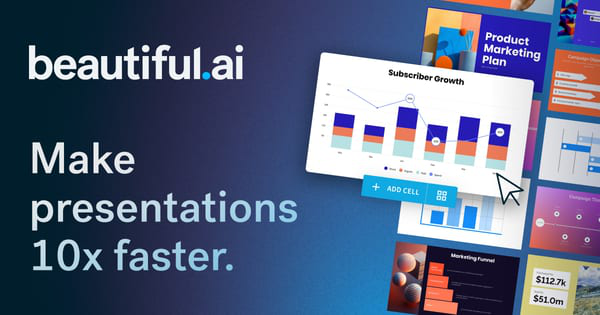
DesignerBot is the generative AI engine powering Beautiful.ai, an AI-driven presentation platform designed to automate the creation of professional slide decks. It allows users to input a text prompt, upload documents (such as Word files, PDFs, or articles), or provide webpage URLs, then instantly generates a complete presentation draft complete with structured slides, suggested content, and relevant imagery. The tool’s primary purpose is to eliminate the time-consuming aspects of slide design, brainstorming, and content creation, enabling users to go from idea to polished deck in minutes rather than hours.
Key use cases include crafting pitch decks, investor presentations, marketing reports, sales proposals, internal strategy meetings, business plans, and educational or training materials. It excels at transforming raw content—like interview transcripts, research papers, or lengthy documents—into digestible, visually appealing slides. The platform targets non-designers who need professional results quickly, including marketers, sales teams, startup founders, consultants, agencies, educators, and individual professionals or freelancers. Teams in fast-paced environments particularly benefit from its ability to maintain brand consistency while scaling output.
Key Features & Capabilities
Core functionality revolves around DesignerBot’s ability to generate full presentation decks from natural-language prompts, with built-in Smart Slide templates that automatically adjust layouts, fonts, colors, animations, and spacing as content is added or edited. Users can brainstorm ideas, generate or rewrite text (including summarization, expansion, tone adjustments like “professional” or “playful,” and even translation to other languages), and create custom AI images via detailed text prompts (e.g., specifying style, mood, or artistic influences). Additional capabilities include importing external context for more accurate results and one-click theme application for branding.
Standout features that differentiate it from competitors include the seamless integration of generative AI with “smart” design rules—slides adapt in real time without manual resizing or alignment issues—and the context-aware nature of DesignerBot, which incorporates uploaded files or URLs to produce relevant, data-driven outputs rather than generic templates. Unlike basic AI generators, it produces editable, animated, stakeholder-ready decks that maintain a polished, consistent look.
Limitations include reduced flexibility for highly complex or custom visual needs (e.g., intricate diagrams or advanced data visualizations beyond standard charts), occasional need for manual refinement of AI-generated content, and less sophisticated handling of narrative depth in highly specialized or creative topics. Export to PowerPoint can sometimes introduce minor formatting inconsistencies, and the AI does not fully replace human creativity for unique storytelling.
User Experience
Beautiful.ai offers an intuitive interface with a low learning curve, making it accessible even for users with minimal design experience. The drag-and-drop editing combined with Smart Slides means content addition feels effortless—elements auto-format and balance themselves, reducing frustration common in traditional tools like PowerPoint. The DesignerBot chat-like interface for prompts is straightforward, and real-time previews help users iterate quickly.
Interface quality is clean and modern, focused on productivity rather than overwhelming options. Documentation includes helpful blog posts, in-app tooltips, and support resources; customer service receives mixed feedback, with some users praising responsiveness and others noting delays or billing-related frustrations. Overall, the platform prioritizes speed and simplicity, earning praise for transforming “getting started” phases of presentation work.
Performance & Reliability
DesignerBot generates a full 10-slide deck in under two minutes in most cases, with Smart Slide adjustments happening instantly. Image and text generation are similarly responsive, making the tool highly efficient for time-sensitive tasks. Reliability is strong for standard professional use cases, with consistent output quality when prompts include sufficient context.
Common user complaints center on occasional billing or subscription management issues, limited customization depth for advanced users, and rare export glitches. Some reviews note that AI drafts require editing for perfection, and performance can feel “clunky” in edge cases involving very large files or highly specific creative demands. Despite this, the majority of feedback highlights reliable, professional results that save significant time compared to manual design.
Pricing & Value
Beautiful.ai offers a flexible tiered structure with no permanent free plan but includes a 14-day free trial (credit card required) and a one-off $45 single-presentation option for ad-hoc use. The Pro plan costs $12 per month when billed annually (approximately $45 monthly) and suits individual users with unlimited slides, AI features, analytics, and exports. The Team plan starts at $40 per user per month (billed annually; $50 monthly) for up to 20 seats, adding collaboration, shared libraries, brand controls, and team analytics. Enterprise plans are custom-priced for organizations needing 20+ seats, SSO, advanced security, SCIM provisioning, and dedicated support.
Value is high for users prioritizing speed and design polish over deep customization; the AI capabilities and Smart Slides deliver professional outputs far faster than alternatives like Canva, Gamma, or manual PowerPoint work. At $12/month annually, Pro provides strong ROI for frequent creators. However, users needing extensive customization or facing budget constraints for teams may find competitors more cost-effective. The platform’s focus on brand-ready results justifies the price for professionals and small teams.
Practical Tutorial
Beautiful.ai provides in-app guidance and blog resources for getting started; below is a step-by-step walkthrough for a common task—creating an investor pitch deck using DesignerBot (based on official functionality as of April 2026). This can be replicated directly in the workspace after signing up for a trial or plan.
-
Log in and start a new presentation: Navigate to your Beautiful.ai workspace and click “New Presentation.” Select the DesignerBot option to begin with AI assistance.
-
Provide context and prompt: Enter a clear prompt such as “Create a 10-slide investor pitch deck for a sustainable fashion startup seeking $2M seed funding. Include problem, solution, market size, traction, business model, team, and ask.” For better results, upload a supporting document (e.g., business plan PDF) or paste a URL with additional details.
-
Generate the initial deck: Click “Generate” or the equivalent prompt button. DesignerBot will produce a full draft in 30–120 seconds, complete with Smart Slides, suggested headings, bullet points, and placeholder images.
-
Refine content with AI tools: Select any text block and use the inline AI assistant to summarize, expand, rewrite in a specific tone (e.g., “make this more confident and data-driven”), or translate. For images, click an image placeholder, enter a detailed prompt like “modern minimalist illustration of eco-friendly clothing in synthwave style,” and regenerate.
-
Customize with Smart Slides: Drag and drop to reorder slides. Add or edit elements—Smart Slides will automatically resize, align, and animate content. Apply your brand theme via the Theme Builder for consistent colors, fonts, and logos across all slides.
-
Review, animate, and export: Preview the deck in presentation mode. Add animations if desired (they auto-apply professionally). Export to PowerPoint, PDF, or share via a secure link with analytics tracking.
For official video tutorials and advanced examples, refer to Beautiful.ai’s blog or support center (search for “DesignerBot tutorial”). This process typically takes 10–20 minutes from start to a client-ready deck.
Final Verdict
Overall rating: 4.2/5. Beautiful.ai with DesignerBot shines as a time-saving, professional-grade AI presentation tool ideal for marketers, sales professionals, startup founders, consultants, and teams needing quick, brand-consistent decks without design expertise—especially those who value speed and polish over pixel-perfect customization. Users should avoid it if they require highly complex data visualizations, extensive creative control, or have experienced past billing/support frustrations and prefer fully free or more flexible open-source alternatives.
One-sentence recommendation: If you want to create stunning, professional presentations 10x faster without sacrificing design quality, DesignerBot in Beautiful.ai is an excellent investment for busy professionals and teams.